FS7: Music video and feature film scenes

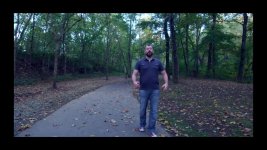
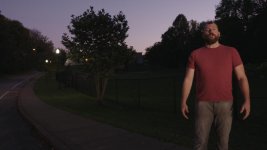
This year I shot the feature film "Providence" on the FS7. It's a silent film with a soundtrack by indy music artists. Each artist agreed to accept a music video in return for use of their music, so the work began this week on shooting them. Here's the first, also shot on the FS7. Included in the video are scenes from the film. These particular scenes take place in the late 70's and the theme is "teenage angst".

 
Nice work. The film scenes look great. For online/youtube I'd suggest that possibly one of the two main promo performance scenes is a bit over saturated and too contrasty with really crushed shadows that jars a touch when cut against the rest of the nice light lower contrast footage but aside from that good job.

I'd also always do a performance take along to a double speed version of the track so you have a slomo but in-sync version of the performance too as it adds a bit of that sparkle to shots in music promos.
 
Nice work. The film scenes look great. For online/youtube I'd suggest that possibly one of the two main promo performance scenes is a bit over saturated and too contrasty with really crushed shadows that jars a touch when cut against the rest of the nice light lower contrast footage but aside from that good job.

I'd also always do a performance take along to a double speed version of the track so you have a slomo but in-sync version of the performance too as it adds a bit of that sparkle to shots in music promos.


I plan to try the double speed trick for the first time on the next video I shoot. And shoot some slomo shots of guitar, non vocal sections, etc.


"I found the lack of a consistent look to be annoying. It doesn't add up."


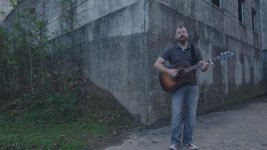
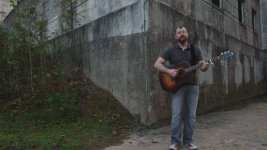
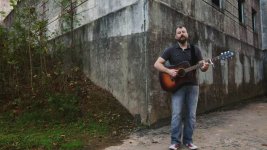
Fire away with suggestions - I'm not releasing it publicly (other than here) until Monday and can still make some revisions. The performance shot in front of the building is contrasty because the building looks REALLY good that way. How would you make the two shooting locations look consistent with each other?
 
Check your sync. It looks all over the shop on my screen - could be YouTube of course, but worth an eyeball.

I agree with Ben, a desaturated look would set a better mood for the shots of the singer. Nice song BTW.
 
I kinda like the warm look some clips have so I would prefer something like that for all clips. But clips differ so much in hardness so I think it will be difficult to get them to feel like one look. I would loose the clips with the singer in front of the grey building as it's not in line with the other clips. Kill the darling.

To me the sync is also annoying because it's off.
 
New version:


As for getting rid of the scene at the building, I already got rid of two other shots I didn't like:

Leaves still.jpglamps still.jpg

I thought the building shot looked better than either of these.
 
Last edited:
Only had a chance to look at the first version.

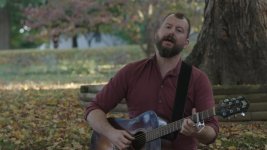
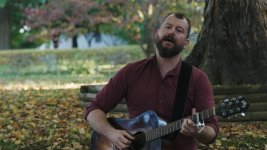
I too think the saturation should get reduced in many of the clips. Not loving the skin tones either, especially the magenta ones. The scene with the guy under the tree could use a bit more contrast, & a color tweak.
 
Seems like the 80s/90s thing to do was, whatever movie the music video was a soundtrack to, they would sort of match the look of the music video TO that movie. . .so you have "Kiss from a Rose" looking very much like the Batman footage interspersed with Seal, "Highway to the Danger Zone" sort of looked like the scenes in Top Gun, color/contrast/etc.-wise. **** you, I'm old.
 
Only had a chance to look at the first version.

I too think the saturation should get reduced in many of the clips. Not loving the skin tones either, especially the magenta ones. The scene with the guy under the tree could use a bit more contrast, & a color tweak.


By clips do you mean the movie scenes? I'm going to try using the tree shot as a baseline, with a bit of added contrast and see if I can get the building shot skintones to match. Not easy as the shots are so different (the tree shot was warm with no grading at all, the building shot was cooler). As far as lip sync goes, I'm dealing with having to compensate for Youtube lag. And a singer who has never done a music video before.
 
As far as lip sync goes, I'm dealing with having to compensate for Youtube lag. And a singer who has never done a music video before.

That's pretty uncool to blame the singer. It's your job to mitigate these things by how you shoot and how you edit. That said, some of the shots look half a second off, and others look OK (well, only two shots look in sync) that's down to editing not the singer or YouTube.

It's a very easy track to sync, it's in 4/4 time, you can see him singing, and he does a great big hand slap on the guitar on the beats 2 and 4.

The grading in the second attempt is worse than the first. It lacks a coherent artistic plan. It's a mess. Bin it and start over and keep it simple. Start with a natural look and move on from there. You've got a nice track to work with. Do it justice.
 
Heya,

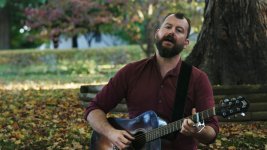
Here's my ten cents. Very quick treatments, first to 'balance' these two images, which is mainly challenging due to the 'water wide' being so much lower-contrast than the 'trees' shot. Because the talent is in full shade, there's a completely different looking set of skintones to deal with. The second pass is a fairly 'safe' grade, which could be pushed any which way depending on taste. All corrections done with curves and colour balance, with (selective) secondaries only used for the grades.

basic tree.jpgbasic water wide.jpg
grade tree.jpggrade water wide.jpg

Hope that sheds some light on the possibilities. Cheers,

jason
 
Newest version here. If you spot color or sync issues please give specifics or time code (I'm aware of the clip at 3:38 that does not have the new color applied) . Thanks!
 
Last edited:
For me it's irritating that the talent switches from one cut to the next from a blue to a red shirt and back (for example at 0:20 - 0:34). Is there any reason for that? You have two story lines, music video and the extracts from the short film. As there is no obvious reason for the change of the outfit I find that it fragments the music part unnecessarily. O.k. that's too late now..

I'd still go more for Jasons's look in the music part
 
For me it's irritating that the talent switches from one cut to the next from a blue to a red shirt and back (for example at 0:20 - 0:34). Is there any reason for that? You have two story lines, music video and the extracts from the short film. As there is no obvious reason for the change of the outfit I find that it fragments the music part unnecessarily. O.k. that's too late now..

I'd still go more for Jasons's look in the music part


Still working on it, I noticed the shot at :20 too and got rid of it in a later version. Still working on the color.
 
Question: Did you have his recording playing as a playback while filming his performance? And was he mimicking the guitar exactly as the recording? Because as a guitar player, I'm definitely noticing strums that aren't in the song but he's doing them in the video (look at :19-:20, he has a couple strums across the strings that are absent from the recording).

EDIT: actually, i can tell that you're not using the right part if his performance at the :19-:20 mark because he's not going into the correct chord at the end of the shot.
 
Last edited:
Yes, he was playing along with a track. This version should be closer to Jason Brooks color sample:

I think I've got the guitar improved, except for the very last shot.
 
Back
Top