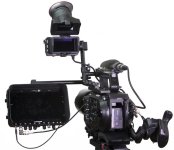
FS7: Monitor thoughts

morgan_moore

Major Contributor
So I think my DP6 is falling apart - it was part of my woes on my shoot last weekend.

Might be time for a new monitor.

the monitor would ideally..

-Support Luts in all modes and frame rates
-Offer an RGB waveform, ideally switchable between LUT and Source (seeing the LUT RGB would give a better concept of colour)
-Be small and light.
-have a kick ass sunshade
-have HDMI out to feed my DP1x director monitor?

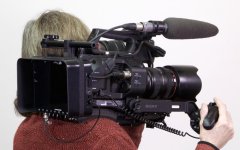
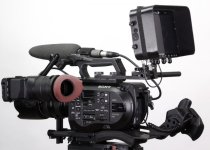
Personally I feel the O7q is a bit bulky - DP7/TVlogic is a better size.

There are some arguments for the 07q of course, but the media is a bit costly

S
 
The O7Q is at an interesting price point as its not far off from other lut supported monitors that don't record. I was looking at the Small HD DP7 Pro or the O7Q and decided to hold off at the moment as I look at the next months I have no shoots that I couldn't make due with my existing 7" HDMI monitor so better to keep the money in my pocket for the moment.
 
There are some really good deals on the used 7Q's now. I have one client that is selling through us for a good price. And there are lots more on the WEB.

Contact me directly if you are interested in a good deal on the 7Q used.
 
Probably same thoughts all round.. if one is buying a 7q then one would go for the + as one never knows what cameras one will meet - eg A7s and Gh4

But used 7q is a good thought!

S
 
..also muddling my thoughts are MXF cannot edit on our laptop, so job next week Im gonna record proRes using my shuttle.

the ability to record 720 prores would actually be perfect..

S
 
..also muddling my thoughts are MXF cannot edit on our laptop, so job next week Im gonna record proRes using my shuttle.

the ability to record 720 prores would actually be perfect..

S

What edit software are you using? I've been pleasantly surprised at how well the XAVC-I codec works with Avid & PP that I once considered the add on for pro res but now feel I don't need it.

The one reason thought that would make me lean towards the O7Q+ is to save money on the back extension and be able to get pro-res recordings if clients demand rather than transcode on top of being a great monitor.
 
XAVC-I edits nicely on my MBPro. Drive speed could be an issue Sam.

This is Seagate drive usb 3 - no space on the actual laptop (not mine) for anything.
MXF jitters, and prores from my shuttle works well - no time to transcode on this job and 'cos its in Holland I cant take my usual office machine

S
 
The 7q monitor is brilliant and the focus/wfm tools are ace, as are all the ins and outs on it. the recording tools are like a free extra.
 
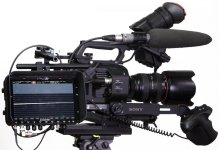
I just cant see having the 7q on the side of the camera, only mounted on the back.

That could work, but probably only in conjunction with another monitor (like the starlight) on the side for shoulder work.

As the FS7 lacks any tools for evaluating colour I having a large RGB histo has a lot of appeal.

S
 
Its just so big on the side of the camera - and recording is a very secondary functionality to me, luts and RGB wfm are biggies though.

S
 
This is Seagate drive usb 3 - no space on the actual laptop (not mine) for anything.
MXF jitters, and prores from my shuttle works well - no time to transcode on this job and 'cos its in Holland I cant take my usual office machine

S

I use those for archiving, not for editing. Still, surprised it doesn't play smoothly, even my mobile drives (G-Raid mini/Lacie rugged) play smoothly. What laptop are you using?
 
Liam
I dunno - its not here - 2012-3 top spec macbook I guess?

I think davinci is a bit heavy at playing back, Im trying davinci having abandoned FCP7 and being at a cross roads.. but i do love mixing colouring and cutting.

Seagates Yep I usually archive on them.

I wonder if mpeg 422 would play better - ? Does that codec handle Slog?

S
 
If you're in Premiere, just drop the playback quality down to 1/2, that should help.

Back on topic, my vote goes to O7Q+ too. Sits very nicely on the FS7.
 
Back
Top