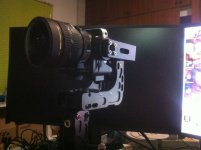
Micro Gimbal for GH4, BMPCC, A7s - $699 USD

Hello guys, good to see this thread alive and kicking, would like to post my experiences also with this wonderful product here is some footage of just getting it 3 hours, if anybody has some good settings to use with the BMPCC and simpleBGC program.

Nice video! So far, I feel the stock settings do okay with the pitch and roll. Where I'd like to improve, and it looks like you faced the same issue in your shoot, is how the Nebula responds to YAW follow. I find I have to be very slow or it overshoots where I want to go. Those would be the most interesting settings to me. Your thoughts?
 
Hi Everyone,

I have just received my Nebula 4000 Lite. After balancing my Sony A7s with 35 mm lens, the Nebula would not balanced the camera. I have watched Dave Dugdale video and follow it step by step. I have also watched the video instruction from the company and followed it accordingly. However, the Nebula would shake and not balance the camera. When I connect it to the program SimpleBGC v2.40 b7, it says that Sensor is not connected.

I have sent email to FilmPower and have yet to get a reply. I have also looked into returning the product but when I click on the return page, it does not lead to any return instructions.

Can someone one offer some suggestions what I can do with the sensor not connected issue.

thanks in advance.
 
Do you have a smaller point and shoot camera around that you could try to balance? Then do the 4 and 5 button pushes in the manual, according to instructions. Usually it takes that to get things going. That should tell you if the lens weight is an issue. Also, in my experience it generally takes Filmpower a couple of days to respond.
 
3 possible problems:
* the camera is not well balanced: you know if this is the issue with the N4000 turned off, just playing with the camera and seeing if it stays in place or tends to fall one way or another
* the parameters are wrong: you can know if this is the issue by downloading a standard N4000 profile into your unit
* sensor is actually not connected: quite likely, actually, given the message you get, but I'd try to rule out the other two before sending back the unit
 
Yes, a smaller camera to start very much encouraged. I started on a A7 and GH4 and it was very frustrating. The heavier the camera, the more critical the balance. If the sensor wasn't working I doubt it would even shake, or begin to stabilize. I doubt it's that too. You might also try the A7 with just the body cap on. As I've said elsewhere, a million times, keep in mind there are really two axis on the pitch. Body-X and Body-Y. Keep in mind magnets distort the balance so you need to keep moving back and forth to check balance. Where are you located? I can Skype with you if you want.
 
Hi Everyone,

I have just received my Nebula 4000 Lite. After balancing my Sony A7s with 35 mm lens, the Nebula would not balanced the camera. I have watched Dave Dugdale video and follow it step by step. I have also watched the video instruction from the company and followed it accordingly. However, the Nebula would shake and not balance the camera. When I connect it to the program SimpleBGC v2.40 b7, it says that Sensor is not connected.

I have sent email to FilmPower and have yet to get a reply. I have also looked into returning the product but when I click on the return page, it does not lead to any return instructions.

Can someone one offer some suggestions what I can do with the sensor not connected issue.

thanks in advance.

Do you mean the Canon 35mm? I have that combo - can't be done. Too front heavy. The 'sled' cannot be moved back far enough to compensate. (Unless you are using a smaller/lighter adaptor other than Metabones?)

What most of us are doing is opting for wide sony native lenses. Not a lot of full-frame choice, so you could always shoot an crop mode. That's what I do with the Sony 16-50mm. But my main camera I'll be using on it is the A6000.
 
Great wee video here. You can see some bobbing, but like the guy said, theres no real issue with adding a little more stabilisation in post. It would take very little extra just to make it ROCK solid. I've been so busy I've yet to take much test footage with mine or fine tune it (although I'm fairly confident!)

 
Do you mean the Canon 35mm? I have that combo - can't be done. Too front heavy. The 'sled' cannot be moved back far enough to compensate. (Unless you are using a smaller/lighter adaptor other than Metabones?)

What most of us are doing is opting for wide sony native lenses. Not a lot of full-frame choice, so you could always shoot an crop mode. That's what I do with the Sony 16-50mm. But my main camera I'll be using on it is the A6000.

Hi clivemcl,

I am using a Sony 35mm f2.8 Zeiss lens with the A7s. I have seen Youtube video posted with this setup. It seems pretty stable.

I have tried a lighter camera setup (Canon PowerShot D10) as suggested by maxotics and mainstreetprod. Go through all the balancing. When I turn the power on, Nebula shakes violently. Set it down on 2 blocks (as shown on the company video), I then do the 4 button pushes manually. It just keep on beeping. Waited at least 10 minutes for it to stop so that I can proceed with the 5 button pushes, but it never did. So I turn the power off.

I am so confused. I wonder if the PID setting is wrong. Does anyone know what is the PID and motor configuration setting if I have a Sony A7s and Sony 35 mm f2.8 Zeiss lens?

Once again, thanks for all the contributions and having the patience with me.
 
I managed to get the Sigma 8mm fisheye and Nikon Speedbooster to Balance without not being to front heavy or back. will post some pictures about what type of lenses can be supported.


10960958_10153013599645365_1720373730_o.jpg
 
Hi clivemcl,

I am using a Sony 35mm f2.8 Zeiss lens with the A7s. I have seen Youtube video posted with this setup. It seems pretty stable.

I have tried a lighter camera setup (Canon PowerShot D10) as suggested by maxotics and mainstreetprod. Go through all the balancing. When I turn the power on, Nebula shakes violently. Set it down on 2 blocks (as shown on the company video), I then do the 4 button pushes manually. It just keep on beeping. Waited at least 10 minutes for it to stop so that I can proceed with the 5 button pushes, but it never did. So I turn the power off.

I am so confused. I wonder if the PID setting is wrong. Does anyone know what is the PID and motor configuration setting if I have a Sony A7s and Sony 35 mm f2.8 Zeiss lens?

Once again, thanks for all the contributions and having the patience with me.


I'm afraid that doesn't sound too good Pjong. Have you talked to Filmpower yet? The way it reacts to the calibration is definitely not correct.
 
Good news everyone! I have found the cause of my problem and my Nebula can finally be used!


The problem lies with the 2 blocks that are used while doing the 4 and 5 button pushes. You see, as I can't find any wooden blocks lying around in my home, I have proceeded in using my camera batteries lying around as support. :(


It turns out that cause the problem. The first instant it created sensor malfunction and the second instant Nebula will beep never-endingly.


What lead to my discovery was when after several attempts in failing to calibrate, I notice that one of the batteries were sticking to the Nebula. It then occur to me that I should not be using any support blocks that can interfere with the electronics in that area! I quickly switch to non-electronic, non-metal solid foam blocks that I do have lying around. Re-do the calibration and, yes, it works!!!!! I am just so thrill. ;)


So the moral of this experience is NEVER USE ANY ITEMS AS SUPPORT THAT CAN INTERFERE WITH THE CALIBRATION. And that meant for me, batteries. I felt so silly having to choose the batteries as support to begin with.


Hopefully, this will offer as an insight (on my silly mistake) to anyone planing to do the 4 and 5 button pushes calibration.


As for Filmpower, I have sent out an email to them earlier but have yet to receive a reply. I will wait if they actually do reply back. For those who actually do have real issue with the unit, I don't know if the support will be good consider the phone number is "fishy" AND there is no way for me to proceed in returning the product base on my experience with their website while trying to do so.(I hope I don't have any further issues, fingers cross)


I am glad we have this forum to discuss and get support! Thank you all for your kind support.


Cheers!!!!
 
Pjong,

Glad you got your problem sorted out. It tells me that i actually need to use blocks rather than just sitting the camera flat like I was doing. Despite that, I got the camera sucessfully balanced. Then something else went wrong (possibly cased by the battery dying during checking settings) and I had to send the unit back for repair. Filmpower responded to all my emails, but sometimes it took a day or two. Currently I'm waiting for return of the unit. Looking forward to shooting more with the Nebula, because when it works, I really like it.
 
Pjong,

Glad you got your problem sorted out. It tells me that i actually need to use blocks rather than just sitting the camera flat like I was doing. Despite that, I got the camera sucessfully balanced. Then something else went wrong (possibly cased by the battery dying during checking settings) and I had to send the unit back for repair. Filmpower responded to all my emails, but sometimes it took a day or two. Currently I'm waiting for return of the unit. Looking forward to shooting more with the Nebula, because when it works, I really like it.

At least you have successfully returned your unit to them. I'm waiting on them for details to return it as I'm experiencing problems on mine. No replies yet, although they have replied with troubleshooting tips. Anyway, it is Chinese New Year week, most probably they are on break/holiday. Hopefully will get a reply soon.
 
Beautiful MV shot by Simon Guyomard using.


That was very well shot. These type of shots are what the Nebula is all about. Short smooth movements.

BTW - what an interesting musical piece fusing celtic, south asian and middle eastern music.
 
Last edited:
Hello can you guys help me, trying to do 3 lens in under 5mins but i still think the 45* is not holding would that be because of the weight of the glass? i think my unit is not 100% balanced - http://youtu.be/gH8M17agObk

My 2-cents is your balancing procedure is overly focused on getting the x-axis of the pitch's balance (balance of FRONT part to BACK part of camera). As soon as you get a ball-park balance, with the camera on the plate, you could flip the Nebula over to its back (or hold it that way) and work on the y-axis of the pitch's balance (that is, the distribution of the camera's TOP part with it's BOTTOM part). Next, with the ROLL, you don't work on getting it perfect. The magnets and wires may pull it slightly to left or right, so you need to move it back and forth back and forth until you feel you have it perfect. So yes, I don't think your unit is 100% balanced because you adjust more than you test. Bottom line, after each adjustment, go through each "balance" test slowly, until you know you're not being thrown off by the magnet's pull, or some other effect. Hope this helps.

The heavier the lens, the more critical it is to balance it perfectly and that takes time.
 
Last edited:
Hello can you guys help me, trying to do 3 lens in under 5mins but i still think the 45* is not holding would that be because of the weight of the glass? i think my unit is not 100% balanced - http://youtu.be/gH8M17agObk
You could pre-balance the camera with different lenses and save them with the PID software. Thats if the lenses are really different like a pancake versus a zoom. Then you have 3 presets on the Nebula 4000 for each lens. Make sure to save the default settings first.
 
Last edited:
Back
Top