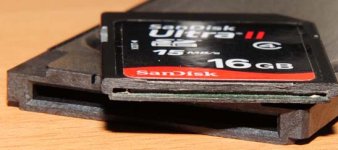
Memory door not closing with KxS solved

LOL..
You're awesome bro!

Man, I laughed my ass off watching you dice that SDHC card.

Some may think think it's a bit overboard, but it appears it's no big deal.
Also, you could buy a cheap USB expresscard reader and just always leave the SDHC card in the Kensington. This would kind of act like an SxS card, but a LOT cheaper.

Also, maybe you did not have to cut off as much to close the EX1 door? If so, and you leave enough, you could still pull the card out of the Kensington.

Hopefully your willing to check the clearance on the 32GB Ultra II SDHC cards when they become available soon. ;)
 
Pretty cool !!!!

Couple ideas:

- Might be good to use a little clear finger nail polish to seal up that end of the card.

- Use Scotch Clear Tape to make a little "Tail" so you can get card out of the adapter.

frisco
 
Man, I laughed my ass off watching you dice that SDHC card.

you should see the 5 minutes of footage it actually took to cut that thing with dull wirecutters LOL


And yeah, this was obviously a real ghetto job. You guys should definitely be able to dremel/sand off just the right amount to allow the door to close, but still allow easy removal of the card from the kensington. The roughest part of the whole thing was taking the card apart to make sure there was nothing in it, cutting/sanding a brand new card should be much much cleaner.
 
Excellent work Fodeesha. Door problem is now SOLVED!

Good idea to seal the end up with a bit of tape/glue and make a tab to pull out the card, though as stevet says it would probably be more sensible to leave the cards in the reader and just buy more readers and a cheap usb card reader for offload.
 
that's awsome! I felt kinda the same that there must be some room in the card to chop off...but didn't decieded to try it yet :)

Bravo! This is truly an invention!
 
that's awsome! I felt kinda the same that there must be some room in the card to chop off...but didn't decieded to try it yet :)

Bravo! This is truly an invention!

Personally I had held off doing it because it had been found the Transcend 16GB card has electronics right up to the end of the card. I thought there would be a good chance the Sandisk would be the same and I didn't care to trash a card trying. I am glad others were though!:)

I think I first brought up the idea of trimming the end off a card a week or two ago.
 
I had a look at my Ultra II card today and I don't have that clear sign of the circuit on the back as you have. I wonder if there are slightly different versions of the Ultra II 15Mbps and is so how different they are inside.

It could also be a reason why some of us get up to 40fps OC and others get up to around 50fps.
 
WARNING: Do not try the shaving trick on your Sandisk Ultra II 16GB 15MbBps card unless you can see those markings on the back of the card.

My cards do not have them and I started sanding the end of the card back, very slowly! I only got 0.9mm in and I could see the start of the circuit board and the side edge of the solder dots of the flash chip!

Luckily, because I took it so slowely, I stopped in time. No damage done but the inside is visible. A bit of Araldite on the end should secure that back up and this card can become my D90 card.

Steve (or anyone), can you jump over to that 'other forum' and warn them before too many go killing their cards?
 
Last edited:
Here are some images of how close the PCB & chips are in my Ultra II's.
 

Attachments

  • D3B_9875.JPG
    D3B_9875.JPG
    39 KB · Views: 0
  • D3B_9875b.jpg
    D3B_9875b.jpg
    43.3 KB · Views: 0
BEWARE - Some cards have two chips!!!

BEWARE - Some cards have two chips!!!

As has been previously stated - not all cards are the same....

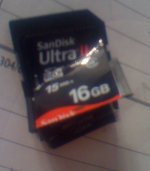
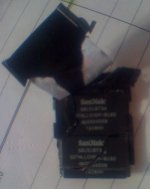
It looked like a problem solved to me, but when I tried to cut into my SanDisk Ultra II 16gb card I found two 8GB chips that take up the entire card space. I do not know if this is an older card or something, but I bought it last month on NewEgg. I suspect the newer 16gb cards only have one chip, which is probably how they are going to make the new 32gb cards (two 16gb chips). If that is the case, then we will not be able to do this method to the 32gb cards.

In any case, I now have a dead 16gb card. It was worth a shot. I ordered three more 16gb cards and will try to figure out if they have one chip in them. In case you can tell anything about SN, the # on this card was BL0811613270B.

Sorry for the bad pics - all I have today is a camera phone.
 

Attachments

  • IMG_0636.JPG
    IMG_0636.JPG
    202 KB · Views: 0
  • IMG_0637.JPG
    IMG_0637.JPG
    320.3 KB · Views: 0
Very very sorry to hear that Carl. I've updated the article with a warning, that only the translucent cards are to be trimmed. Hopefully everyone gets the message before they continue cutting.
 
Back
Top