Olaf99
Active member
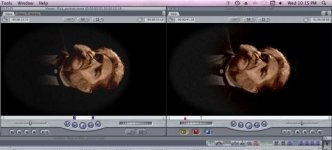
I've been ignoring this for a while but now it's really affecting things. I'm working on a project where I need to take a still frame from the first frame and run it for the first 4 seconds of the video. (This is for an illusion at a haunted house where a mirror slowly fills with an image of an old man and then slowly becomes animated and addresses the audience. The following images are sideways because we'll be running the tv behind a mirror on it's side.)
My problem is, I go to the frame I want to use in the timeline, double click the clip in the timeline, and then go to Modify, Make Freeze Frame. The freeze frame appears in the viewer just how I want it but, when I drag that to the timeline, it becomes much darker. I am using zero filters on any of these clips. The source is a Motion file. Any ideas?
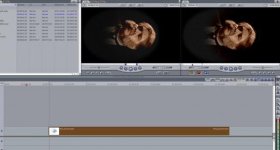
After taking a Freeze Frame they both look the same. Great...
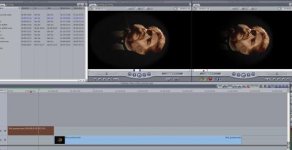
Once I've added the freeze frame to the timeline (the beginning) the canvas shows a much darker image than the freeze frame (still in the Viewer). Can someone shed some light as to why this is happening.
FCP 7, Intel iMac, original footage is Prores 422 converted to Motion Codec.
My problem is, I go to the frame I want to use in the timeline, double click the clip in the timeline, and then go to Modify, Make Freeze Frame. The freeze frame appears in the viewer just how I want it but, when I drag that to the timeline, it becomes much darker. I am using zero filters on any of these clips. The source is a Motion file. Any ideas?
After taking a Freeze Frame they both look the same. Great...
Once I've added the freeze frame to the timeline (the beginning) the canvas shows a much darker image than the freeze frame (still in the Viewer). Can someone shed some light as to why this is happening.
FCP 7, Intel iMac, original footage is Prores 422 converted to Motion Codec.