Looking for bad highlight handling still frames that you cannot stand...

I'm finding the key is to under-expose with this camera, by around .5 to 1 stop. Then correct in post. I'm wondering if a flatter profile like Glen's G-Log will help (I haven't tested it yet). If I traditionally expose a scene so it all fits under 100 IRE it's still quite possible to get colored fringes and lousy rolloff on highlights.
 
I really haven't had a problem after the first week I had the camera. I saw in my first footage haw it handled overexposure, noted it and I always (always) use the wfm.

Its sort of funny, most of the people that I read whining about it are obviously coming from an hdslr background and in effect they are bragging about how well their cameras clip. I mean, we are really talking about a 1/5 stop or less of the total dynamic range of the camera. It is totally doable to just roll back the exposure and then apply the blown-out-white-highlight treatment in post (which evidently is very important to a whole bunch of young filmmakers).
 
I have to a agree, those highlights already look really good :) What I am working on will make a subtle difference, but, it will drop some detail in the highlights which is what the Canon algorithm seems to be doing as well.
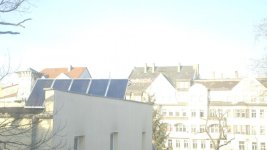

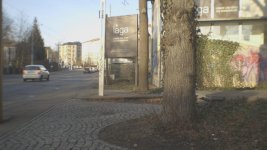
Letzring, the problem is, certain colors behave pretty badly on a blow-out that would take QUITE a bit of an underexposure to get them not to do it. I agree, you can fix these things in post, it's just, there is no good reason for Sony or Panasonic handling the blow-outs this way. It's not pleasing and given it's already in the top end, it's not buying you anything extra. I'd understand if there was something we were getting out of it, but I don't see that and I've studied these blow-outs quite a bit. They've tried to be smarter by allowing 1 or 2 channels to clip instead of driving all three, but having those specific colors pop out, like cyan, just really look bad.

When I look at blowouts on the Epic, Alexa and C300, from what I have seen, they look better. You don't have to play underexposure tricks with the camera. It just looks more pleasing in the first place. It looks more like how film handles a blowout, and that's really the goal in my opinion.

Given it is how it is, we just have to work around it. Might I suggest that you post an example of what you are explaining to people to help them? Shoot it exposed correctly at first showing some less than stellar highlight handling, then show the frame underexposed, and then corrected to the exposure wanted and modified as you say. This could be tremendous help to people who seem to have a hard time doing this.
 
To be honest, overexposure and highlight handling are not a big issue in my location at this time of the year (64 48 N). Since today and tomorrow are the solstice we will slowly begin clawing our way back from 3 hours and 41 minutes of daylight and probably around February I should be able to do some testing with the AF100 in snow and ice on bright day. My biggest challenge with the camera back in August and September was low angle sun on totally white animals, that was more difficult than anything else I've come up against, I paid attention to where the white card was falling on the zebra and wfm and never lost a shot (at least not for exposure reasons).
 
To be honest, overexposure and highlight handling are not a big issue in my location at this time of the year (64 48 N). Since today and tomorrow are the solstice we will slowly begin clawing our way back from 3 hours and 41 minutes of daylight and probably around February I should be able to do some testing with the AF100 in snow and ice on bright day. My biggest challenge with the camera back in August and September was low angle sun on totally white animals, that was more difficult than anything else I've come up against, I paid attention to where the white card was falling on the zebra and wfm and never lost a shot (at least not for exposure reasons).

Having never shot in Alaska, I certainly cannot say. One thing I'd say, for animals tending to be whiter or blacker, you'd not see a lot of the issues being talked about. I'd even go so far to say the closer the RGB components of the white you are looking at, the less you'll see it.

Where it becomes an issue is when whatever the light source is close to either a primary or secondary color. For instance, tail lights. They can blow out so quickly given how bright they are that I don't really like pulling the whole scene that far down just to keep them from over-exposing, I'd rather they just blow out. Granted, this is really based on the ambient light of the scene as well, but it's that sort of situation I've had trouble with.

I saw a wedding video where the DJ lights were just awful. Given it's an event filming and not narrative, by the amount they were blowing out, I would have just let them as well and not underexposed too far.

But, that's all based on minimal handling of the files in post. What I am exploring here is some tools to make getting the highlight handling roped in a little. I want to change what the overexposure curves are doing in the AF100/FS100 because I think they can do better.
 
I want you all to know I have not forgotten about this topic, just that the 4:2:0 color space makes it difficult to fix this problem on high contrast edges, so I am not sure what to do yet.

One thing I will say is that other cameras do in fact have this same issue, while not as extreme. I was watching an episode of Fringe and saw it on lights, then went and saw they switched to the Alexa camera for season 4. Very interesting to say the least.
 
uh, those highlights look pretty good. You can't do much there since the detail is gone, but you can smooth out the blowns outs just very slightly

click on the before and after and tab back and forth to see the difference

http://img843.imageshack.us/img843/7420/beforeio.jpg
http://img854.imageshack.us/img854/8061/afterct.jpg

How did you do this please? I've been messing around in photoshop and cant replicate it. Its really effective and looks like it should be simple.

EDIT: I figured out how to do it with curves. I presume this is how you did it as well.
 
Last edited:
Hi, I am seeing some very ugly blow out on the Sony PMW-320. Yellow before white.
 
Hi. If you are still interested in frame grabs, i got some very nasty overexposed Canon C300 stuff for you.
I´m very into this topic and i am pretty sensitive for bad videoish highlight rendering. I did some stupid tests with the C300 some weeks ago, and as mentioned in another thread, i was little disappointed with the highlights. (Because i was hoping for EOS 5d like rendering)

These are shot in Canon C-Log. (Sorry for the last one, it was a very very old vivitar lens)

If you send me you email adress, i can give you uncompressed TIFF`s or video sequences.
 

Attachments

  • C300_#1.jpg
    C300_#1.jpg
    47.8 KB · Views: 0
  • C300_#3.jpg
    C300_#3.jpg
    16.4 KB · Views: 0
  • C300_#4.jpg
    C300_#4.jpg
    71.3 KB · Views: 0
Currently I have put the work on hold because of other problems with the FS100 and highlight handling, mainly I believe 4:2:0 color space and how it gets there (and some aliasing on high contrast edges)

That said, looking at what you have, that is certainly fixable as I am not seeing the contamination of a lower chroma bit depth. What you want to find is something that you can use to ramp up all color channels if any of them approach max value.

You know that yellow is R=max, green = max, so you want blue to go to max if both of them are. Take a look at this color chart:

http://www.rapidtables.com/web/color/Yellow_Color.htm

It's a good showing of how when blue value goes up, how the color in yellow shifts to white, but, overall, it gives you that monochromatic yellow coloring.

There were some people who said there was a plugin to do what I was trying to do, but I've not found it yet.

What I was trying to do is, in the code, if ANY channel approaches a clip value, I ramp all the other values up to that clip point so everything hits max at the same time.

Example, let's say I set that cutoff point at 250 (assuming 255 is clip point)

If B incoming is 250, R 0, G 128 I do nothing
If B incoming is 251, R has 1*255-0/5+0 so it goes to 51, G 1*255-128/5+128 = 153
If B incoming is 252, R has 2*255-0/5+0 so it goes to 102, G 2*255-128/5+128 = 179
If B incoming is 253, R has 3*255-0/5+0 so it goes to 153, G 3*255-128/5+128 = 204
If B incoming is 254, R has 4*255-0/5+0 so it goes to 204, G 4*255-128/5+128 = 230
If B incoming is 255, R has 5*255-0/5+0 so it goes to 255, G 5*255-128/5+128 = 255

(I rounded when needed with non integers)

The problem with this method can be if the slope of going from 250->255 is a long distance, you could get banding. But, the reason the values need to be tunable is you can adjust for the best picture settings.

How fast you ramp also dictates how much color gets lost in the highlight, so if you wanted, you could just replace the other channels with the channel value that is ramping up, but this would make grey mostly, and not want I wanted either.

Rick
 
sorry, hope it´s not spam, but i want to share an example of maybe the most pleasant highlight rendering i´ve seen in music video stuff. (and by the way brilliant cinematography)

M.I.A. - Bad Girls
http://www.youtube.com/watch?v=2uYs0gJD-LE


must be alexa, i can not imagine any other digital camera that can achieve those terrific high key color rendering.
 
Last edited:
I see the script you're writing is very similar to an 'automatic shoulder' right?

The downside is usually every value combined turns closer to grey, which makes the whole image look like the exposure has been pushed down and desaturated.

Is it very program intensive to create a filter that automatically creates a title/matte softened mask over an illegal portion of the image rather than the whole image?
 
What are you trying to achieve here? If it's blown out it's too late to save it, surely? You might get a stop or so back with raw but if it's compressed the information is gone.
 
Clipped PNG.jpg

Heres one! And before any judgements are passed this was shot by our best shooter, and his LCD screen died right at the beginning of the ceremony, so quite impressive really.

Shot on Cinestyle. And I don't believe this has any LUT applied to it.
 
What are you trying to achieve here? If it's blown out it's too late to save it, surely? You might get a stop or so back with raw but if it's compressed the information is gone.

I'm trying to achieve minimal color shift regions and no banding through the color shifts.

When I blow things out, it's on purpose.
 
Back
Top