

cyvideo
Veteran
Just thought I pass this on as I’ve found it a workable solution for syncing cameras that don’t have TC inputs or cameras that are great distances apart yet need syncing. I had to organize an interview shoot that had to take place in two locations. Like Sydney and Melbourne. 600 miles apart. The interview was done over the phone, but with a cameraman in each office location in Sydney and Melbourne, shooting their respective talent. The camera file arrived from Melbourne and when I synced them with the Sydney camera file the audio sync was frame accurate… and I mean frame accurate. For this to work, the cameras must start rolling and keep rolling in each location. Each cameraman then sticks his cell phone in front of the lens.
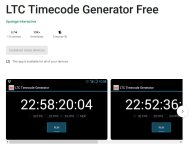
Now for the solution. I got each cameraman to download and install the following app. “LTC Timecode Generator Free” from the Play Store. There is a paid Pro version, but it’s not necessary for this kind of exercise. I got each cameraman to set the TC generator to 25 fps and hit start. It runs off the “Time Of Day” as generated by your phone Telco. Most Telcos sync their systems to one of the world’s atomic clocks. So timing accuracy is pretty close to perfect between any number of phones. I then got each cameraman to start rolling and stick his phone in from of his camera for sixty seconds. Then remove the phones and start the interview. Just turn down the volume on your phones if necessary, as the sound of LTC is pretty annoying.
When I got the files back, the start sync was a visual job. I just did a pic-in-pic on the timeline and slipped one of the camera tracks until the two visual TCs matched. Put markers on each file to establish that sync point, and then off I went on the chop-chop between cameras. Easy peasy!
What I also did was get the cameramen to run the TC gen on their phones for sixty seconds at the end of the interview before they stopped rolling to confirm TC alignment. They were the same. This was over a two-hour period. Incidentally, the free version doesn't do 50p. I don’t even know if the paid Pro version does, either. But the 25p TC code was fine for this exercise. In fact, it doesn’t really matter what FPS you run, as it is only a visual line-up. Very accurate, but it is only visual. I can see myself using this sync line-up method more often in the future.
That being said though, the phones will output true SMPTE time code out of their headphone sockets, so can be used to lock a number of cameras that have BNC time code inputs if you have the correct 3.5 mm to BNC lead. It could lock all cameras on free run TC to time of day. Very useful for long-range syncing of remote cameras to Time of Day TC. Pretty useful for a freebie version.
Below is a pic-in-pic shot I took using two cameras that I shot on my desk, just as an example.
https://play.google.com/store/apps/d...or&hl=en&gl=US

Now for the solution. I got each cameraman to download and install the following app. “LTC Timecode Generator Free” from the Play Store. There is a paid Pro version, but it’s not necessary for this kind of exercise. I got each cameraman to set the TC generator to 25 fps and hit start. It runs off the “Time Of Day” as generated by your phone Telco. Most Telcos sync their systems to one of the world’s atomic clocks. So timing accuracy is pretty close to perfect between any number of phones. I then got each cameraman to start rolling and stick his phone in from of his camera for sixty seconds. Then remove the phones and start the interview. Just turn down the volume on your phones if necessary, as the sound of LTC is pretty annoying.
When I got the files back, the start sync was a visual job. I just did a pic-in-pic on the timeline and slipped one of the camera tracks until the two visual TCs matched. Put markers on each file to establish that sync point, and then off I went on the chop-chop between cameras. Easy peasy!
What I also did was get the cameramen to run the TC gen on their phones for sixty seconds at the end of the interview before they stopped rolling to confirm TC alignment. They were the same. This was over a two-hour period. Incidentally, the free version doesn't do 50p. I don’t even know if the paid Pro version does, either. But the 25p TC code was fine for this exercise. In fact, it doesn’t really matter what FPS you run, as it is only a visual line-up. Very accurate, but it is only visual. I can see myself using this sync line-up method more often in the future.
That being said though, the phones will output true SMPTE time code out of their headphone sockets, so can be used to lock a number of cameras that have BNC time code inputs if you have the correct 3.5 mm to BNC lead. It could lock all cameras on free run TC to time of day. Very useful for long-range syncing of remote cameras to Time of Day TC. Pretty useful for a freebie version.
Below is a pic-in-pic shot I took using two cameras that I shot on my desk, just as an example.
https://play.google.com/store/apps/d...or&hl=en&gl=US
Attachments
Last edited: