Large "X" in Canvas

Real Image

New member
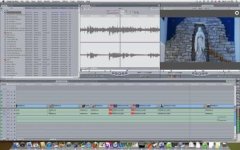
I'm scrubbing through a project and occasionally I see a big "X" in the upper right corner of the Canvas window.
FCP_X_inCanvas.png
Screen shot attached below, although it's hard to see. Everything seems to be working OK, including sending to Compressor, but I've never seen this before and wondered what it means. Has anyone every seen this?
FCP_X_inCanvas.jpg
 
Although i can't see the red "x" in your frame grab, if it covers the entire window, it often indicates that you have chosen to view the image (from the drop down menu above the window) to manipulate the picture (i.e. to enlarge it, to crop in on it). You may have clicked on "Image + Wireframe". You will want to click "Image" only instead.
 
Thanks for looking at this. Actually, it's a white circle with a black "X" above and to the right of the Canvas window. Clicking on "image" only did not make it go away. I've been working with FCP for 5 years and have never seen this, nor can I find anything about it in the FCP help pages.
 
Check to see if the playback options in the oval button on the upper right side of the Canvas is set to RGB... if not, change it.... it could be set to alpha.

if this isn't the problem, try trashing prefs
 
Trashing prefs won't help. It means you have too many filters and/or keyframes and/or compositing going on, and the CPU needs a moment to render out a proxy to playback. It's hardware based. Used to see it a lot when I edited on a G4. I also bet if you pay attention, your mouse cursor is showing a repeated "filling up with black" animation, too. If you give it a minute, it'll go away. You'll see that a lot on older Macs.
 
Back
Top