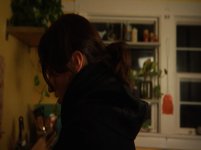
is this normal? hvx200a

PIMP

Well-known member
So I shot this with my hvx200a. And I am not sure if it was an issue with having the camera set to 7.5 ire. Or its an issue with the camera. If you notice closely in the jacket there is weird artifacts that is not typical grain you see in dark ares in the hvx. It looks like odd compression. Plus i lit it pretty well. Any ideas?

sorry for the lack of clarity in the pic. I havent figured out how to export high quality stills from fcp.
I just brigthened it to make the noise, artificats more visible. Like i see them on my computer.
 

Attachments

  • compress.jpg
    compress.jpg
    74.9 KB · Views: 0
Last edited:
here is a close up on what i mean.

hope this works
 

Attachments

  • close up compression.jpg
    close up compression.jpg
    39.2 KB · Views: 0
Correct me if Im wrong, but with al that noise, it seems like you could have lit more light. Since there isn't much detail at the jacket I can't really see anything.

Best,
David
 
Last edited:
the export seems to have darkened up. I ll try to post a clip to see if that helps.
 
i think you have the gamma settings wrong on your monitor, or your nle settings, because the image is set right in the picture, you see it too brightened on the monitor with a low gamma settings,
 
To me this looks like a compression issue in your export, because the black noise is being dealt with in big blocks. It can't look like that in its DVCHD form, on a monitor, does it? That said, I'm new to the HVX200A, and posted the link wondering whether my new 200a is defective because of all the noise I'm seeing in dark areas. I'm used to 2/3" chips, and was expecting better low light noise given all the praise I've seen heaped by users of this camera regarding its supposed low light cleanliness. So when you have noise, it puts a load on the compression algorithms in dealing with all those changing pixels. So your issue looks like high compression and balck noise coming together. A better export should reveal noise in greater detail, not blocks.
 
your just in a different gamma, you can set the gamma higher, the blocks from the compression will disappear into the dark. you should not see the compression blocks throughout the video.

and that's not noise, noise is what you can see on the wall from the wrong color lights and lack of sufficient light.
 
I can see the blocky compression in the dark areas while editing. Before I even export anything. So what i think you guys are telling me is my image should be darker then it is. And in that regard i will not be able to see the jpeg looking compression?
 
There is no such thing as setup (0 vs. 7.5 IRE) in the digital realm, that is only for your cameras analog outs so it couldn't have affected your image.

Dan
 
it's just that your in the wrong settings not the video file, you can adjust the gamma by system prefrences => displays => calibrate. gamma 2.2.
 
and when looking at the image look at the final output, to make sure fcp is not changing the gamma, not the canvas, if you don't have an external monitor it's external video or command-f12.
 
Back
Top