Follow along with the video below to see how to install our site as a web app on your home screen.
Note: This feature may not be available in some browsers.
Reset your master pedestal and see if it helps..
+1
absolutely no reason to raise it to +15
david-
as a gh4 novice i ask in earnest:
(not to start a flame, so thank you in advance)
+15 on the master pedestal seems to be a setting that is often suggested as the "go to".
are you suggesting the +15 master pedestal was inappropriate for an exterior sky shot?
or
are you suggesting that +15 master pedestal "in general" is too much?
lastly, can you share some of your settings and your thinking?
(again, i'm a gh4 lurker trying to understand the cameras strengths.
if this is a topic that merits it's own thread, just say so.
lastly, i apologize in advance if i have inadvertently put you on the spot)
be well.
rob
smalltalk productions/nyc
No problems Rob.
Folks are using the ped to try and emulate a log profile to squeeze as much dynamic range as they can out of the GH4, which is fubar.
The master pedestal should be used to match the black level of other cams in multi cam shots, or make minor adjustments. It is not a substitute for a log profile. Just because you can raise the ped to +15 doesn't mean it is a good idea. I have a feeling that if some of these "camera gurus" posted that you should raise your saturation level all the way up when you shoot, and then drop it back down in post, hundreds of sheep would be shooting that way.
It looks like Panasonic is working on a log profile for the GH4, which combined with the 10bit 4:2:2 4K output into say the Shogun should be the tits.
+1
V-LOG will be interesting but to make it a real log profile Panasonic has to update the color science of the camera and I think they will. Hopefully it will improve the color on all the profiles too.
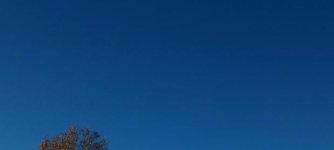
Looking at this from an underwater perspective. (Banding in the blue/green)
It appears to be mainly on the Blue Channel - is there anyway in FCPX to apply filters/corrections (dithering / then blur etc) to certain channels? (not talking color masks)
Use a filter. As in, a physical filter over the lens/housing.