

Jim Feeley
Veteran
Doing a batch of interviews in a couple days with three FS5s (or FS5IIs...I'm not sure at the moment). I'll just be running audio, but the hope is in addition to the tracks on my audio recorder, we'll send via cables a decent mix onto one or two of the cameras.
Thing is, I haven't worked with those cameras in quite a while, and looking at the manual, I don't see a mark for setting up reference tone:
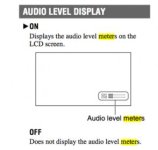
Is there one? If not, I know what to do (basically, use limiters on my mixer/recorder, pump up the level to figure out where the camera meters appear to be full, set camera levels appropriately... I'm not writing this clearly, but you get the idea).
But I'd rather just line up to a mark (as a starting point). Anyone know of one, or has worked with the cameras enough to have a sense of how many audio-meter segments seems to be about -20?
Thanks!
Jim
Thing is, I haven't worked with those cameras in quite a while, and looking at the manual, I don't see a mark for setting up reference tone:
Is there one? If not, I know what to do (basically, use limiters on my mixer/recorder, pump up the level to figure out where the camera meters appear to be full, set camera levels appropriately... I'm not writing this clearly, but you get the idea).
But I'd rather just line up to a mark (as a starting point). Anyone know of one, or has worked with the cameras enough to have a sense of how many audio-meter segments seems to be about -20?
Thanks!
Jim
