Internal codec compared to external ProRes 220

AtticusLake

Well-known member
Is it worth buying an external recorder for the FS700?

To find out what kind of difference it would make, I rented one for the weekend and shot some tests. And here's the result.

I did the test blind, just because I think it's way too easy to fool yourself if you know the answers; if you want to skip that and go straight to the conclusion, it starts at 1:55.

You might want to download this to watch on your computer, so you don't get the streaming compression messing it up; the download button is below the video in Vimeo:

https://vimeo.com/48182642


All shots were recorded simultaneously on the internal AVCHD codec at 24 Mb/s, and on the PIX-240 using ProRes at 220 Mb/s. All shots used the Zeiss ZF.2 50mm f/1.4.
 
Last edited:
I've done a similar test, however, I used both a Convergent-design Nanoflash(MPEG2, 8-bit, 100Mbps) and a BMD Hyperdeck recording at 10-bit, DNx220. Neither recorder showed any significant advantage over the native AVCHD. It's been suggested that differences can be experienced if there is a lot of motion in-frame, due to losses experienced with compression effects/bandwidth. However, after performing a series of whip-pans, I saw no difference there, either.

The only true advantage I can see with using an external recorder with OP1 DNxHD, is the instant injest to the Avid timeline without the need for transcoding. For long(over 45 min) recordings, the time savings can really be significant.
 
It depends on what you're shooting and who for. Some broadcasters, the BBC for example, are heavily into pixel peeping and won't accept more than a small percentage of program material that's been recorded at less than 50mbs (plus many more restrictions). If you do some pixel peeping of your own, you will probably find that the ProRes version has less aliasing, and will give you a slight advantage in post if you're shooting for VFX compositing. It'll also give you a little more headroom once you get to the colour grading stage.

The bottom line is that compression achieves smaller file sizes by throwing information away and the less you throw out at the start (the higher the bit rate) the more you have to work with in post.

I would agree that for most of us though, AVCHD is more than enough to get the job done. I have two ATOMOS Ninja recorders as they were good solutions for the HDV cameras I had at the time but 100% of my current shooting doesn't need more than the AVCHD codec.

~jeff k
 
... you will probably find that the ProRes version has less aliasing, and will give you a slight advantage in post if you're shooting for VFX compositing. It'll also give you a little more headroom once you get to the colour grading stage.

In terms of more headroom in post, I guess you're right -- I meant to mention in the intro (and forgot) that I was NOT taking into account the extra chroma resolution, for example, which may very will be a big deal depending on what you're doing.

But extra aliasing.... it might be there, but really, I couldn't see it. Still everyone has their particular needs, and some might notice more than me.

The bottom line is that compression achieves smaller file sizes by throwing information away and the less you throw out at the start (the higher the bit rate) the more you have to work with in post.

You definitely have a point, but I have to say that's not the whole story. See, this is where I have an issue with the BBC's 50 Mb limit -- different codecs really do achieve the same quality at different bitrates. I would put a well implemented H.264 at 30 or 25 against MPEG2 (a.k.a. H.262) at 50, for example. And since ProRes doesn't use inter-frame coding, it loses a LOT to H.264, which is why we're seeing 24 Mb/s AVCHD being at least very close to ProRes at 9 times the bit rate.

The reason, I think, that H.264 got a bad rap (to some extent) among filmers, is that a lot of cameras just don't do it very well. For example, I have yet to hear of a camera doing H.264 at more than 8 bits per channel, whereas H.264 can handle 14. And H.264 needs a LOT of processing power in the camera to encode really well. I think what Sony have done is finally build a camera (or two, FS100 as well) with enough CPU power and custom hardware to do the job right.

Anyway, thanks for the comment, and I hope it was useful... cheers!
 
And even the BBC have been known to throw their own rules out the window and air content created entirely on the 5D and other cameras on their 'not approved' list.

I can sort-of justify an external recorder for the green screen work I sometimes do but as your tests indicate, you really have to be nit-picking to gain any great benefit from an external recorder. Or to my mind at least, their greatest benefit is having that little something extra in more extreme circumstances such as really low light shooting or where it's all gone horribly wrong and you're trying to fix it in post while wishing you'd actually shot in 10 bit uncompressed.
 
It's good to keep in mind that the test should not yield a difference because you are looking at a 4:2:0 signal.

This test goes to show how good his 4:2:2 --> 4:2:0 downsampling works in his encoder vs the one in the Sony camera. They both look good!

You'll need to post a 4:2:2 file for us to see any difference.
 
In terms of colour resolution, yes... good point. I'd be happy to do so if you know an easy way...

BTW I did most of my visual comparing in Premiere... still couldn't see a difference.
 
In terms of colour resolution, yes... good point. I'd be happy to do so if you know an easy way...

BTW I did most of my visual comparing in Premiere... still couldn't see a difference.

Upload a 4:2:2 visually lossless or better version of your video to a website. Post link.
 
Try again with movement and noise in highly detailed scenes... Especially try pushing up the shadows in post.

I've seen AVCHD fall apart and lose a lot of detail very quickly in the presence of a little noise.
 
ProRes, being 10-bit, is wasting 3/4 of its bitrate on this camera, efectively bringing itself down to a 50mbps intraframe 8-bit codec. A better test is to compare internal camera footage with 8-bit DNxHD 220 (that's around 175 mbps for 24 fps).
 
ProRes, being 10-bit, is wasting 3/4 of its bitrate on this camera, efectively bringing itself down to a 50mbps intraframe 8-bit codec. A better test is to compare internal camera footage with 8-bit DNxHD 220 (that's around 175 mbps for 24 fps).

I think you mean it's wasting 1/5 of its bitrate, effectively making it a 176Mb/s codec...? Anyhow it's a valid point, but since I don't have the recorder any more -- it was a rental -- I can't try it.
 
Try again with movement and noise in highly detailed scenes... Especially try pushing up the shadows in post.

I've seen AVCHD fall apart and lose a lot of detail very quickly in the presence of a little noise.

True, but recording the same with high bitrate 422 is going to augment this noise (search for my long thread on the DVInfo nanoFlash forum).

Where I can see the biggest advantage of external recording with FS100 is low-noise, but high detail in movement scenes. No mosquito noise around contrasty details in the nanFlash 220 Mbps I-frame!

The better color resolution is - on the other hand - always and advantage, if only during heavy grading.
 
I think you mean it's wasting 1/5 of its bitrate, effectively making it a 176Mb/s codec...? Anyhow it's a valid point, but since I don't have the recorder any more -- it was a rental -- I can't try it.

You are, of course, correct. I am now scratching my head, wondering how I came with these numbers.
Btw, the full bitrate should be for 60i/30p video and scales down for lower fps.
 
True, but recording the same with high bitrate 422 is going to augment this noise (search for my long thread on the DVInfo nanoFlash forum).

Where I can see the biggest advantage of external recording with FS100 is low-noise, but high detail in movement scenes. No mosquito noise around contrasty details in the nanFlash 220 Mbps I-frame!

The better color resolution is - on the other hand - always and advantage, if only during heavy grading.


Augment the noise? I assume you mean relative to the over-softened highly compressed footage, not compared to a true uncompressed representation of the images... I hardly trust high compression as a noise reduction function even if it tends to have that effect... Always better to record the noise/detail in its most true form and then you can always soften/reduce that noise/detail later in a more intelligent way that better differentiates between noise and detail.
 
Augment the noise? I assume you mean relative to the over-softened highly compressed footage, not compared to a true uncompressed representation of the images...
Well, you have to remember, there is a relationship on the FS100 between its codec and its noise levels. The codec was specifically designed to "know" what the gain setting in the camera is. We don't have details AFAIK, but from what I read it probably applies a noise-reduction profile that's been specifically created for each level of gain. Noise is the enemy of codec efficiency and by vacuuming up the noise with a custom noise-reduction profile that's set per gain level, the image that is sent to the codec is likely quite a bit artificially cleaner than what the sensor itself would normally create. Again, that's designed to improve the efficiency of the codec.

Now, whether that applies to the SDI output or not, is a question I don't know the answer to. If a 280mbps I-frame Nanoflash recording shows substantial noise, and the on-camera codec shows no (or relatively little) noise, then we'd know the answer to that. If the external recording shows no substantial noise difference, then we'd also know the answer...
 
Always better to record the noise/detail in its most true form and then you can always soften/reduce that noise/detail later in a more intelligent way that better differentiates between noise and detail.

That's what I've been doing - with Neat Video...
 
Last edited:
I'll just float one little point, with reference to this example:

http://www.mdma.tv/420v422/

When shooting for broadcast, it's important to bear in mind that when you've delivered your 3rd or even 5th generation master (1=Rushes 2=Edit format 3=Picture Lock master 4=Graded master (4.5 Broadcast Safe master) 5=QC master) to the broadcaster (especially Auntie Beeb), there are other processes it goes through which add extra generations, and do awful things to the compressed picture of a compressed master of compressed rushes, especially the 'last mile' transport stream to transmitters and satellite and the RX at the set-top box. In the UK, each channel is given less than a quarter of a DVD stream of bandwidth (2 Mbits or less) at SD.

As each generation exponentially enhances the artifacts in the original master rushes, we cannot rely on visually eyeballing quality at the generation stage, but only witness the early warning signs in the signal, visible on the WFM and Vectorscope. Look at the gaps between colours and the tatty waveforms in the 4:2:0 material. As that mess gets pulled apart at every successive re-encode via a lossy encoder (which is ProRes, DNxHD, et al - the 'virtually' in 'virtually lossless' is the clue), so we provide less info to the final meat grinders that are the broadcast stream encoders.

The Beeb has a reputation to hold up, and whilst news and 'special cases' can break the 50mbit rule, 35 mbits does not hold up as well in the broadcast chain. Nothing wrong with the format for shorter workflows, but for national and international broadcast, it doesn't survive the abuse as well as 50 mbit. Hence their insistance on 50 mbit.

Having said that, I bought a Pix220 for chromakey, mission critical interviews, long records requiring instant edits, and the sublime and most sexy microphone pre-amps on the Pix over the internal mic pres. No difference in picture quality, just much faster when you have a 90 minute record to edit, much nicer sounding, and a warm happy feeling that I have a backup AVCHD recording too.
 
I had a few min while waiting for a producer this morning.. so i played with one of the clips
First thing i did was use ClipWrap to re-wrap the AVCHD into h.264 - I then setup a 29.97 project, uncompressed, 32 bit float, and linked to the master clips without a LUT.

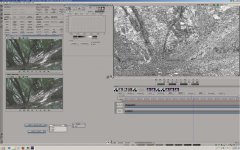
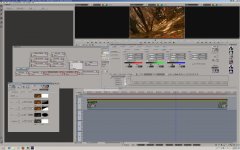
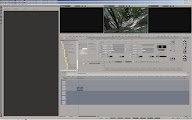
Once in the software opened up a compositor and did my best to eyematch the two clips and then diffrence key'd them, it was far far worse than i expected so i may not have found a exact matching frame.... take this with a grain of salt;
DIF KEY.jpg

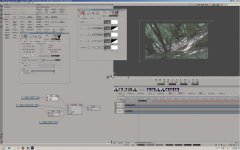
i then drew a diagonal mask, and animated it to switch inputs at the 24 sec mark.. as seen here;
MASK.jpg


now for a base grade.... this is an example of why i'm not a fan of fauxlog when using the tools i do, the blacks are sitting at 27IRE, peak highlights are at 95... if you have no choice but to injest with a 709 input LUT baked in as most editing software does then it would have alot more contrast and saturation to start and the blacks would be lower - a good reason to set up your camera to maximise your post chain;-)
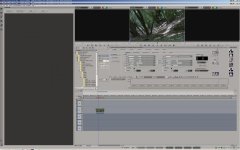
So i brought blacks down til they just kiss 0, highlights are up a tiny bit, saturation is a ton, heavy lifting done in master tab, detai work done in highlights/mids/shadows tabs;
BASE CORRECTION.jpg

So far not a ton of diffrence between the AVCHD and ProRez, i would be doing nothing more than guessing watching them run..

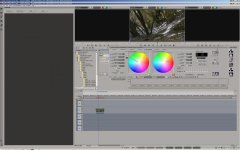
Then i started to do something i was asked to do on a shot done on film earlier this week... "make it look like fall" the producer said... so out with the secondaries, in this case three of them to grab varying colors of leaves and turn them to gold/red/yellow
SECONDARIES.jpg
This is where the AVCHD totaly falls apart, i mean TOTALY... noisy, noisy, noisy... the ProRez held up, i got keys cleanly from that footage, twisted colors and all was good.. meanwhile the AVCHD footage was a complete lost cause, rolling it is instantly noticable weither the top or bottom of the mask was AVCHD or ProRez, and instantly noticable when the images fllpped... shouid note again that i could not tell who was who before the secondaries were added

To finish it off, added some warmth in the middle of the shot, vigenette around the edge, and warmed up the sky area sepreatly.. the things i would do when working on a shot for real;
FALL.jpg

End game? in the real world, ProRez is a huge advantage, even if you can't see the diffrence on first glance, in this case if the produceer wanted to turn it into fall, and you shot on ProRez you would be hero, if you send in AVCHD the FS100 would be a zero...

back to work for me now ;-)

d
 

Attachments

  • BASE+CORRECTION.jpg
    BASE+CORRECTION.jpg
    6 KB · Views: 1
Last edited:
Back
Top