
I have been shooting the HPX170 since it came out. I primarily shoot long format and Realty based programming. Needless to say I have had exceptional results with this camera until this weekend. I have shot over 1000 hours of long format events at 720pn with exceptionally results: A sharp wonderful image! However, a new client requested i shoot at 1080/24pa. I read a few things about workflow, that it produced better image and didn't think twice about it. Lock and loaded and shot the event. However, I find myself horrified at the result.
Yes, I have searched and yes I have used goggle.....so either I am completely missing something or I am the first person to run into this.....(yeah right)
1080/24pa footage is soft/grainy, contains a lot artifacts and is unacceptable at 100%, basically junk.....What went wrong? Can it be improved? How?
Shoot Details:
• Three HPX170's (all three cameras same lack of image quality)
• Time codes synced
• Scene File 5 (default settings)
• 1080/24pa (shuuter 180.0d)
• Raylight utilized for .mxf Import into FCP 7
• Advanced Pulldown Checked
• Sequence setting: 1080/24pa, 23.98 timeline


Studio 50 and 100 percent
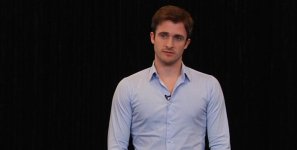
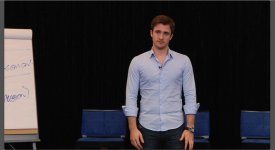
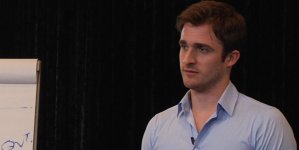

Event Cam A and Cam B (50 & 100 percent)
I need to shoot more for this client and need to correct this problem asap....I know there are some heavy hitters that are far more technical that I will ever be...you are invited to chime in. I came across a post form Barry Green who mentioned he chose to shoot something at 1080/30p to avoid inherent problems with 1080/24pa footage artifacting....is my answer there?
Any help, advice, insight will be very much appreciated!
Yes, I have searched and yes I have used goggle.....so either I am completely missing something or I am the first person to run into this.....(yeah right)
1080/24pa footage is soft/grainy, contains a lot artifacts and is unacceptable at 100%, basically junk.....What went wrong? Can it be improved? How?
Shoot Details:
• Three HPX170's (all three cameras same lack of image quality)
• Time codes synced
• Scene File 5 (default settings)
• 1080/24pa (shuuter 180.0d)
• Raylight utilized for .mxf Import into FCP 7
• Advanced Pulldown Checked
• Sequence setting: 1080/24pa, 23.98 timeline
Studio 50 and 100 percent
Event Cam A and Cam B (50 & 100 percent)
I need to shoot more for this client and need to correct this problem asap....I know there are some heavy hitters that are far more technical that I will ever be...you are invited to chime in. I came across a post form Barry Green who mentioned he chose to shoot something at 1080/30p to avoid inherent problems with 1080/24pa footage artifacting....is my answer there?
Any help, advice, insight will be very much appreciated!
Last edited:


