

DanDOF
Well-known member
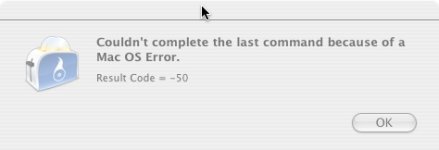
How to solve "Mac OS Error -50" while using Toast 10 to convert 720/60p MTS?
Has anyone ever had to deal with a "Mac OS Error -50"?
Hardware used:
- SD card = Sandisk Extreme III 8GB Class 6 SDHC
- Mac = PowerPC (not Intel) running Toast 10 to convert 720/60p MTS files
- GH13 = with LPowell 40Mbps
Note 1:
- No problem using 1080p files from same batch off SD card.
Already tried:
I repaired disk permissions, as suggested by my google search to other websites' suggestions.
The error appears in following scenarios.
Scenario 1: Converting 720/60p GH13 file using external HD as both input and output save location.
Scenario 2: Converting 720/60p GH13 file using internal HD as input and output save location.
Note 2: this also happened in the past with un-hacked files. I just gave up back then, assuming the SD card needed to be re-formated.
Trouble Shooting Resources:
- Apple error definitions
- Google search for "Mac OS Error 50" get more hits then "Mac OS Error -50"
Has anyone ever had to deal with a "Mac OS Error -50"?
Hardware used:
- SD card = Sandisk Extreme III 8GB Class 6 SDHC
- Mac = PowerPC (not Intel) running Toast 10 to convert 720/60p MTS files
- GH13 = with LPowell 40Mbps
Note 1:
- No problem using 1080p files from same batch off SD card.
Already tried:
I repaired disk permissions, as suggested by my google search to other websites' suggestions.
The error appears in following scenarios.
Scenario 1: Converting 720/60p GH13 file using external HD as both input and output save location.
Scenario 2: Converting 720/60p GH13 file using internal HD as input and output save location.
Note 2: this also happened in the past with un-hacked files. I just gave up back then, assuming the SD card needed to be re-formated.
Trouble Shooting Resources:
- Apple error definitions
- Google search for "Mac OS Error 50" get more hits then "Mac OS Error -50"
Attachments
Last edited: