How do you sharpen the soft video of 5D3 (premiere CS6)

I will add my two cents. I am primarily an aerial video guy and I do very little ground based video, but I have shot weddings for a few friends and family. When I shoot with my 5D Mark ii I have a focusing system that works very well. For starters I would never use the rear LCD or a monitor on a shallow depth of field shot. It is just too critical. My method...once I get the shot set up and framed like I want it, maybe five seconds or so, I quickly flip out of live view and half depress the shutter button using center point auto focus to focus the shot then flip back into live view and hit record. It works wonderfully. Now, once you have started recording if your subjects moves closer or further away, then you are screwed.

I hope this helps.


Wayne Mann
www.HeliCamHDmeda.com

I also primarily use the center point quick focus between takes when I can hardly see the screen at all in bright daylight. It works with wide angle run and gun shooting. The problem here is I have to follow focus with the 70-200 in inteviews because my subject is moving slightly all the time in and out and the camera is rolling continuously. Also I shoot Formula racing with cars coming in fast from 1KM to 100M so it has to be done on the fly.
 
yeah, everything I have to do includes tracking focus so no chance of using the spot focus regularly unfortunately
 
FullFilm.Still002.jpg
I see this horrible pixelation/compression artifacts whenever I pause on mk3 footage that just isn't there on mk2. I'm hoping this is down to IPB codec. The fact I seem to be able to get almost twice as much footage per card than with the mk2 on IPB has to give somewhere and I'm hoping when I get to the ALL-I wedding ive shot it will pause/frame grab ok..
 
Did you mention what lenses you're using?

I want chime in that yes, your footage looks great and if I was the client I'd be very please, but also yes, I see what you're talking about and would be pretty nervous myself.

Are you positive that focus is the issue? From the Vimeo video it seems like even when you hit focus, there's a certain muddiness to the footage. Of course, what I'm seeing might just be Vimeo compression so it's hard to tell. Have you done anything else to the footage beside boosting sharpness?
 
yeah its that maddyness that I'm seeing too and I'm not happy with. Also somehow when you pause in your NLE on mk3 footage, the compression artifacts (which are included if you export a still) look awful. Much worse than that photo I posted which i couldnt then delete afterwards..

I do some curves but not much else. Nothing that I can see would cause the muddyness to the footage

Lenses.. all the same ones I used to use on my mk2. A lot of sigma primes, canon 70-200
 
this photo shows the compression when I pause on certain frames where movement applied. This has only had a slight zoom in in photoshop.. Trailer.Still001.jpg
 
Boy that scares the crap out of me. I hope you figure out what is going on. These artifacts show up in quicktime if you open the original .mov?
 
Slight zoom as in how much?

Zooming in on normal canon movs is like trying to scale a small jpg…..
What was your settings (iso and so on)?
 
this is definitely not compression from zooming in I assure you. Not sure how to tell settings from the mov file but it would have been 1/50, f1.4/1.8 and iso anywhere from 640 to 1600.

Its really hard to see as the artifacts only seem to appear when things are moving and you pause in premiere mid move, but they dont appear to be there in the original mov and if you export a clip from premiere and pause it at the same point it does have some artifacting but not anywhere near as bad as when you freeze frame in premiere, maybe its a bug with CS6..
 
I don't know what's going on with those artifacts but that is not normal for 5D3 IPB. I can tell you from learning the hard way that still frames from Adobe Premiere Pro suck, and are not representative of the actual video quality. You can't trust them for quality checks. The only thing I trust to grab stills out of video is After Effects.

Also, all Adobe software is full of bugs so that could be an issue as well. I use Adobe everyday and I can tell you that all of the programs I use, CS6 and CC, Premiere Pro, After Effects, Photoshop, ACR, Lightroom, and Speedgrade have issues. Some of the bugs get fixed eventually, some of them have been around for years.

On the 5D3 IPB vs 5D2 video - 5D2 = AVC Baseline at level 5.0, whereas 5D3 IPB = AVC High at level Level 4.1, All-I = AVC High at Level 5.1

5D3 IPB codec High at level 4.1 is better and more efficient than 5D2 baseline at level 5.0 which shows up as smaller file sizes on the 5D3.

http://en.wikipedia.org/wiki/H.264/MPEG-4_AVC
 
Last edited:
IThe only thing I trust to grab stills out of video is After Effects.

Here is the same frame both untreated taken from premiere and AE. Certainly more of the blocks/artifacts (noticeable most under his left ear and on the bridge of his nose) in the premiere but they're still there in AE. I realise the image is out of focus by the way (and has been zoomed in about 300%) it tends to be when people are moving or out of focus (so not sharp) that these artifacts show themselves most. Again the difference is more noticeable on the original jpeg I have here, it loses something when uploaded. I was also shocked at how different the tones/contrast of each shot looked considering they're the exact same frame from the exact same clip both with no colouring/sharpening

compare.jpg
 
The difference in terms of color between the two is Rec709 vs Rec601 (Premiere is using 709, AE is using 601)

If you don't want to "lose something" when uploading pics, upload a .png to a 3rd party site like imageshack.us, tinypic.com, etc... many others . But the artifacts are pretty clear in the pic with the boy
 
Those artifacts ARE normal for IPB. People just don't notice them in motion. That's why I always use ALL-i. Way less motion artifacts. Looks the same as the HDMI output basically.
 
Those artifacts ARE normal for IPB. People just don't notice them in motion. That's why I always use ALL-i. Way less motion artifacts. Looks the same as the HDMI output basically.

Hmm.. I'm hoping you're right! I can't seem to find much talk of this online but glad you came to this conclusion. I'll switch to All-i from now on. Is there any disadvantage of this other than increased file sizes?
 
just read this from a previous post.. I hope it's not accurate

"
04-03-2012, 08:52 PM​
I tried a 600X CF card (45MB/s, sustained) today to see if that might help the ALL-I VBR deal with a potential burst write issue (which could explain bitrate throttling which lowers the bitrate and causes macroblock artifacts (was using the fastest SDHC card which maxes out at 20MB/s on the 5D3. Even though only 11.38MB/s is needed on average for ALL-I, I estimated burst writes could possibly exceed that by 2-3x based on Canon's comments). Unfortunately, the ALL-I macroblocking is still present. IPB looks much better- no artifacts.

ALL-I has macroblock quantization artifacts (blockiness), and on the edges of these blocks, it aliases, causing shimmering and "crunchiness" in the recorded image. The reason ALL-I looks sharper: aliasing on macroblock edges.

ALL-I: note the significant macroblocks on the tree on the left, less detail in the pole on the right. If you look carefully, the macroblocks are all over the image.
51284

IPB has no macroblocks*: smooth gradations where the macroblocks exist in ALL-I:
51285

ALL-I post processed to show detail better:
51286

IPB post processed to show detail better:
51287

IPB provides significantly higher quality video frames: no macroblocking artifacts, no aliasing (created by macroblock artifact edges), less noise, and finer gradiations (due to no macroblocking). IPB looks initially softer because it lacks aliasing. After sharpening, it looks excellent: much better than ALL-I (sharpened or not).

I have to rename IPB MOV files to MPG in PPro CS5.5 on Win7x64 to get real-time playback (a PPro CS5.5 issue (CS5 is OK); I create a simple batch file, so takes 1 second to click on it and fix the filenames). ALL-I is good for slower computers which can't play IPB back in real-time and there isn't time to transcode.

When maximum image quality is desired, IPB is recommended. As a bonus, it uses ~3x the diskspace.

*signficant macroblock artifacts (there are macroblocks, part of H264's DCT, however the edges are relatively smooth)."
 
tikigod19, Stop worrying over nothing. That is not accurate. From your posts here on DVXuser, it seems like you are just looking for something to be wrong with the 5D3 in general or your 5D3 in particular.

Going back almost two years and quoting foolishness from someone who had no idea what they were talking about then and then worrying about it now is just silly. I cannot understand where all these stupid ideas come from and why video shooters are so technically illiterate. I come from the photographers perspective of using Canon DSLR's for years before video recording came about and these sorts of "pulled out of the ass ideas" about how the cameras work are rare.

1. Canon DSLRs don't do bitrate throttling. Period, end of story. You don't get lower bitrates with slow cards, you get nothing. If the card is not fast enough the recording will just stop.

2. If you are still concerned, shoot onto a fast UDMA 7 CF card, like the Sandisk Extreme Pro 1066X, Lexar 1066x and 1000x , or Transcend 1000X. We know from Magic Lantern that all these cards can write over 80MB/s in the 5D3 continuously, way beyond what is needed for IPB or ALL-I h.264

3. The 5D3 was the first of a new generation of Canon cameras using two new video codecs, ALL-I and IPB, and the verison of Adobe Premiere Pro current at the time did not handle the new codecs correctly. Instead of fixing CS 5.5, Adobe released CS6 with proper support a month or two later and basically said "screw you" to CS 5.5 owners. To this day, CS 5.5 still does not handle 5D3 video correctly. And that also goes for 1DX, 6D, 70D video. Just stay away from CS 5.5 or older.
 
tikigod19, Stop worrying over nothing. That is not accurate. From your posts here on DVXuser, it seems like you are just looking for something to be wrong with the 5D3 in general or your 5D3 in particular.

Going back almost two years and quoting foolishness from someone who had no idea what they were talking about then and then worrying about it now is just silly. I cannot understand where all these stupid ideas come from and why video shooters are so technically illiterate. I come from the photographers perspective of using Canon DSLR's for years before video recording came about and these sorts of "pulled out of the ass ideas" about how the cameras work are rare.

1. Canon DSLRs don't do bitrate throttling. Period, end of story. You don't get lower bitrates with slow cards, you get nothing. If the card is not fast enough the recording will just stop.

2. If you are still concerned, shoot onto a fast UDMA 7 CF card, like the Sandisk Extreme Pro 1066X, Lexar 1066x and 1000x , or Transcend 1000X. We know from Magic Lantern that all these cards can write over 80MB/s in the 5D3 continuously, way beyond what is needed for IPB or ALL-I h.264

3. The 5D3 was the first of a new generation of Canon cameras using two new video codecs, ALL-I and IPB, and the verison of Adobe Premiere Pro current at the time did not handle the new codecs correctly. Instead of fixing CS 5.5, Adobe released CS6 with proper support a month or two later and basically said "screw you" to CS 5.5 owners. To this day, CS 5.5 still does not handle 5D3 video correctly. And that also goes for 1DX, 6D, 70D video. Just stay away from CS 5.5 or older.

I'm not looking for something to be wrong with the mk3 at all, I obviously WANT it to be amazing and worth the money, but so far, its not as good as the mk2 unless it comes to low light which I think is unacceptable. From what youve said it appears that the issue maybe the fact I use CS5.. Looks like an upgrade will need to be my next step..
 
I'm not looking for something to be wrong with the mk3 at all, I obviously WANT it to be amazing and worth the money, but so far, its not as good as the mk2 unless it comes to low light which I think is unacceptable. From what youve said it appears that the issue maybe the fact I use CS5.. Looks like an upgrade will need to be my next step..

The 5D2 has false detail from aliasing that some people think is actual detail or sharpness. If you sharpen 5D3 video about 30 in Premiere Pro, I think it looks better than the 5D2. Thats my opinion though and if it isn't working for you, I would return the 5D3 and move on to something else or just stick with the 5D2 and be happy.

Before you spend the money on CS6 or CC, download a trial version and check it out. The easiest way to do that is through http://prodesigntools.com/adobe-cs6-direct-download-links.html

I just checked again and some people say CS5 was not a problem, only CS 5.5. I only know for sure that CS 5.5 is bad, because that is the oldest version I still have access too.

Here are the technical details about why CS 5.5 is not working properly with the 5D3. The thing you want is for it not to use the Quicktime engine to read the Canon .mov files. Any codec that plays back in Premiere Pro or After Effects using Quicktime is bad on Windows and I think Macs too. (This is same reason why you want to avoid the free DNxHD .mov codec on Windows) If you look at the task manager while using 5D3 native files in CS6 and CC, you will notice that the Quicktime task is using no memory because it isn't being used.
 
Last edited:
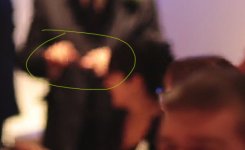
thank you very much for the info celluloid. As a cs5 user I'm wondering if the 5.5 bug applies to me too or not. I have uploaded a 3 second clip here that has a definite point where I see artifacts on the man in the backgrounds hands just as focus shifts between the person in the background and in the foreground. Here is a still of the artifacts on his hands (again, zoomed in slightly)

test.mpg.Still001.jpg

If anybody has a few seconds to import the clip into their copy of premiere (as long as it's not cs5) and let me know if you see these artifacts appear (they're at their worst for one noticeable frame) that would be much appreciated
 
Back
Top