yingtaoshenfu
New member
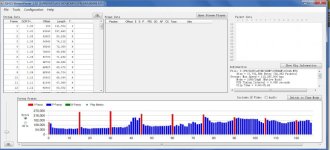
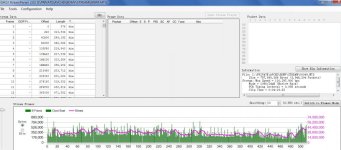
Hi, there. I just got a GH1 from my friend, but he didn't tell me if he had hacked it or not. I went out and shoot something, the following is the specs of the video
General
ID : 0 (0x0)
Complete name : I:\PRIVATE\AVCHD\BDMV\STREAM\00006.MTS
Format : BDAV
Format/Info : Blu-ray Video
File size : 243 MiB
Duration : 1mn 27s
Overall bit rate : 23.3 Mbps
Maximum Overall bit rate : 108 Mbps
Video
ID : 4113 (0x1011)
Menu ID : 1 (0x1)
Format : AVC
Format/Info : Advanced Video Codec
Format profile : High@L4.0
Format settings, CABAC : No
Format settings, ReFrames : 1 frame
Codec ID : 27
Duration : 1mn 27s
Bit rate mode : Variable
Bit rate : 22.2 Mbps
Maximum bit rate : 16.6 Mbps
Width : 1 920 pixels
Height : 1 080 pixels
Display aspect ratio : 16:9
Frame rate : 23.976 fps
Standard : NTSC
Color space : YUV
Chroma subsampling : 4:2:0
Bit depth : 8 bits
Scan type : Progressive
Bits/(Pixel*Frame) : 0.447
Stream size : 232 MiB (95%)
Audio
ID : 4352 (0x1100)
Menu ID : 1 (0x1)
Format : AC-3
Format/Info : Audio Coding 3
Mode extension : CM (complete main)
Codec ID : 129
Duration : 1mn 27s
Bit rate mode : Constant
Bit rate : 192 Kbps
Channel(s) : 2 channels
Channel positions : Front: L R
Sampling rate : 48.0 KHz
Bit depth : 16 bits
Compression mode : Lossy
Stream size : 2.01 MiB (1%)
the overall bitrate is only 23m. I often see the post about hacked GH1 titled 54mbps or even higher, so I guess this is an unhacked one?
could anyone give my a clear-cut answer about what is the watershed for hacked and unhacked gh1?
Thank you so much !
General
ID : 0 (0x0)
Complete name : I:\PRIVATE\AVCHD\BDMV\STREAM\00006.MTS
Format : BDAV
Format/Info : Blu-ray Video
File size : 243 MiB
Duration : 1mn 27s
Overall bit rate : 23.3 Mbps
Maximum Overall bit rate : 108 Mbps
Video
ID : 4113 (0x1011)
Menu ID : 1 (0x1)
Format : AVC
Format/Info : Advanced Video Codec
Format profile : High@L4.0
Format settings, CABAC : No
Format settings, ReFrames : 1 frame
Codec ID : 27
Duration : 1mn 27s
Bit rate mode : Variable
Bit rate : 22.2 Mbps
Maximum bit rate : 16.6 Mbps
Width : 1 920 pixels
Height : 1 080 pixels
Display aspect ratio : 16:9
Frame rate : 23.976 fps
Standard : NTSC
Color space : YUV
Chroma subsampling : 4:2:0
Bit depth : 8 bits
Scan type : Progressive
Bits/(Pixel*Frame) : 0.447
Stream size : 232 MiB (95%)
Audio
ID : 4352 (0x1100)
Menu ID : 1 (0x1)
Format : AC-3
Format/Info : Audio Coding 3
Mode extension : CM (complete main)
Codec ID : 129
Duration : 1mn 27s
Bit rate mode : Constant
Bit rate : 192 Kbps
Channel(s) : 2 channels
Channel positions : Front: L R
Sampling rate : 48.0 KHz
Bit depth : 16 bits
Compression mode : Lossy
Stream size : 2.01 MiB (1%)
the overall bitrate is only 23m. I often see the post about hacked GH1 titled 54mbps or even higher, so I guess this is an unhacked one?
could anyone give my a clear-cut answer about what is the watershed for hacked and unhacked gh1?
Thank you so much !