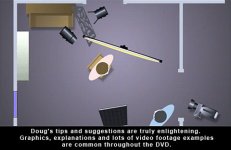
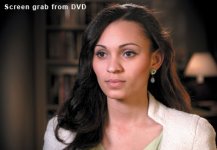
There's a color correction vignette over the whole thing too - in your nle, try duping your base video layer onto the track above. Increase contrast, saturation and decrease brightness. Now apply a soft edge wipe to the top layer so you have the color corrected layer 'vignetting' over the base layer. Tweak cc on top layer to taste - use it all the time and it's a quick way to get an 'expensive' look to your footage.

Navigation
Install the app
How to install the app on iOS
Follow along with the video below to see how to install our site as a web app on your home screen.
Note: This feature may not be available in some browsers.
More options
You are using an out of date browser. It may not display this or other websites correctly.
You should upgrade or use an alternative browser.
You should upgrade or use an alternative browser.
GH2 How can I achieve this look with the GH2?
- Thread starter Gargravarr
- Start date
Gargravarr
Member
Now apply a soft edge wipe to the top layer so you have the color corrected layer 'vignetting' over the base layer.
I must misinterpret this line. Why do you mean by soft edge wipe? I'm in AE but cannot seem to find the equivalent. We're not talking about vignetting the edges of the image but the content of the image itself, no?
Sorry if I sound thick here, just want to make sure I'm not missing anything.

Justyn
Veteran
Well I just feel that it creates a "mashed potatoe" kind of look as a friend calls it. Just too spread out and you have to factor in the color of the walls and ceilings which then affects the quality of the light. I've seen very disclored ceilings and walls and that's what gets thrown back at the subject and also the other big aspect to this is that you usually will get sunken shadows for the eyes with having an overhead lighting. Of course people do this, and I have done it too, but it's not ever a preferred method for what I do. There's also a lot of very nice tight quarters light modifiers like those gear rags or whatever they are called. It's a way to put some light modifiers in front of the lights without using additional stands...
But different situations call for different applications. When i've been in a total rush then I've turned the light up and we are lite, but I've never been impressed with this kind of lighting.... Just as I try to avoid putting my subjects up against a wall... it's just yuck... but we all have our different options, budgets, and desired results...
I would say that years ago I went with a completely bounced style of lighting and it totally changed a lot of my perceptions and I've still kept a good deal of this but now I try to be a bit more interested in what is not light, and where there are shadows.. and also how to use color... It's a true evolution and this website has helped in fostering that evolution.
But different situations call for different applications. When i've been in a total rush then I've turned the light up and we are lite, but I've never been impressed with this kind of lighting.... Just as I try to avoid putting my subjects up against a wall... it's just yuck... but we all have our different options, budgets, and desired results...
I would say that years ago I went with a completely bounced style of lighting and it totally changed a lot of my perceptions and I've still kept a good deal of this but now I try to be a bit more interested in what is not light, and where there are shadows.. and also how to use color... It's a true evolution and this website has helped in fostering that evolution.
Justyn
Veteran
For those looking to do a white seemless sych. I have a really cheap and effective option that've I've done quite a lot. I buy the paper/plastic painters drop clothes from Lowes (6 bucks) and then I light the drop cloth from behind and totally blow out the whole background as much as possible. I will then front light my subject as necessary. I think it's been a great portable option for years and you don't need a ton of expensive lights to get the look. Almost all of these samples I did with the clip on worklights from Lowes (8 bucks each) and photoflood bulbs. ON the first jazz example you can even see the edge of the screen when it pans over and on the last one you can see people painting onto the canvas.... I'ts been a really good option when a studio isn't available and/or when you do this on location. I've done this in some really strange places but the clients always seem to like the end results. I did an entire TV series with this as the main talking head option...
http://www.mediajr.com/OURWORK_Jazz.html
http://www.mediajr.com/NWC_Testimonial.html
http://www.mediajr.com/NWC_URL.html
http://www.mediajr.com/OURWORK_Jazz.html
http://www.mediajr.com/NWC_Testimonial.html
http://www.mediajr.com/NWC_URL.html
Is it just my Monitor, or do the Videos on the previous page look a touch over-exposed (more than a touch in eggmedia's one - sorry!)?
I would actually think that makeup would play a part in the original video, that guy has no skin shine at all. And like Mr Bill said, there seems to be a bit of stretching going on in post, I would think that the lighting setup is actually much dimmer than you'd expect from the final product, allowing more shadow detail in the lines on his face, then the stretch bringing the midtones back up?
I would actually think that makeup would play a part in the original video, that guy has no skin shine at all. And like Mr Bill said, there seems to be a bit of stretching going on in post, I would think that the lighting setup is actually much dimmer than you'd expect from the final product, allowing more shadow detail in the lines on his face, then the stretch bringing the midtones back up?
This lighting is actually not that difficult to do...if you have a studio grid at your disposal. The cyc walls, floor, table, etc. are all lit from the grid above. Probably Kino-Flos. There's also a soft backlight on the guy. If you look at the reflections in his eyes, you can see a fairly bright, hard light that's lighting the camera left side of his face. The fill light is more straight on from above the camera, rather than on the camera right side. Having a hard key plus a frontal softer fill is what creates the soft falloff to the camera right side of his face. There are no kicker lights hitting him as in the other example videos people posted. The only sidelight/kicker light seems to be the ambient bounce from the white set walls. The white table below him is reflecting the keylight and toplight back up into his face and softening the shadows even more. It looks like they desaturated the image in post. Again, not difficult if you have access to a white set and a lighting grid.
Gargravarr
Member
This lighting is actually not that difficult to do...if you have a studio grid at your disposal. The cyc walls, floor, table, etc. are all lit from the grid above. Probably Kino-Flos. There's also a soft backlight on the guy. If you look at the reflections in his eyes, you can see a fairly bright, hard light that's lighting the camera left side of his face. The fill light is more straight on from above the camera, rather than on the camera right side. Having a hard key plus a frontal softer fill is what creates the soft falloff to the camera right side of his face. There are no kicker lights hitting him as in the other example videos people posted. The only sidelight/kicker light seems to be the ambient bounce from the white set walls. The white table below him is reflecting the keylight and toplight back up into his face and softening the shadows even more. It looks like they desaturated the image in post. Again, not difficult if you have access to a white set and a lighting grid.
That's some nice info! Cheers for that. I don't need to emulate the room lighting 1:1, just interested in how the person is lit and this should get me fairly close. Interesting about the hard key and straight-on fill, never tried that myself before.

woodcarver
Well-known member
Dvbrother is right. Straight-on fill is the way to go. It reduces contrast in a way that seems more natural and helps maintain 3 dimensionality. Fill coming from the opposite angle of the key tends to flatten the image.