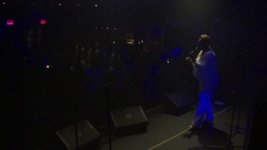
Help! Weird blue shadows!

dishan

Well-known member
Recently shot a 3-camera live event, with the AF100 alongside a GH1 and GH2.
The GH footage looks great, but I'm finding the AF100 footage has some very oversaturated looking blue shadows when reflecting certain lights. It looks terribly artifical and almost ultraviolet- I'm so upset, I wasn't the one operating this camera so I have no idea what was going on during filming to cause it.
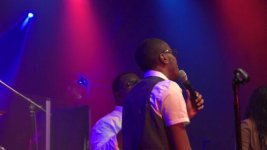
vlcsnap-2012-08-15-02h40m11s233.jpgvlcsnap-2012-08-15-02h36m06s24.jpg

Look at the blue reflecting light- these are ungraded direct stills from camera footage. Look at how overblown and saturated the blue light is, espectially looking at the image on the left!
Can anyone with some extensive AF100 experience explain what causes this? And more importantly, can it be fixed in post?
 
Difficuilt to say whats happened without looking at the profile settings in the cam, I will say my Af does struggle with this type of lighting senario though and some of the cheapo coloured LED's that bands use are impossible to correct.

Steve
 
Looks like the lighting designers favourite for music Lee Congo Blue 181. It's a very special colour that has a spike almost at the UV end - so tends to make white surfaces almost fluoresce - so to remove the cast is tricky - dropping blue will be too wide band and everything will start to yellow up before the blue goes down. It also makes finding the colour very tricky. I've never had total success, but a combination of different colour correctors can help reduce it. I don't know, but maybe that camera has more sensitivity at the blue end to the shortest wavelengths?
 
Aw man, I was hoping someone would see it and be all like "oh, that's easy- just run it through 5DtoRGB and apply this AE Filter". I guess I'll have no such luck!

I picked the AF100 as my A-cam for this shoot because I figured I would be able to get away with less in post compared to the smaller DSLR sized cameras I was using for B and C. Now I really wish I had planned differently!
:/
 
Aw man, I was hoping someone would see it and be all like "oh, that's easy- just run it through 5DtoRGB and apply this AE Filter". I guess I'll have no such luck!

I picked the AF100 as my A-cam for this shoot because I figured I would be able to get away with less in post compared to the smaller DSLR sized cameras I was using for B and C. Now I really wish I had planned differently!
:/

I don't think it's necessarily the fault of the AF100. I've seen those same type of theatrical blue LED lights wreak havoc with HVX200, HPX500, HPX370, and Sony XDCams.

I think the only way to correct it *may,* *may* be to desaturate the camera during the shoot and then bring color back in post. But again, they do have a weird temp that almost goes UV or IR??

Even to my eye, those LED lights always look bad at a show/concert. But they seem to be all the rage with venue lighting folks the last 5 - 10 years.....
 
I don't think it's necessarily the fault of the AF100. I've seen those same type of theatrical blue LED lights wreak havoc with HVX200, HPX500, HPX370, and Sony XDCams.

I think the only way to correct it *may,* *may* be to desaturate the camera during the shoot and then bring color back in post. But again, they do have a weird temp that almost goes UV or IR??

Even to my eye, those LED lights always look bad at a show/concert. But they seem to be all the rage with venue lighting folks the last 5 - 10 years.....

But why did the GH2 look much better in comparison? The shadows freaking glow, it looks totally digital and fake! I've shot a few concerts and never had it this bad before. Maybe its the first time I was at one that used these lights, but that doesn't explain why it looked so much worse on the AF100.
 
Back
Top