help needed with PAL conversion for sd tv station, shot anamorphic NTSC 23.976

sammysammy

Well-known member
Hello, we just finished editing a music video we shot here in states for a singer , final render in vegas was 1920 by 816 23.976fps , now i get a call from him that it will air on a pal tv station in diffrent country in sd format , i never rendered for PAL or know the workflow, nor I have rendered SD before, Im assuming i need to convert to 25p?or do i need it 50i for tv brodcast? and how do i get it down to sd and still have that anamorphic look, thanks for any help guys
 
First, you're going to have to find out exactly what he (or the TV station) needs. After that, we can figure out what to do.
 
David, No one is giving me any exact renders, its for lebanon, the guy keeps telling me we need it PAL SD. i was like what frame rate, he said not sure, all he knows that the NTSC file i sent wont work and they want PAL, i know what you mean, just like you im trying to find out,
 
If it's PAL SD, then it's PAL SD, which is 720x576 50i. Looks like you'll need to make it 4:3 to be safe. What codec did you use before?
 
Ok thank you, our master render was Sony mp4 render 23.976p , i made the audio and video faster x 1.042 and rendered 50i with lower frame and aspect ratio 1.0 , and i just rendered it pal 720 by 576, it seems like the sides are cut a bit now and more boxy and seems like everything with regards to aspect ratio is fine, but its flickering a bit, assuming its from the 50i conversion with lower frame? so did i do it right?
 
Try this:

Make a new copy of the project so that you don't mess anything up. (Save as . . . new project name)

Change the new project template to PAL DV Widescreen.

Do not change the playback speed. Leave it as 1.000.

Check the framing in the preview -- are there black bars? If so, you may want to crop your clips by going into pan/crop and selecting "Match output aspect." With Vegas 10 or later, there probably won't be.

Go into Render As, then choose MPEG-2.

Choose "Program Stream PAL." Do not choose "PAL Widescreen." Do not change any settings.

Render. You may want to define a loop region to render a smaller segment for testing.

See what it looks like.
 
Yeah, what aspect ratio they're wanting is a bit of a mystery - e.g. here in NZ (we've always been PAL) our TV stations changed from SD 4:3 to SD 16:9 a few years back, but the resolution didn't change at all, just the horizontal pixel 'fatness'. (We also now have 'proper' HD.)

I'd guess your people want 16:9, simply because no one makes 4:3 TVs any more, but who knows, maybe Lebanon still has heaps of old TVs... :(

The safest approach might be to render it at both aspect ratios, just in case.
 
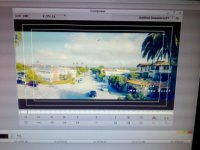
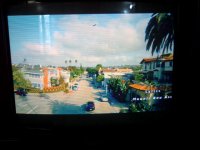
thanks guys, i just got an email from them explaining whats going on, what im getting out of these pics is that the intro titles are framed out when they want to ,broadcast it (the 24p original file they got ), here are the pics, so im assuming they want 4:3 ?IMG-20131214-01677.jpg
 

Attachments

  • IMG-20131214-01678 (1).jpg
    IMG-20131214-01678 (1).jpg
    51.6 KB · Views: 0
David, regarding the black bars, yes , i do see them when i choose the template to PAL DV Widescreen, but my original was cropped (2.35) also and saw the black bars in final render, so im suppose to see it ? and to view it correct on tv should my final pal MPEG-2 render you explained has the black bars crop? sorry guys, im just little confused, never had to render for pal tv before
 
They want 4:3, it looks like, so you're going to see some pretty thick black bars. Not much reason to crop anything.
 
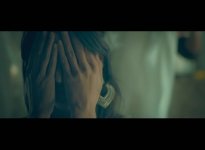
Thanks again, so i went ahead and did you workflow above david you provided for me, ,the final Program Stream PAL render has the original black top and bottom black crop bars but no side black bars (left and right ) correct? , here is the final render with workflow you provided screen grab , 25frames a second, 720 x 576 , does it look like this is what they want ? to me it looks exactly as the original 23.976 1920 by 816 master render but now with your workflow,.but is that what they want? thanks again Image19.jpg
 
ok, cool! the playback is pretty smooth on my pc, not choppy, maybe a little pulsing, once in a while in middle of screen, I noticed that the Program Stream PAL render i did has now lower field first option instead of none (progressive scan), is that why i get pulsing? , is that the way it should be? and sorry also last thing, no need to have it as 50i for tv broadcast , the above 25p with lower field is ok? thanks
 
Back
Top