Has anyone removed Adobe CC completely from their PC?

firehawk

Veteran
Looks like Adobe scatters bloatware and stuff all over your PC that involves an unnecessarily long process to remove.
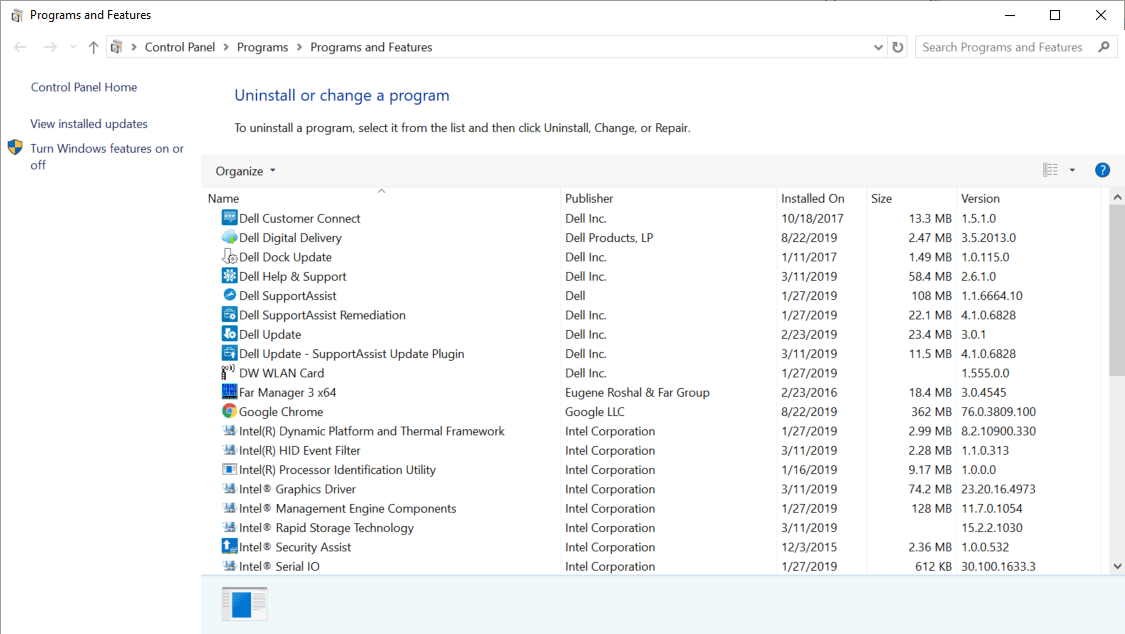
Have you accomplished this? Thoughts?
 
Although not exactly the answer, I've been using CleanMyMac for over 10 years to keep the computer as clean as possible and there are always lots of little files from Adobe (and others) all over.

Windows is worse and already comes with so much bloatware and who knows what else, you might want to look into a solid all-around cleaning method for anything and everything that you don't need.
 
I don't understand how a professional in this business could get by without Adobe. Sure, there are other several NLEs to choose from, but what are your alternatives for Photoshop, Lightroom, Bridge, and some of the other essential Adobe apps?
 
Last edited:
Doesn't answer the OP... but I've gotten away and stayed away from the Adobe world for quite some time. And I'm a professional that does work in both video and some photography.
Been using the Affinity products since I first heard of them... maybe 4 years ago now.

And Resolve and Final Cut for video editing.
 
I'm not ready to give up Adobe, but I appreciate your answer. It is good to know there is something that might qualify as a replacement. I'd never heard of Affinity.

Can you open and save PSD files?
 
I'm not ready to give up Adobe, but I appreciate your answer. It is good to know there is something that might qualify as a replacement. I'd never heard of Affinity.

Can you open and save PSD files?
The number of pro graphic artists and photogs I know that have moved to Affinity and DXO PhotoLab in place of their Adobe equivalent apps is beyond my recalling. I believe Adobe is still king in these areas, but the competition is now so capable and the fact that they can be owned rather than being subscription based will ensure their success I think.

Chris Young

I think this is a fair overview of Affinity vs Adobe.

 
Looks like Adobe scatters bloatware and stuff all over your PC that involves an unnecessarily long process to remove.

Have you accomplished this? Thoughts?
I've been using Revo Uninstaller Pro for years and on Windoz It has never failed to do a fantastic uninstall and clean up of programs and apps that leave shrapnel all over your registry and file system. Just be careful about how deep you want the uninstallation to be. When used at its greatest uninstall depth, it will totally remove any reference to any program you have ever installed. Like if you do a full uninstallation of Resolve with it, everything and I mean everything is gone. No project database left, no serial number info left, zilch, nada!. Next time you install Resolve it is if it has never been on your PC. You will have to activate the software from scratch. I can confirm it will totally obliterate anything to do with Adobe and the detritus it leaves behind when used with its maximum after uninstall scan. Revo can also track and monitor installs and contains all that information in a database for future uninstallations.

Chris Young

 
I'm not ready to give up Adobe, but I appreciate your answer. It is good to know there is something that might qualify as a replacement. I'd never heard of Affinity.

Can you open and save PSD files?

You may have to use Affinity Publisher to open with the layers in the PSD files. I bought both Photo and Publisher to replace my old Photoshop.
 
Thanks for the affinity heads up. Like many others, I ditched adobe's subscription model and have lived fuflltime in resolve since version 12. I'm sure Doug's subscription costs have been negligible with all the $$ he's made.

I'll prob get Affinity publisher as well as photo 2! Does anyone use publisher and how long does it take to learn?

Also, are there any completely or mostly automated raw editing programs or apps for batch photos? I'm just talking basic curves, saturation etc, basically a one size fits all workflow, similar to applying the LUT and being done with it. This wouldn't be for award winning photos, but just wondering if the basic photo editing "services" of yesteryear now live in affinity photo etc. or other programs with recent advances in computing.
 
The number of pro graphic artists and photogs I know that have moved to Affinity and DXO PhotoLab in place of their Adobe equivalent apps is beyond my recalling. I believe Adobe is still king in these areas, but the competition is now so capable and the fact that they can be owned rather than being subscription based will ensure their success I think.

Chris Young

I think this is a fair overview of Affinity vs Adobe.

I didn't watch the whole video... but I can say that Affinity continues to update - as has lately added more "AI" type features - at least to Photo 2
 
Also, are there any completely or mostly automated raw editing programs or apps for batch photos? I'm just talking basic curves, saturation etc, basically a one size fits all workflow, similar to applying the LUT and being done with it. This wouldn't be for award winning photos, but just wondering if the basic photo editing "services" of yesteryear now live in affinity photo etc. or other programs with recent advances in computing.

Rob - not sure about completely automated programs, as I'm likely not up-to-speed on all the latest AI stuff...
But I can tell you that Affinity Photo 2 has a pretty good system of "batch processing" and also a Macro system that lets you "record" and save multiple steps. I probably only use rudimentary features... but from their help menu...

"The Batch Job feature allows you to specify an unrestricted number of source files to process and export. Raw files will be automatically developed, and both the exported file format and image dimensions are configurable.

Batch jobs can work in conjunction with Macros. Any number of pre-recorded macros can be applied to the source files, meaning you can very quickly apply certain operations to several files."

Lastly, if you're even thinking about purchasing... I believe Affinity still offers a 30 day free trial of any of their products... so it's a no-brainer to download them and try it out yourself. (I'm not affiliated with them in any way - just a happy customer who does not like the subscription model of most software).
 
I use Affinity too to avoid costly Adobe subscriptions. Not as easy to use as Photoshop but good enough for my purposes.

To the topic does Adobe leave stuff on your computer? probably does, does have a noticeable effect on a modern computer? Probably not.

Back in the day where Ram was limited and processors were slower this could be an issue.
 
Yup, count me as another who has deleted everything Adobe from his computer despite being a professional. I too use the Affinity suite as well as Pixelmator Pro (due to its integration with Apple Motion.)
 
Rob - not sure about completely automated programs, as I'm likely not up-to-speed on all the latest AI stuff...
But I can tell you that Affinity Photo 2 has a pretty good system of "batch processing" and also a Macro system that lets you "record" and save multiple steps. I probably only use rudimentary features... but from their help menu...

"The Batch Job feature allows you to specify an unrestricted number of source files to process and export. Raw files will be automatically developed, and both the exported file format and image dimensions are configurable.

Batch jobs can work in conjunction with Macros. Any number of pre-recorded macros can be applied to the source files, meaning you can very quickly apply certain operations to several files."

Lastly, if you're even thinking about purchasing... I believe Affinity still offers a 30 day free trial of any of their products... so it's a no-brainer to download them and try it out yourself. (I'm not affiliated with them in any way - just a happy customer who does not like the subscription model of most software).
Thanks Mark!

I'm going to buy photo 2 and publisher 2, we'll see how it goes. But good idea re trial, I'll do that first.

I'm sure I could just record a set of macros then apply all as a decent starting point. It'd be great if there was (maybe there is) an in-house rec709 LUT equivalent that doesn't take a look in any direction other than maximising DR from the raw file while giving a true to life/camera image. Or maybe I can just find a filter that isn't too wacky.
 
I've consistently been trying to work towards not having any Adobe products in my workflow.

The problem is when I have to interface with clients who do use them, and for those instances I need to have a working subscription. It's unfortunate, but the way of the working world.

I do go through the cancellation dance every year to get a discounted rate though.
 
$700 per year for the entire Adobe suite is something any professional should be able to budget for. Peanuts. It's the biggest bargain in professional software ever, except maybe Resolve. If $700 is too much, I question someone's long-term ability to earn ta decent living. Ya gotta spend money to make money. And if having knock-off software was to cost me even just 30 minutes of wasted time per month, that'd be enough to cover the whole Adobe suite.
 
Last edited:
I would qualify that if you're working in a collaborative environment, you may have to go with the flow with, for example AVID.

Also, some people may not like editing with a particular NLE, they prefer other NLE(s) because of the way they think or they rather use nodes than layers.

Certainly, running a professional editing suite is going to cost money every year to keep it up to date.
 
Back
Top