Grading tips for a6300

dylansmith

Well-known member
I previously used 6D ML and GH2, and recently jumped over to Sony a6300 with zeiss 24/1.8.

Settings as follows:
Cine 1
S Gamut 3 Cine
Impulz LUT (Kodak) applied with manual adjustments to curves

I find it extremely hard to get true-to-life colors, or at least non sh1tty skin tones, especially in indoor artificial lighting scenarios.

What workflow/LUT/curve presets/settings would you recommend to get something at least half-decent for the skin-tones in such an environment?

In addition, I find highlight recovery to be quite poor in these settings. Am I supposed to underexpose by default when using Cine 1 or Cine 4?

Appreciate your recommendations. Thanks!
 
Welcome to the Sony Skin Tone HELL™.

It can be done, but it's insanely tricky and you will NOT get the same skin tones you were getting with the 6D in difficult situations...

Try with SLOG2/SGAMUT and a LC709 LUT...then layering LUTs made for the Alexa REC709...
 
Welcome to the Sony Skin Tone HELL™.

It can be done, but it's insanely tricky and you will NOT get the same skin tones you were getting with the 6D in difficult situations...

Try with SLOG2/SGAMUT and a LC709 LUT...then layering LUTs made for the Alexa REC709...

Actually I heard the Cine profiles would be easier to get back the skin tones (and it's true). With S-Log and the 709 Lut, it's way harder to get back the original colors, don't even mention decent skin tones...

Would be great if anyone could share detailed tutorials on how to get awesome skin tones!
 
Actually I heard the Cine profiles would be easier to get back the skin tones (and it's true). With S-Log and the 709 Lut, it's way harder to get back the original colors, don't even mention decent skin tones...

Would be great if anyone could share detailed tutorials on how to get awesome skin tones!

Accurate is one thing, nice skin tones is another...canon for example is doing some magic in skin tones...which are not accurate...but really nice...
same as alexa and their weird blue channel (or should I say cyan! he he)

With Sony White Balance is extremely important...and well...with mixed sources...you're kinda screwed, especially low quality LED or old fluorescent practicals.

Accurate way -> slog2/sgamut and LUT that bring back sgamut to normal, THEN you start grading, trying to surf on the "thin" colordepth...

Nice but inaccurate way - impulZ or other film emulation luts.

Have fun (or should I dare to say you won't)!

SOLUTION 1 -> ColorChecker Chart (the one I use as much as I can but sometimes you don't have the time to do it everythime that light sources changes in different scenarios)
SOLUTION 2 -> Canon
SOLUTION 3 -> RAW

Sorry to break this to you...

You can find *SOME* Sony stuff with good skin tones but these are rare and shot mostly under the *SUN* or an HIGH CRI/TLCI source.

With Canon...well...if you have bad skin tones...you set your WB wrong...

So SAD but TRUE...
 
The settings you are using should be pretty good already, so I'm ready to blame the LUTs as soon as I have the chance: I could never make LUTs work for me, unless you know perfectly what you're doing they create more problems than they solve. Care to post a few framegrabs so we can see what kind of problems you're seeing?
 
okay - given your description, I suppose I am looking for NICE skin tones, rather than accuracy per se. as mentioned in my 1st post, I actually use Impulz LUTs on my Cine1/4 footage and do slight tweaks thereafter to taste, but it is extremely hard to target the skin tones without screwing up the background tones as well.

Is there any other way to do this? :(
 
Thoughts: Use Cine 4 instead of Cine 1. Shoot even or underexpose a little and bring it back up later. With indoor lamp lighting, try 2800K instead of AWB or a grey card. Shift the color phase to the left a little (-2). Add a little mid-red in post if needed. The colors in sgamut3.cine are weak. Add depth. Try using the LUT at less than full strength. That said, I don't like the Cine gammas because I like to have a lot of lights and sunlight in my shots and they can just barely handle it.

My settings:

Black Level: 0 (it's disabled in s-log2 anyway)
Gamma: S-log2
Black Gamma: Range- Narrow, Level -7
Knee: auto
Color Mode: sgamut3.cine
Saturation: +32
Color Phase: -2 (this is for a7sII, for original a7s use -5)
Color Depth: +6 (all of them)
Detail: -6

Expose 1.5 to 2 stops over.
For indoor/night shots I reduce LUT strength and saturation more than for outdoor daytime shots.
Add red in the mid-range if needed.

*Edit: I did some tests using Cine 2 and movie colors instead of sgamut3.cine and I like the skin tones better. I use about 50% LUT strength to bring out the filmic colors. I might use this for indoor/night stuff. I need more tests.

I just used all defaults settings except Cine2, detail -6 and movie colors. Then added LUT, some minor color correction.
 
Last edited:
From my testing with a ColorChecker, ITU709 has the most accurate colors out of the box. I use it with Cine3 and 4 with -20 saturation to prevent red channel clipping.
 
Hi Viscount Omega,

Care to share what input and creative LUT you are using on your end? I'll try out your settings and see how it goes.

Thanks!

Hi Blue Bomber,

ITU709 is the most accurate, but how about the most pleasing colors/skin tones? which would be the best?
 
The colors in sgamut3.cine are weak.

This is not true, unless you're not converting the color space properly ;)

You can't just ramp up the saturation with SG3c, this will lead to colors with a higher than normal luma value. You have to linearize S-Log2 and then apply a color matrix. Easiest way to do this, is to create an S-Log2/SG3c to S-Log2/709 LUT in LUTCalc.
In my tests shooting the Color Checker Passport, SG3c was VERY accurate. The most accurate color profile in a camera that I shot with yet (ok, wasn't that many :)). I'd say very close to what Camera Raw puts out.

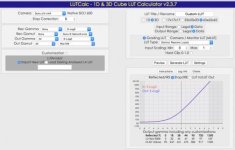
I'm shooting Cine1 (HG4609G33 or HG4) with SG3c at Sat +16 at the moment. You can even build a Cine1 => S-Log2 LUT in LUTCalc with a little trick.
For scenarios with a wider DR, I'm switching to S-Log2/SG3c, Sat at +24. Before the SL2/SG3c => SL2/709 LUT, you have to set the input saturation in Resolve to 35 (+16) or 30.5 (+24) though!

Hope I could help you a bit!
 
I'll give LUTCalc a try but I've never gotten good results with LUTs doing things by the book. I have backed off on the Saturation, down to +25, but what I meant by the colors were weak is that (without doing the conversion you suggest) they are not deep enough for me.

That said, I'm wary of adding another LUT to the process because the Impulz Luts already degrade the 8-bit footage. I add Neat video and it helps remove the color noise but it's still there on blank walls and skies. Adding grain hides it.

As far as LUTs I'm using, I like the Osiris M31.
Around 50% strength indoors/night, close to 100% outside daylight. Sometimes I color correct it by adding mid and low reds to get rid of the blue shadows and match it to the 5203 mentioned below. If these LUTS are not at 100% I have to pull the blacks down further to compensate. I also like Rec709 Kodak Vision3 50D 5203 (DP) FC. This one needs more saturation in post.

Dylan, if you want to give my settings a try, you might want to beware the black gamma and color phase settings and see if you like them first. I don't always use them either. The negative color phase helps if you have too much magenta/red in faces. The dark gamma gives things a more "solid" look. What I do is try is get the "in camera" settings as close as possible to the final look I want to achieve (which may differ from yours). That way, less grading is required.

Edit: Ok, I made a
S-Log2/SG3c to S-Log2/709 LUT with LUTCalc and the good news is, it's not as destructive on the footage as I feared. However, I don't like what it's doing to the highlights. They're looking harsh. Will try to recalibrate the LUT.

Ok, I've made 7 LUTs so far and some of them are close to what I'm looking for in the final image but not quite. Colors are much deeper, like you said, but the reds are off. Skin tones, I don't like. I'm not necessarily looking for accurate colors in the final image, but rather filmic colors with good skin tones. I can get that without this.
 
Last edited:
I don't like what it's doing to the highlights. They're looking harsh. Will try to recalibrate the LUT.
This sounds like a levels mismatch. Check your video/data levels settings. The LUT shouldn't change anyhting besides the color. NO contrast shifts should occur!

I'm not necessarily looking for accurate colors in the final image, but rather filmic colors with good skin tones. I can get that without this.
In most cases neither do I. But you have to have a proper starting point after which you can build your look. These film look LUTs expect a proper input in order to work...
And I hope you don't get into situations where you indeed need a true-to-life color output :)
 
Can you tell me your exact settings in LUTCalc? Are you doing any customizing?

I'll give it another try.

Edit:

My LUTCalc settings:

Sony a7smk2
Stop correction: -1
Left side: all Sony
Right side input:
slog 2,
sgamut3.cine
output:
slog2
LC709

No customization

3D LUT, 33x33x33
input: data
output: legal
Lut type: general cube


In camera settings:
slog 2, sgamut3.cine, saturation +10, everything else default
Daylight white balance
exposed 1.5 stops over

I applied the LUT, no other correction, and these flowers look purple-ish. In real life they are a solid red. Same with other reds indoors: purple-ish.

Image1.jpg

I must be doing something wrong in the LUTCalc settings.
 
Last edited:
I've had bad results with LUTs every time I've tried to use them, and I suspect the problem was the software that was applying them, not the LUTs themselves.
 
I'm using Magic Bullet Looks within Sony Vegas 13 to apply the LUT. Do you think I would get better results in Premiere or Resolve?
 
Thank you for the detailed information!
I guess your video to data levels setting might cause this.

For test purposes go straight from SG3c to Rec709. LC709A might be tempting, but not for the moment. Also leave out the stop correction.
I select LUT type Resolve, as I'm grading in Resolve. This preselects Data => Data. Then I untick Customization, just to be sure.

Screen Shot 2016-04-25 at 18.59.07.jpg

BTW, this happens if you add a Kodak Film Print LUT at the end of a proper conversion :)
https://youtu.be/oMFYHSYzOA8
 
I made 2 LUTs. In the first LUT, I copied your settings exactly except I changed to 33x33x33 and "General LUT". It didn't work. Red is still purple. Then I created a Resolve LUT like yours to try it in Vegas. It worked but...it didn't work. Red is still purple.

Would you try an example with s-log2 and sgamut3.cine and post a pic of what results you get with the color red?
 
Would you try an example with s-log2 and sgamut3.cine and post a pic of what results you get with the color red?

Sure, here you go!
Indeed, SG3c is a tad purple in the reds straight away. This is even more dire if you are used to Canon reds that tend to be a little orange. Even Sony themselves do this with other profiles, to squeeze the skin hues a bit, to make them more pretty. SG3c is meant to be very neutral though!

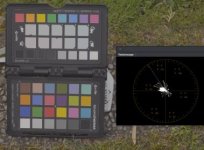
OOC, SL2, SG3c, Sat +24
Screen Shot 2016-04-25 at 19.58.38 OOC.jpg

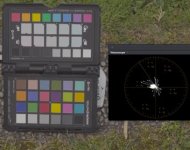
After 709 LUT with Sat set to 30.5 in Resolve before applying the LUT
Screen Shot 2016-04-25 at 19.58.44 709.jpg

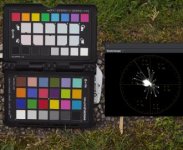
Quick Grade with LGG and Contrast
Screen Shot 2016-04-25 at 19.59.33 LGG.jpg

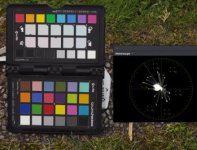
Added a little hue/sat correction to the individual hues
Screen Shot 2016-04-25 at 19.59.57 LGG + profile.jpg
 
Oh, so you have to correct it after you corrected it. Then you can begin correcting it. LOL. For now, I think I'll stick with getting it close in camera, then correcting it a little:

Image2.jpg
 
Last edited:
Back
Top