BrandonT
Well-known member
--Update: I found a solution. See post below--
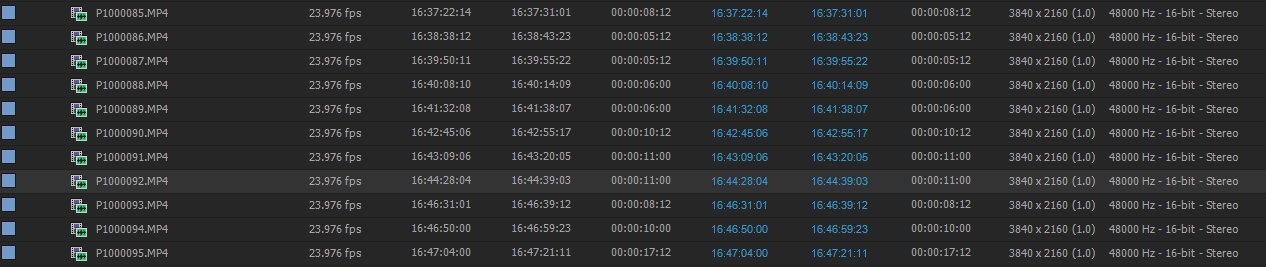
Hey folks. I'm having an issue. The timecode from GH4 footage is not correct when working with it in Premiere or Prelude CS6 (OS X Yosemite). It shows up as clip run (starts at all 0's for each clip). At first, I thought that my colleague wasn't setting it correctly on the GH4. But then I checked one of the cards that had footage from the GH4 in my C100, and the timecode appeared correctly when I viewed the media in it. So the TC is working correctly.
The footage was recorded in AVCHD format with the GH4. And timecode from my C100 and Panasonic AC130A, both recording AVCHD, works just fine in Premiere CS6.
I always copy the AVCHD folder (or "file" if you want to think of it that way). But I also tried copying the PRIVATE folder, as well as copying all folders as-is from the GH4. No joy on any method.
Is this a CS6 problem? If so, I'll go ahead and get CC (I've already used my trial). Any help is appreciated. I have a lot of footage that I need to reference to my A Cam from an ongoing football shoot. Thanks!
Hey folks. I'm having an issue. The timecode from GH4 footage is not correct when working with it in Premiere or Prelude CS6 (OS X Yosemite). It shows up as clip run (starts at all 0's for each clip). At first, I thought that my colleague wasn't setting it correctly on the GH4. But then I checked one of the cards that had footage from the GH4 in my C100, and the timecode appeared correctly when I viewed the media in it. So the TC is working correctly.
The footage was recorded in AVCHD format with the GH4. And timecode from my C100 and Panasonic AC130A, both recording AVCHD, works just fine in Premiere CS6.
I always copy the AVCHD folder (or "file" if you want to think of it that way). But I also tried copying the PRIVATE folder, as well as copying all folders as-is from the GH4. No joy on any method.
Is this a CS6 problem? If so, I'll go ahead and get CC (I've already used my trial). Any help is appreciated. I have a lot of footage that I need to reference to my A Cam from an ongoing football shoot. Thanks!
Last edited: