GH2 funky DOF background ? Problem? issue ?

Rockvids

Member
http://www.youtube.com/watch?v=wZho14qGwSc

I filmed this in 1080p 24fps with a gh2 and 50mm f1.4
Iris open 640 ISO shutter 60 cinema mode

The background looks real weird. I have never see anything like this with my hvx or HPX..then again i have never had this kind of DOF. Amazing..this camera has really made it fun to film again with no budget.

fcp timeline 1080i render h.264 highest settings.. But the background looked odd when i was filming so i know it's not youtube or my outputs.

Is my camera bunk? is this normal??
 
I think it's from the rendering in timeline.
I usually get that when I add too much effect/filter and render the footage.
 
"FCP timeline 1080i" for cinema mode?


I don't have the GH2, but is that setting right for Cinema Mode, by the way?
 
I can see the banding before i put it on the timeline..Like in camera. FCP puts the clips in a 1080i timeline... ( I figured that was correct, Similar to the EX1 timeline) But like I said. You can see this issues also when reviewing footage in the camera.
 
That is strange, it looks like the codec is getting a little muddy. Sort of reminds me of my gh1 before the hack. Well if you are shooting 1080p you should put the clips in a 1080p timeline. Are you sure you didn't accidentally record these in 1080i mode? I know the lower bit rate of the 1080i might break under stress but this issue only seems to effect you background.
 
That is strange, it looks like the codec is getting a little muddy. Sort of reminds me of my gh1 before the hack. Well if you are shooting 1080p you should put the clips in a 1080p timeline. Are you sure you didn't accidentally record these in 1080i mode? I know the lower bit rate of the 1080i might break under stress but this issue only seems to effect you background.


No it was 1080p I am 98% sure...Not sure why fcp promps me to use the 1080i timeline apple pro rez . Should i really put this on a 1080p timeline? This is the issue with HDTV...same thing with the ex1. FCP suggest the 1080i timeline when shot in 1080p
 
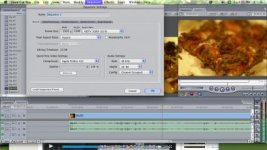
The image is to small to see the settings you are using, I think fcp might default to 1080i for high def files. Just make sure your project settings are as follows.

Frame Size: 1920x1080
Frame Rate: 23.97 or 24
Deinterlace Fields: none or progressive
Decoder: Apple Pro Res

I usually use cs5 but I think those are the appropriate FCP settings. It is a bit puzzling, do you still have the original .mts file that I could see?
 
sprry dont have mts files but i do have the mov files. I shot like 4 different scenes and all look similar. Reminded me of the chemtrail clouds banding issues i saw the other day.
 
For a shot like that with FD lenses, i would have used the mpeg codec in the camera. I think you're suffering low bitrate, i'm guessing it's around 9mbps.
 
Back
Top