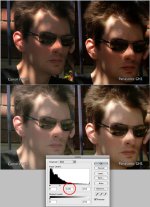
GH1 vs. HV20

As long as the settings that were used are stated, any comparison is valuable. (even though those settings obviously affect how usefull each test is, but this can be subjective sometimes)
It is everyone of us that can come to it's own conclusions based on the facts.
To me, this test is very valuable, since it is the first time I see side-by-side shots of an HDV camera and the GH1.
I will like to know what shutter speeds were used (1/48 on the HV20 and 1/50 on the GH1 I guess, but still would like to have this confirmed since high shutter speeds increase the mud effect)
 
Have you shot with the 5DMII?

Yes, once, very briefly.

I see what your trying to achieve, however the GH1 can get flatter, however the 5D is it's own!

I'm not expecting the GH1 to got *that* flat, but I would expect it to be at least a bit flatter than my HV20, being a still camera and everything.

So, again, I would love if anybody proved that I screwed up.

Please post clips and setups that make the GH1 shine with high contrast, high detail scenes (such as the ones depicted in my fun little test).

Oh... make sure to include some pure green in there. :-)

I'm still suspicious of the colorspace conversion between the .MTS and ProRes that's performed by FCP, but I have no way to compare the original with the transcoded version.

-- X
 
I will like to know what shutter speeds were used (1/48 on the HV20 and 1/50 on the GH1 I guess, but still would like to have this confirmed since high shutter speeds increase the mud effect)

Please take a look at the video on Vimeo. Details are provided at the beggining and in the audio commentary.

In a nutshell: except for 1 shot, HV20 = 1/48s. GH1 = 1/50s.

-X
 
I'm not expecting the GH1 to got *that* flat, but I would expect it to be at least a bit flatter than my HV20, being a still camera and everything.

-- X


Good question!

So does anyone know if the GH1 can go flatter than the HV20? I sure hope so too!

The GH1's DR comes from the photographic side, so its potential is beyond regular video cameras. Also the size of the sensor takes
it to a different realm.


.
 
Last edited:
I'll everyone draw their own conclusions.

For now, I'll just say that for HV* owners, the GH1 isn't necessarily a slam dunk upgrade.
As a "test" to judge from this is about as sloppy done as it can be. Especially since you call it a "deathmatch" on the speaker track.

To begin by not having NDs makes the "test" pretty ludicrous.

Both GH1 pictures in last row from bottom show interlace lines meaning you have incorrect pulldown removal or none at all which exaceberates 'mud'.

Now look at the foliage over the orange flowers next to Phli's elbow and the brick wall above. It's pretty clear the HV20 has lower detail sharpness than the GH1 meaning you'd have to artificially sharpen the image in post on everything to make it match. The HV20 looks upscaled, don't know what it actually does but the smaller sensor just don't come anywhere near GH1's resolution. It's in another word muddy all the time despite being in focus from glass to horizon.

Once you have GH1 at proper settings for moving images the motion blur and shallow DOF makes 'mud' not much of a problem when actually tracking people / objects during fast pans. The few frames I've seen it in my footage is nothing that a 2 minute job in Photoshop with the clone and heal tools wouldn't fix. Not that anybody would notice them in the first place when shown within a edited sequence.

The HV20 pictures don't have more range or are more 'film-like', they only draw black as 3-4% grey instead of 0% giving the illusion of being more flat while they actually only lack info. And who cares if the few last steps to black are lost on GH1 when the midtones on the HV20 are really lackluster and the highlights clipped. You can really pull the GH1 images further.

Please post clips and setups that make the GH1 shine with high contrast, high detail scenes
You have done it yourself, you just haven't understood it yet. QED:
 

Attachments

  • hv20oldmilk1.jpg
    hv20oldmilk1.jpg
    227.5 KB · Views: 0
  • hv20oldmilk2.jpg
    hv20oldmilk2.jpg
    95.6 KB · Views: 0
As a "test" to judge from this is about as sloppy done as it can be.

I'm sorry if my test doesn't hold up to your high technical standards. Please feel free to make one yourself and post the results here.

Especially since you call it a "deathmatch" on the speaker track.

Next time I'll call it the "Care Bear Lovefest".

To begin by not having NDs makes the "test" pretty ludicrous.

We all know the GH1 owns the HV20 for shallow DOF. I was interested in field of view, codec robustness, dynamic range and color rendition. Not having NDs doesn't void any of these conclusions.

Both GH1 pictures in last row from bottom show interlace lines meaning you have incorrect pulldown removal or none at all which exaceberates 'mud'.

Both the HV20 footage and the GH1 footage went through JES Deinterlacer for pulldown removal. If you wish I can put an original MTS file online and you can remove the pulldown at your leisure. I assure you "mud" doesn't get much better then this.

Now look at the foliage over the orange flowers next to Phli's elbow and the brick wall above. It's pretty clear the HV20 has lower detail sharpness than the GH1

Well, the HV20 is 1440x1080, that is to be expected.

meaning you'd have to artificially sharpen the image in post on everything to make it match. The HV20 looks upscaled, don't know what it actually does but the smaller sensor just don't come anywhere near GH1's resolution.

I didn't sharpen anything. The HV20 footage is upscaled from 1440x1080 to 1920x1080 by FCP when you drop it on the same (1920x1080) timeline as the GH1 footage. The GH1 footage is 1:1.

Once you have GH1 at proper settings for moving images the motion blur

The GH1 was set at 1/50s shutter speed for all shots except 1 which is clearly identified in the caption.

and shallow DOF makes 'mud' not much of a problem when actually tracking people / objects during fast pans.

Mud shows up in the GH1 footage when I wave my hand in front of the (locked) camera. You don't have to move the camera around to have mud show up.

Not that anybody would notice them in the first place when shown within a edited sequence.

I do.

You have done it yourself, you just haven't understood it yet. QED:

Thanks for boosting the gamma on the shots. Now look at Phil's shorts in the shadows. Now tell me which camera recorded more shadow detail?

--X
 
Foreword: I was emailed this thread by the OP. Before any of you decide to jump my case.

Settings: Nostalgic, Contrast -1, Saturation -1, everything else -2, iContrast OFF, make sure Noise Reduction is actually off in the settings as well

ISO 160, 320, 640, 1250 should be the ones you use.

Try those if you're a GH-1 owner and curious.

It's great that the OP wanted to share some results. On one hand, not everyone can test a GH-1 before purchasing so it's helpful to see this stuff. I can understand it.

On the other hand, not everyone can test a GH-1 before purchase, so it's helpful to see this stuff done with both cameras at their utmost best. That does mean spending time figuring out settings, reading manuals, etc. Not specifically speaking to PhilD or anyone else, just in general.

Indeed, camera comparisons or image comparisons should be done with care and consideration. From the 35mm Adapter days, the people who did these properly have become the real testers. They put the cameras through paces and while there may have been some variables that could have been better, we knew that they took a heap of time preparing, studying, etc.

This is why I won't do a camera shootout: I don't have the patience to do it properly. And if it's not done properly it will always cause a riot on both sides of the fence.

With that said, you can't save everyone. Those of you irritated by this thread are probably better served putting the camera to good use and proving your points with well done imagery.

Again, thanks to the OP for the images. I would definitely encourage, in the future, to dig a little deeper. And, to everyone else, the real test isn't on a forum, it's in your hands shooting for yourself if you have the ability to do so.

Keep it civil!
 
Kholi from what I've heard would those settings make things pretty desaturated as well as kind of flat in terms of contrast? (overly?) What's the goal, sorry? Not have such high contrast for better dynamic range and detail in extremes?
 
Kholi from what I've heard would those settings make things pretty desaturated as well as kind of flat in terms of contrast? (overly?) What's the goal, sorry? Not have such high contrast for better dynamic range and detail in extremes?

Nostalgic's curve looked to be the one that netted the most range, to me anyway. The rest of the settings are my personal taste. I'm not a fan of shooting an image with lots of saturation or contrast. I like to see into the shadows being cast on faces, etc. With curves, it's pretty easy to draw contrast back without compromising the image. Quite the opposite with just about any sub 10K camera, bringing detail out of the shadows is a different story.

Ideally, though, you would want to shoot for a look in camera then tweak, in the very minor sense of the word, in post.
 
Ideally, though, you would want to shoot for a look in camera then tweak, in the very minor sense of the word, in post.

I'd totally agree with that, I'd say shooting for the best dynamic range is good because you can always add some contrast in post, but you can't add detail to areas that didn't get it during production. For the same reason, unless I know I want a desaturated look, I usually shoot for bright, decently saturated colors because it's easy to desaturate them and tweak them during color grading, not so much if you shoot desaturated from the start....when shooting on the HVX I usually use either Barry's Filmic or War Epic, again depending whether we know we want a desaturated look or something else.
 
Nostalgic's curve looked to be the one that netted the most range, to me anyway. The rest of the settings are my personal taste. I'm not a fan of shooting an image with lots of saturation or contrast. I like to see into the shadows being cast on faces, etc. With curves, it's pretty easy to draw contrast back without compromising the image. Quite the opposite with just about any sub 10K camera, bringing detail out of the shadows is a different story.

Ideally, though, you would want to shoot for a look in camera then tweak, in the very minor sense of the word, in post.

Kholi is -3 contrast as far as it goes. Is there a setting that in combo with the -3 contrast that will take it to even farther?

.
 
Kholi -- what white balance would you recommend? Illya recommended 5500 kelvin (for daylight), and when I did that I was happier with the skin tones which had previously looked either a bit too pink or too yellow to me (depending on the film style).

I had been using ISO values such as 100 and 500, but I'll use your values (160, 320 and 640). When shooting interiors I find that I don't like going beyond 640 because it seems a bit grainy -- is it just me? People originaly said ISO 800 looked clean, but I don't see it that clean.

Out of the film styles I found Smooth and Nostalgic to be closest to my preference; I have been shooting Smooth, but maybe I'll look at Nostalgic again. I usually have all four film style parameters set to -2. You have contrast set to -1, but I feel the image is on the contrasty side so use -2 (maybe I'm doing something else wrong?).

Thanks.
By the way, have you got your pair of GH1's yet?
 
Kholi is -3 contrast as far as it goes. Is there a setting that in combo with the -3 contrast that will take it to even farther?

.

If I remember right -3 or -2 is the furthest you can go. It's pretty far down when coupled with a desaturation, though.
 
Kholi -- what white balance would you recommend? Illya recommended 5500 kelvin (for daylight), and when I did that I was happier with the skin tones which had previously looked either a bit too pink or too yellow to me (depending on the film style).

I agree with Illya. In addition, there's a white balance tuning setting that lets you shift on a grid. I used that as well to tune the White Balance. Most of the time I was definitely at 5500. It's a habit because all of my red stuff's shot at 5500K as well. Tune on the grid.

As well, google/amazon: CBL White Balance. If you can afford it, grab one.

I had been using ISO values such as 100 and 500, but I'll use your values (160, 320 and 640). When shooting interiors I find that I don't like going beyond 640 because it seems a bit grainy -- is it just me? People originaly said ISO 800 looked clean, but I don't see it that clean.

You know what? 160 increments might not be the GH-1's flavor. Maybe it's 200? Best thing to do is a locked down test indoors with yellow/3200k balanced light. see what you get. I always held around 320 when I shot, just used ND's or a fast lens when needed.

Out of the film styles I found Smooth and Nostalgic to be closest to my preference; I have been shooting Smooth, but maybe I'll look at Nostalgic again. I usually have all four film style parameters set to -2. You have contrast set to -1, but I feel the image is on the contrasty side so use -2 (maybe I'm doing something else wrong?).

Not wrong, just time to experiment.

I found Nostalgic to be the preset that worked for me the most. If you point the camera at your VCR or PS3, or Cable box, half of the frame over exposed and switch between the stock presets, nostalgic looks better in highs and lows. At least to me, and pulls more details otu of the shadows etc. Shadows, i'm not too worried about. But the more I can push the highs the better for myself.

Also, try this: set contrast to -2, point camera at a pitch black area the switch to -1. Does the dark area shift from "blueish" to "actual black"?

That's why I went to -1. I noticed it in my camera. In fact, you can probably throw the lens hood on and see it. If the image is too contrasty, look into a Tiffen Low Contrast filter.

Thanks.
By the way, have you got your pair of GH1's yet?


Not yet! The ONLY reason that I'm not flipping out is because I'm shooting RED for most stuff anyway, and we're in pre-production on the feature. That and I've been experimenting finding a way to make myself like the MKii, so I won't sell it.

I hate selling gear, even if I don't really use it or like it. =P

I think once I get rid of the Mkii I'll really start foaming at the mouth for my GH-1's. Right now, though, it's good not to be AS distracted as normal. Fourth Draft needs attention.

xD Have fun with the ultimate dream camera. I get jealous just looking at JDS's pics of the flip-out LCD in action. It's the best.
 
No Contest!! The GH1 wins in a blowout for me! This camera picks up detail very well in shadows. The photo of the lady and the kid with a house in the background with a bike on a balcony. I also saw a video on VIMEO where the GH1 picked up detail in the shadows. But really both cameras are better than a Super8 or or even Super 16. I guess it's all matter what a person want to do. The viewing public could not care less about any small subtle technical detail of a camera. Just as long the film does not look it's shot on home video camera or it does not look like a "bootleg" production. I just like the GH1 because I can use my Nikon lenses on it and it's range is great. Just wish it had a live HDMI. Looking forward to a thread how to hack into GH1 LCD screen to attach an external monitor, I know it's coming. lol
 
Last edited:
Thanks, Kholi. I was not aware of the white balance fine adjustment (some of my natural light interiors set at 5500k looked generally ok, but had a slight greenish tint in some areas which this adjustment might help).

I forgot to ask: are you using Creative Movie mode? This is what I am using to shoot video (with manual exposure of aperture, shutter speed and ISO). Recently I accidentally turned the camera to M (ie. still camera manual mode), and the image looked quite different -- I suddenly wondered if everyone else is shooting video with M mode!
 
Back
Top