
scorsesefan
Veteran
I would def transcode.

Follow along with the video below to see how to install our site as a web app on your home screen.
Note: This feature may not be available in some browsers.
I would def transcode.
Half fingers crossed that an eGPU will handle the 4k h.265. (Nervous laughter)

That's my initial thought as well. I'm shocked I haven't noticed until today, but then again I actually have found myself using the X-T3 for stills more than video.

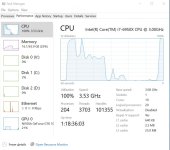
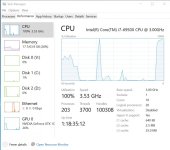
Hmm...
I bought two ProGrade 128GB V60 cards when I bought the XT-3. They have played well for five months now, have shot lots of material as well as long interviews. Was shooting some tabletop yesterday and card 1 in slot 1 started shutting recording off, displaying a warning, "SD Card Error" but it appeared to actually save the file before shutting off.
Did testing yesterday and kept getting this error message with card 1 so I took it out of rotation for a shoot today. I switched to shooting with card 2 today, lo and behold, the same issue. These are premium V60 cards. In ordered to finish the shoot this morning, luckily I had my Sandisk Extreme Pros from my C200 with me. I used them to finish the
shoot today with no issues.
I am back home looking at the cards, it appears that I didn't lose anything off of the ProGrade cards, all of the files are there and playback, it's just that both were causing the camera to randomly stop the recording and save the file, then displaying an SD card error. I will contact ProGrade Monday, I think these have a year warranty, but weird that
they have worked great for 4-5 months, then all of a sudden two shut down the camera recording many times over two days? Anyone else use or have issues with the ProGrade V60 cards with the XT-3?

The Fuji didn't miss a beat, but I had a hell of a time the night before, sorting out how to get a wireless feed out successfully to video village, when we were recording 4k @ 50p
Well, it would be nice, but i am not using it professionally, so, i suppose playback will be what it be. Will shoot some stuff next week.
Well, dang! I may end up using an X-T3 for a 4K gig or two! That seems so much better than i was thinking. I have done my share of editing, but never had to proxy’s when editing. Been fortunate lately to leave editing to fulltime editors, but as a result, i’ve fallen behind the times. Thank you.Tested playback on my late 2013 MBP (max spec) with X-T3 files- not enough juice so turned on Proxies for Ingest (PP CC). Imported (ingested) the files, proxies created in the background with AME (not as seamless as FCPX or Resolve, but works fine). Once the proxies were done, I added the toggle proxies button to the main control area, and it's trivial to switch between proxies. Exporting uses the originals; editing is very fast as expected. If using H.264 proxies, the proxy overhead is minimal (much less than transcoding to e.g. ProRes (I'd use Cineform wavelet in that case to save ~2x the space).
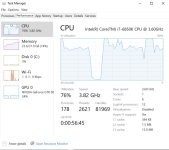
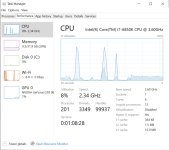
I am primarily editing in Davinci these days. Had to get out of the Adobe eco system. Was getting too mant post freebie requests, and I had no interest in post beyond coloring. So, Davinci Resolve has been great, gives me competent editing tools, and I don’t have to switch apps to color.
Later on, i may need a BM eGPU. But if i really need horspower, i’ll probably just build a PC.