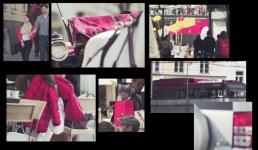
FS700+O7q 4K City Impressions

McReedy

Active member
After a car-interior shooting last friday with the new firmware I took the camerasystem to shot 4K RAW in a real life environment in my home city:


https://vimeo.com/89854882


I uploaded the 80mbits/s 4K h264 on vimeo (original file is 3.0gb) the HD looks great - but the native 4K is mind blowing. Dynamic range (with the new RAW2SLog2 LUT applied in DaVinci), detail and 3G-SDI compression is amazing. All shots were ETTR so the noise level is pretty low. To see the flat S-Log2 there is a second video with a 4K 100% crop color graded to view on a FullHD Screen.


https://vimeo.com/89854881


The unit with the new firmware runs very stable in 4K I used the visual-focus tools on the unit for the magical 70-200 f2.8 II (+SP) to get the sharpness on the wanted (moving) spots - so really fine adjustments are needed. You can feel the physics of the lens - the smallest unit is not the pixel anymore! ;-)
 
That looks great, really beautiful footage. I'd be keen to see the interior shots of the car you did, I really struggle to get nice interior shots
 
I've been playing with a little discussed benefit to shooting in 4K. Since all my productions are distributed in HD, either I downscale 4K footage or I window the 4K footage. Media Composer v7 will accept 4K resolution files on input and scale it to HD output. Alternatively, the "frameflex" feature will allow only a 1920x1080 window of the full 4k image to be displayed. Positioning the window with keyframing allows a pan and scan around the full 4K frame, with no apparent loss in resolution. Love this 4k resolution that allows zooming to HD size without noticing the quality loss.
 
I've been playing with a little discussed benefit to shooting in 4K. Since all my productions are distributed in HD, either I downscale 4K footage or I window the 4K footage. Media Composer v7 will accept 4K resolution files on input and scale it to HD output. Alternatively, the "frameflex" feature will allow only a 1920x1080 window of the full 4k image to be displayed. Positioning the window with keyframing allows a pan and scan around the full 4K frame, with no apparent loss in resolution. Love this 4k resolution that allows zooming to HD size without noticing the quality loss.

Thts the biggest benefit to us of 4K too (apart from the great 4K2HD mode) - most peope I'm talking to and via blogs etc are saying the same it seems
 
Wondering if you really need to ETTR? Some shots looked a little hot. What was your shutter speed? Thanks
 
The first part the shutter speed was between 1/120 and 1/250. From the bridge I shot 1/50th with a Hoya NDX8 filter to keep some takes at f2.8 (speed booster language f2.0). ETTR depends on the situation to keep the noise level down. btw the fishing guy was with normal metabones, 70-200 + 2xConverter at f5.6 (=640mm tele)
 
Hey McReedy,

Did you use the new Resolve DNG settings and new S-Log LUT?

I ask because your reds looks like what I am getting when using the new settings - overly magenta. So unless Pink has completely taken over Salzberg, something is off with the new profiles. Here's a few quick grabs I did from your video. I noticed the red issue throughout the whole video. I'm pretty sure that's not how the reds look.

The reds are very off. I hope this gets fixed quickly. I've had better luck with the old BMD settings and old S-Log LUT. This is my work around right now and it seems to be fine. Besides that, the new firmware is AWESOME! I love it.

redpink.jpg
 
Last edited:
Hey McReedy,

Did you use the new Resolve DNG settings and new S-Log LUT?

I ask because your reds looks like what I am getting when using the new settings - overly magenta. So unless Pink has completely taken over Salzberg, something is off with the new profiles. Here's a few quick grabs I did from your video. I noticed the red issue throughout the whole video. I'm pretty sure that's not how the reds look.

The reds are very off. I hope this gets fixed quickly. I've had better luck with the old BMD settings and old S-Log LUT. This is my work around right now and it seems to be fine. Besides that, the new firmware is AWESOME! I love it.

No not everything is pink here in Salzburg ;-) The pink is based on the Rec709 Colorspace in DaVinci (if you expose brighter) the BMD works fine as you told:

https://www.dropbox.com/s/vagcrdr0ieomzn1/4KRAW_red-Log.zip

I will upload a corrected version with the natural reds tomorrow! Yes the new FW is great!!
 
I've sent Andy a bunch of tests and examples.

I replied in another thread but this is all a bit of a Wild West of DNG processing, i don't think there's anything wrong with the files the O7Q produces at all. It's just that we're all diving into what is a pretty untested area of RAW processing. I think it's important to emphasis that. It is true that the LUT provided by CD appears to have some issues.

One thing to try is to look at other workflows:

If the output of the CinemaDNG is true linear (and i believe it is and no one has corrected me ...yet) then there are other LUTS that can be used like the VFX Linear to SLog2 which is a perfect representation. However the overall levels that Resolve is ingesting don't always appear correct, so some massaging of the images are needed before going through this LUT.

It's also worth trying the ACES workflow. There is a CinemaDNG Input Transformation and the colours ACES produces are very well controlled from this. Then you're free to LUT your way out.

However it's also important to add that LUTs and some LUT workflows can clip very easily. It's important to check your waveforms.

I've spent quite a while looking through this as Gene can attest, but i'm still not there yet...

It's also worth pointing out why personally this matters to me. I want to transcode all my 4K RAW into 4K Slog2 (or similar) files so i can get rid of the DNGs. I already have around 4TB of RAW files hanging around. I need these to be a technically perfect representation of the source files because by the time i get to these files in 6 months time i do not want surprises or LUT issues that can potential destroy the integrity of the files. I'd be spitting magenta blood if i'd not tested my workflow now... :)

cheers
Paul
 
Last edited:
I've sent Andy a bunch of tests and examples.

I replied in another thread but this is all a bit of a Wild West of DNG processing, i don't think there's anything wrong with the files the O7Q produces at all. It's just that we're all diving into what is a pretty untested area of RAW processing. I think it's important to emphasis that. It is true that the LUT provided by CD appears to have some issues.

One thing to try is to look at other workflows:

If the output of the CinemaDNG is true linear (and i believe it is and no one has corrected me ...yet) then there are other LUTS that can be used like the VFX Linear to SLog2 which is a perfect representation. However the overall levels that Resolve is ingesting don't always appear correct, so some massaging of the images are needed before going through this LUT.

It's also worth trying the ACES workflow. There is a CinemaDNG Input Transformation and the colours ACES produces are very well controlled from this. Then you're free to LUT your way out.

However it's also important to add that LUTs and some LUT workflows can clip very easily. It's important to check your waveforms.

I've spent quite a while looking through this as Gene can attest, but i'm still not there yet...

It's also worth pointing out why personally this matters to me. I want to transcode all my 4K RAW into 4K Slog2 (or similar) files so i can get rid of the DNGs. I already have around 4TB of RAW files hanging around. I need these to be a technically perfect representation of the source files because by the time i get to these files in 6 months time i do not want surprises or LUT issues that can potential destroy the integrity of the files. I'd be spitting magenta blood if i'd not tested my workflow now... :)

cheers
Paul


I just updated the first video with the fixed magenta now and did a new grading which looks much better now (priority was specially skin-tones and the "real" red), for that I went back to the BMD-Log in DaVinci:

https://vimeo.com/89854882

I did a second test with all 4 Camera capture-modes (4K2HD, 4K DNG, 2K DNG, FS700HD) to see the difference in colorspace and resolution:

https://dl.dropboxusercontent.com/u/3545751/image-fs700-o7q.psd.zip

4K2HD and 4K DNG is pretty the same, but the 4K2HD Log looks completely different if you compare it to the original FS700HD S-Log2, specially in the shadows its darker and less blue.
Funny, that even the 2K DNG mode shows a sharper image than the original FS700HD look (but it has strong visible compression).
 
Back
Top