FS7: FS7 and 7Q+ for Raw 4K DCI. Do I have a workflow problem.

Hello all

I just completed shooting a short film with the FS7+XDCA and 7Q+.(very last firmware of june 2015).
The camera was set to s3log.cine and rated at 800 iso in cineEI, shooting RAW 4K DCI 23.976. I also used the xavc in slog3 as proxy.

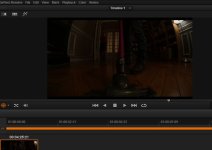
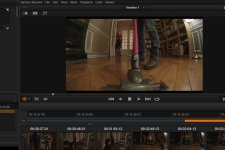
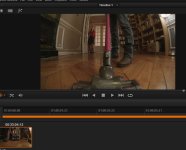
When I import the raw into resolve (I only have the lite version so far), the pictures are VERY dark.
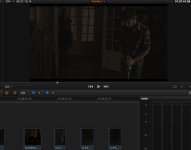

resolve.JPG

I have seen that the gamma should be revert to 2.2 in some convergent design documentation.
So in Resolve>Files>project Settings>Camera Raw, I set Cinema DNG default and BMD FILM Gamma (there is also a BMD Film 4K gamma).
Well it does not appear to change the dark of the picture. If I push anything, my blacks obviously become noisy.

Same goes for camera Raw. I don't know where I can change te gammas here.
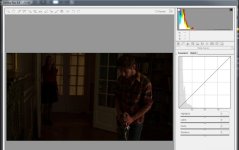
Camera raw.jpg


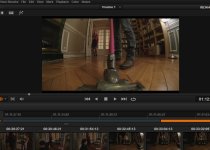
In premiere, it is another ball game. It is the contrary. The blacks are gray.
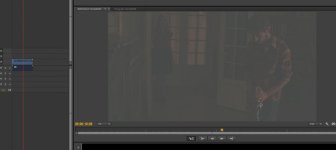
AdobePremiere.jpg

What am I doing wrong ?

And if someone coudl answer that :

- Since I was shooting raw, there is no slog in raw (since it is linear). Correct ?
- Did rating the camera at 800 ISO had any effect on the RAW recordings (I wanted as few noise as possible in the blacks) ?
- Should we have overexposed by almost two stops instead of rerating the camera ?

Thank you in advance for your opinions and answers.
 
Last edited:
Hi Francois,

I was surprised by how dark the frames were the first time I shot RAW as well. I'm not quite sure the reasoning behind why this happens, maybe Mitch Gross can weigh in. The good news is that it should be correctable in Resolve.

I'd recommend building a LUT in Resolve that does a decent exposure correction, using it for the edit, and then doing final color correction after the edit.

If you want to upload a single frame (to dropbox or other site), I'd be happy to take a look at it in Resolve.
 
This workflow guide should help you. The discussion about white balance compensation (and the associated versions of the LUTs) should no longer be relevant, but the rest still applies.
 
On the guide, it is said : "If your material was all exposed like this you can leave the Exposure value set to 0.00. If it was exposed at ISO 1000, set Exposure to 1.00, and for ISO 2000 set it to 2.00. If your material was exposed at differing ISOs you will need to select the correct value for each shot."
The camera was rated 800 ISO in CineEI, so I should apply something like 0.80 ? And I guess it answers my question 2 : "Did rating the camera at 800 ISO had any effect on the RAW recordings (I wanted as few noise as possible in the blacks) ?"

Thanks a bunch. It does work.

Can you explain why this manipulation has to be done. I assume Resolve does not recognise properly the flavour of RAW the odyssey makes with the FS7 ?
So I guess I am slog3 after all !

Thank you anyways. The pictures looks very good now. Exploring a bit, it seems they are better if I expose the raw to 2.0 and bring down the offset and clip. Does it make sense ?

Cheers !
 
Last edited:
this is not dark this looks like 1-2 stops under? the histogram is hopeless....maybe you can pull an image out of this but it will not be up to what the camera (especially with the extra hassle of an external recorder) can deliver....all data recorded is shoved into less then 1/3 of what the sensor can record....
how does the internal XAVC look? same thing? what did you see on your finder? did yo use a LUT to preview the image? did you use histogram/waveform on the 7Q+? did you have the sony viewfinder attached as well? how did that look?
 
Francois— I had to put exposure at 4.00 to have a good starting point, but the footage looks quite good to me as well.

Paul—RAW plays by different rules. The footage is properly exposed, and then RAW performs a transformation (or rather just stores the data for the first time) in a way that, when read, appears dark. The footage is not dark, and no detail is lost. You just have to bring it back up.

Dennis—RAW recorded on the O7Q is not Sony RAW. Sony RAW is proprietary and can only be created with Sony's recorder. Convergent uses CinemaDNG as their RAW format.
 
this is not dark this looks like 1-2 stops under? the histogram is hopeless....maybe you can pull an image out of this but it will not be up to what the camera (especially with the extra hassle of an external recorder) can deliver....all data recorded is shoved into less then 1/3 of what the sensor can record....
how does the internal XAVC look? same thing? what did you see on your finder? did yo use a LUT to preview the image? did you use histogram/waveform on the 7Q+? did you have the sony viewfinder attached as well? how did that look?

Well, one noteworthy hing is that the scenes are supposed to take place at night. So that's that.
As for light, we used 3200K led panel SL1 for key light, arri light 300W and sometimes 650W for fill and back light.
We were working from T2.8 to T5.6 depending. The camera was rated at 800. (Hesitated to do 500. I should have).
The stops were managed with a light meter we calibrated for the camera. And I used rokinon cine lens and a speedbooster.

The xavc slog3 files are fine. The 7Q showed a great picture as well.

I think Nick has nailed and solve my problem.

Here are the screenshots :

Raw files before Nick's fix :

Raw before fix.JPG

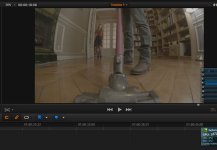
slog3 files from internal xavc :

slog3 from xavc.JPG

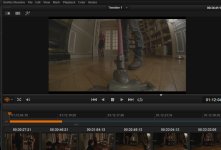
RAW file after Nick's input LUT (exposure 0.8 since I shot 800ISO) :

Raw with CD7QLut to slog3 0.8 exposure.JPG

RAW file after Nick's Input LUT (exposure 2.00 since... it looks better, doesn't it ?)

Raw with CD7QLut to slog3 and 2.00 exposure no output lut.JPG

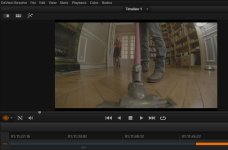
RAW file expo 2.0 with Nick's LUT and 709TypeA output


Raw with CD7QLut to slog3 and 2.00 exposure and lut709typeA.JPG

XAVC slog3 with 709TypeA LUT :

Slog3 with LUT from xavc.JPG

So here am I. What do you think.
I don't know why this has to be done though. I'm new at RAW....:badputer:
 

Attachments

  • Raw with CD7QLut to slog3 and 2.00 exposure.JPG
    Raw with CD7QLut to slog3 and 2.00 exposure.JPG
    77.3 KB · Views: 0
Francois— I had to put exposure at 4.00 to have a good starting point, but the footage looks quite good to me as well.

What about the noise in the black areas ? Is it OK for you ?

Dennis—RAW recorded on the O7Q is not Sony RAW. Sony RAW is proprietary and can only be created with Sony's recorder. Convergent uses CinemaDNG as their RAW format.

Yep. That's what I found out to. There is anyway the need to go from linear gamma 1 to log gamma 2.2.

Dennis, I read extensively your manual to properly expose F5 camera, as I did with Alister Chapman one. 41% IRE for 18% gray card...

But there are things to raw that I still don't get.

Mainly :
Does working at 800iso impact raw recording ?
Nck's LUT brings back Slog3. Nick, why Slog3 ? Why not...something else ?
Could my shoot have been done better ? Shoud I have keep 2000 iso (native) and overexposed by 2 stops... In thoses scenes, there are very few highlights to protect. It all happens at night, in a Parisian flat...
 
this makes no sense to me at all....i have been shooting raw digital for 20 years....stills and motion and i have never seen this....if i open raw red files or raw blackmagic dng i still get a balanced histogram or at least i should if i exposed correctly in the first place....if you shoot sony raw with the FS7 (and all the external parts necessary) you don't get a histogram that looks like that (if you exposed correctly) and you don't have to "bring things back".....fact is that with the way this histogram looks, you might be able to pull things back but you are dealing with a file that just did not utilize the sensor to its full potential.....
shooting a dark scene it is still better to expose correctly, get a full histogram und darken in post....especially when shooting raw.....you want highlight data, mid grey and darks with detail....shooting a dark scene dark (or underexposed) just throws away a lot of data the sensor wants to capture....you would not shoot a white house in the snow with the histogram all the way to the right....on the contrary....you would make sure you underexpose to get all data and open it up in post.....

about this specific scene with the floor sweeper?: i can't see a histogram but the internal XAVC log looks a little dark to me as well, judging from the highlight (the lamp), i would easily open this up a stop maybe even more, the FS7 has plenty of headroom there and you are giving the rest of the image (99%!) a lot more data....

if this is the only way to get an image out of the 7Q+ i am just not sure it is worth the hassle and file size....IMO the internal XAVC is absolutely amazing....easliy as good as some compressed raw that is out there....
 
Not sure about raw - but with the FS7 - you are always recording Slog 3 internally at the native ISO (2000)... no matter what you "rate" the camera at
 
Damn. It went out one week too late for me.
But I think it probably is the same LUT compensation that Nick has produced.
Well, I hope...

I'm sure Nick or Mitch Gross will chime in eventually.
2 update for FS7 in one month, they sure work at CD.

By the way, apart from heat and occasionnal freeze of the touchscreen, I must say the 7Q behaved perfectly on the set. The whole thing impressed me quite a bit.

Please tell me I did not miss too much on the new firmware for my short though...
 
Francois,

You and I are getting different results, but I'm not sure why. Looking at Luminance value of the door panels behind the girl in Red, exposure at 4.0 gives me a value of 65%. Setting exposure at 2 gives me a luminance value of 40%.

One thing—I noticed you mentioned using Nick's "input LUT" can you elaborate? The only LUTs I see on his linked page were for correcting a WB bug that no longer exists. If you are using one of those, you shouldn't be.


Paul,

I think you're misunderstanding. The RAW file contains 100% of the sensor data. As I understand it, the CinemaDNG file has far more latitude than the camera can fill. As a result, when recording RAW, the entirety of the camera's sensor information is written into the DNG file, but the mapping of luminance values is lower than expected. You have lots of room to correct this, and I'm not entirely sure why it doesn't just allocate the data in the middle of the waveform instead of the bottom. However, it is not a matter of not using the sensor to it's full potential, it's just improper mapping.
 
The only LUTs I see on his linked page were for correcting a WB bug that no longer exists.

There is a .zip file that contains 4 LUTS.
1: 3200K with Magenta cast correction,
2: 3200K without magenta cast correction
3: 5600K with Magenta cast correction,
4: 5600K without Magenta cast correction.

I used the second one, which brings me back to what I have with xavc. I think it is the purpose of Nick's LUT, to remap RAW DNG files from the 7Q to "proper" slog3 footage. Ot seems to work, IF I PUT THE EXPOSURE TO 2.0 (even though I rated the camera at 800ISO). Don't know why...

On a side note, I may be able to try both workflow (xavc and raw) at the American Film Festival in Deauville (I am a multicamera director there), and thus be able to see both on a very big screen and very well calibrated.
 
Looking at just the screenshot of the internal S-log3 XAVC (shot of the guy with a sweeper), it does look underexposed, not the type of exposure I'd expect when rating the camera at 800 ISO (but it is hard for me to tell if you exposed normally or wanted to create underexposure effect for the scene in camera). BTW, how did you measure the light? Did you use an external meter, did you use MLUT, etc. ?
 
Hi

We used a lightmeter. Then, say the face was T4, we set the same value on the optics. But because we were on 800ISO, It should have been 1,5 stop overexposed.
From time to time, we would take a 18% gray card (lastolite) to be sure to be at 41% IRE in slog3.

Looking at just the screenshot of the internal S-log3 XAVC (shot of the guy with a sweeper), it does look underexposed,

Are you talking about the 2nd screenshot of my post #9 ? You feel this is underexposed ?
 
Only my LUTs without magenta cast correction are now relevant, as the colour cast was fixed by CD a couple of firmware updates ago.

The reason LUTs are needed to match the camera's S-Log3 are because Resolve does not have the option to decode Cinema DNG files as S-Log3. Nor does it read the EI that Sony camera's where set to when recording (hence the dark images). Its Cinema DNG support is primarily for Blackmagic's own camera's. So what my LUTs do is perform a transform between the decode Resolve does when set to BMD Film, and S-Log3/S-Gamut3.Cine at EI 500. If you shot at EI settings higher than 500 you raise the Exposure parameter accordingly.

Mathematically the Exposure setting for EI800 should be 0.678 (the base 2 logarithm of 800/500).
 
Thanks a bunch Nick.
Do you see that in my examples, I'm much more approching xavc slog3 brightness with a 2.00 exposure than with a 0.8 one ? (Will do 0.678 tomorrow though).

Also, is the new new firmware (the july one) is going to change that ? What are thoses compensated luts ?

And finally, do you think my pictures were underexposed for 800ISO ?

Thanks again
 
Back
Top