FS5: Fs5 odyssey 7q+ skin color

alarch

Active member
Hello,

4K raw to RAW DNG

Here is what I see on skin color. A long magenta and blue line in the contrast transition.
Its stronger on under exposed images . I don't think I have this issue in 4K raw to Prores setting

Here is some images with the provided Sony lc709 LUT. I zoomed in so that its easier to see.
The 2nd picture is correctly exposed.
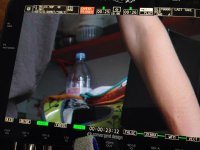
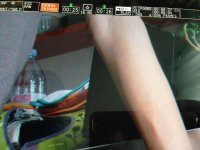
IMG_2452.jpgIMG_2455 Correct expo.jpg

Does someone know what is going on ?
Here is a link to 2 DNG Files . 1 underexosed and one correctly exposed
http://bit.ly/2cz0eia

Thanks for the help
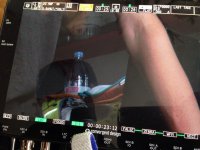
 

Attachments

  • IMG_2453.jpg
    IMG_2453.jpg
    86.4 KB · Views: 0
I've been exposing my CDNG's way to the right (overexposing) and it gives a ton more bits in the mid tones. Try using the Slog2-1 or better slog2-2. These allow you to see the overexposed image on the O7Q+ as they will appear once they're graded two stops down.
More importantly, the real time LUT's on the O7Q+ are really for reference. You'll not get the full quality until you debayer in resolve, which appears to give the best quality.
I'll have a look at your DNG's and try to give a more detailed response.
 
Properly debayered in post either would be fine. The one with the hotter exposure is better because you're lifting your image out of the noise floor of the sensor. Try using a light meter and exposing slog2 at 800 ISO. Or use the waveform and put your highlights where detail is required at 100. You'll love it.
Screen Shot 2016-09-18 at 12.51.09.jpg
 
Hello SamEd

Thanks for the response its reassuring.
I'm aware of the exposure needs with Slog2 Raw and after some bad experience I always shoot with slog2-2.

In post are you using the fix lut from CD? : FS5_5500K_BMF_SL2_SG_EE_FIX.cube


However I find that some times it doesn't give very nice dark colors on some materials.
 
I just opened your DNG files in Photoshop, which is a great way to see what's actually in a file. That was a screenshot of the adobe DNG reader.
I don't use any LUT in Resolve when I'm grading. I think the slog2 is already baked into the files. I love it if CD would document the color space of their DNG, but there are videos you can watch that suggest how to get good results.
 
Back
Top