FS5: FS5 Internal Recording vs. ROdyssey 7Q+ -- PART 2

My mind is blown.

How on earth a 4k frame, downsampled to a 1080p timeline

Very simply Sony does a lot of image processing which includes a boat load (pun intended) of sharpening in its downsize to 1080p.

I shoot UHD and downsize to HD with my FS7 and it looks better than Sony's internal HD.
 
At 0:55in Doug's updated (NR) video, now it looks like the 1080P Prores recorded out the SDI is noticeably less sharp than the internally recorded 1080p after applying NR to the clip. Look at the detail on the fabric of the flower. It's always something! I wish there were a way to only apply the NR from the camera to the RAW output.
 
Hey Doug,
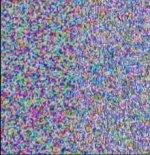
These videos are a great asset to the community and really prove that it would take a lot of work to get anything else to look as good for web delivery as what Sony provides in camera. I did my own torture test today. I pointed the camera at a computer monitor playing back color noise. Here's a still from Nuke. RAW>CDNG on the left, Sony 1080 output on the right. In the Nuke viewer this is a 200% blow up, just to highlight the differences.
It looks like the forum is resizing the image. I'll try again with a dropbox share.
Screen Shot 2016-09-24 at 3.25.05 PM.jpg
 
Last edited:
Here's the test file on dropbox. My point is that if you're doing something where quality will matter beyond the web, you can get a much better detailed image by going RAW. I realize that this probably doesn't apply to the majority of people using this camera, but I'll stick with CDNG for my VFX work.
https://www.dropbox.com/s/ic8t3zrl4st7jco/Screen%20Shot%202016-09-24%20at%203.25.05%20PM.png?dl=0
 
Hey Doug,
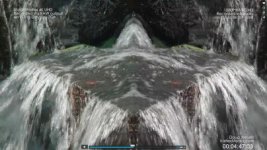
Take a look at this frame in your NLE and compare it to the VIMEO compressed version. I'd be willing to bet that the waterfall is richly detailed in Prores, but gets completely wiped out by the Vimeo compression.
Since your point seems to be that for web upload there's no difference, this is a completely fair test.
But for those of us working on movies and high end television RAW is really the only way to go. If you shared the same side by side comparison in Prores, I'm sure people would draw the opposite conclusion.
Screen Shot 2016-09-25 at 10.54.48 AM.jpg
 
Here's a new screen grab of the Nuke viewer comparing the Odyssey 7Q+ RAW>CDNG output to the internal HD codec. This time I up-resed the HD to match the 4K. It shows pretty dramatically how much more detail can be captured using RAW than internal. The file size is also about 10x bigger.
Clearly you can capture more detail at UHD using the internal codec, but not at the same time as 4K RAW. Also if the noise pattern wasn't moving, the internal codec would look better.
I totally understand that you usually don't shoot subjects where every single pixel changes on every frame. And where almost every pixel is different from the one right next to it.
Have a look at the screen grab on dropbox and make up your own mind about how much data you want to capture. If you're hoping to sell your footage for stock, 4k RAW is probably a good investment.
https://www.dropbox.com/s/9wtpqdcek5mtloo/Screen Shot 2016-09-25 at 1.15.16 PM.png?dl=0
Screen Shot 2016-09-25 at 1.15.16 PM.jpg
 
Last edited:
I have uploaded a new version of the PART 2 test that now has 11.0 points of spatial Noise Reduction applied to the RAW/ProRes files (not the XAVC files) in Resolve 12 Studio. I think this will make some people happy who felt I was not giving the RAW/ProRes files a fair shake when I didn't apply any NR. Obviously NR is mandatory with the RAW/ProRes file. But of course, there is a huge cost in time to render with NR. The inernal XAVC files render at about 22 fps with a light grade in Resolve, but the RAW/ProRes files with NR render at about 1.5 fps. That is 1400% slower.


Right off the bat I'm seeing more detail in SONY XAVC 1080P image, over the raw 1080P. Adding that much noise reduction does knock down detail. Sony's internal temporal noise reduction is just really good, and tweaked specifically for that sensor.
 
Since your point seems to be that for web upload there's no difference, this is a completely fair test.

I don't have a point. I am just sharing the testing I've done to see what, if any, differences there are between internal and external recording. People can come to their own conclusions, but I am not trying to make a point.
 
Hey Doug,
Take a look at this frame in your NLE and compare it to the VIMEO compressed version.
View attachment 117130

Yes, you are correct. There is a substantial difference between frame grabs from the ProRes and XAVC files when they are magnified. I could send you a couple of TIFF files that were exported straight out Resolve if you want to PM me your email address.
 
Back
Top