FS100 grading help

Kyle McConaghy

Well-known member
Hi, everyone – I'm editing a low-budget commercial and I'm having some trouble getting a pleasing non-blocky looking grade. Do you have any suggestions for this still?
gradestill2.png

By kmacbeatle at 2011-10-20
 

Attachments

  • grade-still.jpg
    grade-still.jpg
    20.7 KB · Views: 0
Last edited:
wow, well firstly, for me, anything that's really pleasing can't be that contrasty. If you want something a little more pleasing and flattering, then you need to get some nice skin tone. right now they look as though they could be watching a boxing match on tv and quite drunk.

Can you post something higher in res? Very hard to do much with something that small and compressed.

here is the best i could do:

correction.jpg
 
Last edited:
well, you could just upload the image to imageshack.us . that's where i put my stuff and although it's compressed, hte extra resolution would definitely help.

Have those blacks been crushed in camera or in post? If in post, can you post the flatter image from in camera?
 
Good to hear. Thanks. It's just a spec commercial in the Budweiser vein. I feel the original looks so 'camcorder'. Any recommended changes? Thanks so much for your help!
 
Does dvx do something funky to the gamma? It looks entirely different when i drag it to photoshop.
 
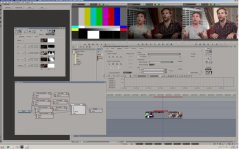
i took a quick stab at it... brought it in linear with no LUT applied, that's in the third window.. SMPTE219 bars are in the first window, so if you can bring this into a editor, and line up the bars you should be seeing what i'm seeing on my class A mon..
first layer is a straight gamma/saturation base
second layer is slash to bring down the screaming hot BG
third layer is the hero's, with gamma / saturation / basic ballance, red gamma down, blue gamma down, green gamma up slightly, then secondaries on the left hand guys face to de-red-i-fiy it
fourth layer is a vigenette to take down the hands, thinking you really want to se the hero's not the hands.. but if the hands were the key in the scene then it would not be there...

so a fast first pass.. my thoughts are that you are using a suboptimal profile, it's hugely saturated and contrasty, even without a 709 lut.. i would re-think the camera profile
I would also re-think that uber hot BG, it's not helping... to do anymore i would need to know what you are trying to do with the shot.. i'm sure there's alot more to be had from the FS100;
Temp Grade.jpg
 
Thanks so much, Dermot. That was a huge help. I've taken a liking to the Abel Cine Varicam profile for my outdoor shots. I think its great for that environment. But as I found out the hard way, it doesn't work well for interior shots.

Sorry for my ignorance – I already tried to google it – but what is BG? Black Gamma?

Thanks again!
 
Thanks so much, Dermot. That was a huge help. I've taken a liking to the Abel Cine Varicam profile for my outdoor shots. I think its great for that environment. But as I found out the hard way, it doesn't work well for interior shots.

Sorry for my ignorance – I already tried to google it – but what is BG? Black Gamma?

Thanks again!

I think he was referring to the hot spot in the background (bg)
 
Thanks Kyle, i was gradeing a commerical yesterday and was already in YUV/422 so was able to mess about for a few min while grabbing a bite for lunch, and the clients were out to lunch.... so i had the suite to myself - i think i spent two or three min with it in total, so no big deal

and on a second pass i would likely attach trackers to the masks, and paint out the bright shinny door lock behind the hero, and spend a few more min with the skin tones, they seperated fairly well fortunatly so that's good

And i didn't need to add any sharpening or noise reduction, and that's good as well

yea i kinda thought it was that exact PP, and i'm not a fan of that one after testing it... but then i was never a fan of the f27 look either, too much contrast, too much saturation to be overcome, both are easy to add in post, contrast in particular is a PITA to reduce, and if the saturation takes you to clipping the red channel ( and you did not clip anything that i could see on my scopes) then there's not much that can be done.

I might test Able's Cinestyle PP, and flag the light off the back wall... see where that gets you.. i think you'll be starting from a better place for gradeing.

d
 
Awesome – Thanks so much, Dermot. That's a huge help. I've already loaded a couple new PPs to my FS100 that I think will be much better for indoor shots. Great call on the red channel clipping.

In a tight room like that, I had trouble lighting the subjects without getting harsh shadows on the walls behind them. I used a fill light behind them to cut down some of those shadows. Any recommendations for avoiding harsh shadows in small rooms without over-lighting the room?

Thanks everyone!
 
Bimdas;

My main tool set is Avid DS, their high end finishing system... it's had node based gradeing for a decade now... forgive some self promotion please;
Oliver wrote a piece in his blog about a video i finished for the band Metric (with some substaintial nodes in a screen cap);
http://digitalfilms.wordpress.com/2010/09/16/avid-ds-shines-for-metric/

Avid is also using my work for tutorials on gradeing;
http://www.avid.com/US/avid-tv/AvidDSPart2CorrectingColor/shadowbox

It's a good system with a wide range of tools intergrated, for commericals it's hard to beat, and those go straight into DS but i also own & use Media Composer, Resolve and NukeX, mainly for features and movies of the week...

d
 
Last edited:
Back
Top