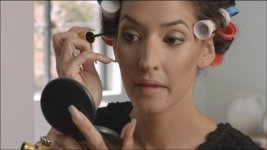
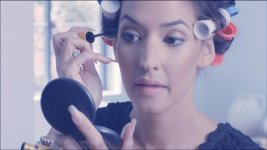
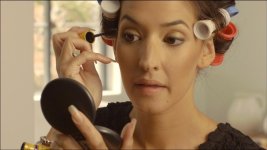
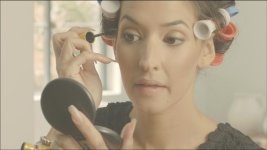
Footage/Frames: Frame Grabs from the makeup clip

Continue the discussion at BMCuser.com. A new Landmine Community for Blackmagic Camera Users


Frame grabs from the latest clip: http://johnbrawley.wordpress.com/2012/04/20/frame-grabs-for-leah/

leah_1-20-2.jpg


leah_1-20-1.jpg
 
Oops I don't know how to get a large image to post...
 

Attachments

  • leah_1-20-2-3.jpg
    leah_1-20-2-3.jpg
    47.4 KB · Views: 0
Really? You guys are downloading the ungraded "Jpeg" and grading this as it were a RAW? It's a Jpeg! If there were a link to the DNG, different story. IT'S A JPEG that you are grading!!!!
Heres my attempt at grading the JPEG!
 

Attachments

  • leah_1-20-2.jpg
    leah_1-20-2.jpg
    47.5 KB · Views: 0
Really? You guys are downloading the ungraded "Jpeg" and grading this as it were a RAW? It's a Jpeg! If there were a link to the DNG, different story. IT'S A JPEG that you are grading!!!!
Heres my attempt at grading the JPEG!

Yes, I would prefer a DNG because there seems to be something odd and yellow going on with the skin highlights and maybe going back to the RAW will fix it...

But your logic is totally messed up. But by your reasoning you shouldn't even try to grade footage from any non-RAW camera?!

How does that even make sense? How did colorists even exist for decades before RAW-shooting digital cameras? Snarky comment fail.

BTW this is a 1MB, lightly-compressed JPEG. If you had 24 of these JPEGS per second, it'd be a 192mbit video stream. Eg the upper reaches of GH2 with a hack.

Bruce Allen
www.boacinema.com
 
Really? You guys are downloading the ungraded "Jpeg" and grading this as it were a RAW? It's a Jpeg! If there were a link to the DNG, different story. IT'S A JPEG that you are grading!!!!
Heres my attempt at grading the JPEG!
LMAO So Christopher, here goes down the hill the argument against the new Canon 4K M-JPEG 4:2:2 toy : D You're a must man! :-)
 
Yes, I would prefer a DNG because there seems to be something odd and yellow going on with the skin highlights and maybe going back to the RAW will fix it...

But your logic is totally messed up. But by your reasoning you shouldn't even try to grade footage from any non-RAW camera?!

How does that even make sense? How did colorists even exist for decades before RAW-shooting digital cameras? Snarky comment fail.

BTW this is a 1MB, lightly-compressed JPEG. If you had 24 of these JPEGS per second, it'd be a 192mbit video stream. Eg the upper reaches of GH2 with a hack.

Bruce Allen
www.boacinema.com
Where did I ever say you can't grade a Jpeg? Where? By the way, I can post a jepg from my Iphone at a 1MB lightly compressed jpeg, and if you strung up 24 of them the also would be 192mits of info.
My points are that the attempts of the grading of this image are no different than grading a Mk2 image, a gh2 image, in terms of COLOR. A DNG is completely different than a Jpeg from a DNG. They only thing to take away from the image "DOWNLOADED" is resolution and dynamic range transferred into an 8 bit JPEG.
As I said, IF THE LINK PROVIDED A DNG DOWNLOAD IT WOULD BE A DIFFERENT STORY AND THREAD.
I've worked with DNG file since the release of the Leica M8, where DNG is their Raw format. I convert every CR2 (canons Raw format) to DNG and back that up as an archival set of the images.
Throwing color corrections and grades at a JPEG of a DNG does nothing to show off what and how you can edit color of a DNG device. Why, because you're editing a JPEG with all that extra info thrown away.
 
yeah !!!
but thats the worst quality we can get from DMB (resized ,5:1 compressed image from RAW)...
looks like thats "good enough" for CANON guys ...
:)
 
@dustylense
how good quality u get with canon h264?
let me help you...
max I frame 500k...
:)
What does that matter? Grading a Jpeg is grading a Jpeg. Look do this. Take any of your RAW capture devices that you might own. Go shoot a RAW image and take it into lightroom or whatever RAW converter program you own. Open the RAW image and without touching a single thing export a Jpeg of the image at full size. Then re-import that Jpeg into say lightroom. TRY, you hardest to color stretch that JPEG against the actual RAW image. Bump up the exposure +3 stops and see what happens. Lift the shadows, control the highlights. You will see two very different images
In this thread there are people color correcting a JPEG! Period! NONE of the benefits of the BMDC DNG raw captures ability are being displayed here, AT ALL.

Vladszp. Let me help you. H.264 is a finishing codec, ya know, the deliverable. So canon's mk3 codec is starting with the deliverable. That is what separates it with RAW.
 
and thats its a point ...
let the gus plays with that jpeg , before we get real DNG ...
just to feel little taste of it..
whatever CC it can be done on this image would look lot better with DNG ...
and it already looks impressive ....
much flexible than all the image i did from CANON files...
 
@dustylense
there is no point for more discussion ...
because it it starts to look like this (yes it is ...no it isn't...yes .. no ...yes .. no...)
we can do this all day ...
but i'm bored..
 
Back
Top