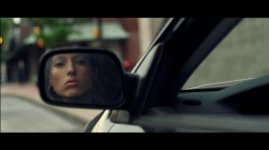
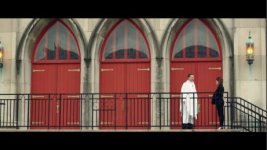
Footage with 2.0 firmware upgrade (cinematone 1 gamma)

Kholi,

What have you adjusted in kyles pp?


It's pretty interesting... I think the "grade everything" explosion really sort of took everyone a step backward, but I too fell into it and now I'm trying to figure out if I like the muted look or the saturated and slightly crushed look. Either way, it's kinda fun.

I'm experimenting with Kyle's modified settings out to nanoFlash, recording the 220Mb/s setting because I wanted to see how far I could actually push the image down in camera (underexpose) and bring it up in post, and how working like that compared to using the internal AVCHD (which like everyone says is already REALLY freakin' good.)

Seems like the FS100 is clean enough at low ISOs to where you could do this and not suffer a major penalty, not sure though:

UnderCloseO.png
]
UnderCloseC.png

And for highlights, I let some slightly go on skin to see how it would turn out:

HighEdgeO.png

HighEdgeC.png


So far I'm pretty pleased. Still scrubbing footage, but the noise is not offensive working at extremes like this, and the color's great.

(If it's not yet realized, I am a newb to FS100 still xD)
 
Had another shoot today, where we had weather condition that I like to nick name, hell.

Trees, Clear Skies and a very Bright Sun, worst combination. Luckily for me on 2 account's where we were filming was in a pine forest, so the tree's were thick and it looked really cool!

7120520983_9f991909e8_c.jpg


Ungraded of course, I will have a play around with the footage and see what sort of result I can get!
 
Kyle's profile example looks great. I'm wondering what sort of white balance settings are people using? Auto, kelvin or manual whitebalance with a grey or white card?
 
Damed, looks like I need to perform that hat stunt.

It can be an over exposed red hat too :)

I will work through more of what i have, i tried different WB and exposures and some sky and clouds but so far i really can't see anything. The colour chips are pretty much spot on compared to before in terms of hue, even when over exposed. I really wanted to find something!

However i think that you and everyone on here has made some great efforts to dissect the gamma and that knowledge is helping us more than any new firmware, especially in the shadows.

cheers
paul
 
Am I to stupid, or did they change the manual dial in WB display from Kelvin numbers to something like +7 to -7?
 
Kyle's profile example looks great. I'm wondering what sort of white balance settings are people using? Auto, kelvin or manual whitebalance with a grey or white card?

Always manual for me.

I think nailing the right WB is very important to clean highlights, obviously you can play with the WB for effect but it is very easy to get the balance wrong and then you'll have channels clipping and halos around the highlights.

Also i believe the WB seems a little different with no PP and a PP, despite the fact it's supposed to be the same...

cheers
paul
 
have you guys set your wb preset to manu wb temp? sounds like you have it on outdoor.

it reads in kelvin here.
 
I'm doing tests this weekend that will involve preset indoor/outdoor, dialing the kelvin, and straight-up grey card manual white balancing. Talking yesterday with my colorist and a more experienced tech friend, they both suggested testing for maximum flexibility in post. I have a feeling, already, that taking the time to let the camera see exactly what white is will be the answer. Especially if manual white balance means it adjusts for subtleties in the color heel (magenta, green, etc.).
 
Am I to stupid, or did they change the manual dial in WB display from Kelvin numbers to something like +7 to -7?

Mine still has K, although i think if you do the WB offset then that is shown as -7 to 7 as before? I think you have to set in the main menu direct K, because you have the choice of offsetting from the preset instead. I noticed that was reset by V2

hope that helps
paul
 
I'm doing tests this weekend that will involve preset indoor/outdoor, dialing the kelvin, and straight-up grey card manual white balancing. Talking yesterday with my colorist and a more experienced tech friend, they both suggested testing for maximum flexibility in post. I have a feeling, already, that taking the time to let the camera see exactly what white is will be the answer. Especially if manual white balance means it adjusts for subtleties in the color heel (magenta, green, etc.).

thanks for doing these tests, I look forward to seeing your results.
 
Here are some lightly graded still using the original profile on this thread w/ a black level of 0. There is flexibility in grading even though the original image isn't that flat.

SP-1.jpg

SP-2.jpg

SP-3.jpg
 
Back
Top