
Navigation
Install the app
How to install the app on iOS
Follow along with the video below to see how to install our site as a web app on your home screen.
Note: This feature may not be available in some browsers.
More options
You are using an out of date browser. It may not display this or other websites correctly.
You should upgrade or use an alternative browser.
You should upgrade or use an alternative browser.
GH4 Footage at Playback Darker Than in EVF
- Thread starter Redoak
- Start date
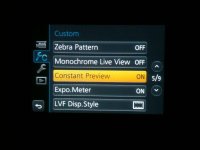
Guessing the shadows are crushed with a more than normal contrasty image? Video player? Not sure how it is on Macs but in the NVIDIA control panel theres an option to select, "How do you make Color adjustments". Does footage playback with the full dynamic range in the NLE?
http://img.photobucket.com/albums/v124/Clayapples/Screen Shot_zpskctaubwi.jpg
http://img.photobucket.com/albums/v124/Clayapples/Screen Shot_zpskctaubwi.jpg

Bruce Foreman
Veteran
You might just need to adjust the screen brightness?
Redoak,
Be a bit careful doing this. Does the playback look darker in the camera? Or does it look darker on the computer?
The ambient light at your filming location may have a bearing on how your eyes percieve LCD and EVF brightness levels. I found with Canon 7D, 60D, and T2i cameras on a really bright day I had to increase screen brightness to properly see tonal detail in bright sunlight. Filming at night (outdoors) I had to decrease screen brightness.
The risk is you can forget to set it back to normal.
Using the EVF for review should give you a more accurate presentation of image tonal scale since putting your face to the camera should block extraneous light from affecting your percption. Due to the variety of ambient lighting levels using the LCD to "judge" color and tonal values requires the use of a "loupe".
I use two:
The Hoodman Hoodloupe 3.0 with a 3x magnifying eyepiece with a neck lanyard. Just toss it in the gearbag and when working I hang it over my head with the lanyard, "grab" it and place it over the LCD when needed then let it go to allow it to hang at chest level for when needed next.
The other one attaches to a base plate on the GH3/GH4 with a strong magnet. Easily removed, tilts up to allow touchscreen use, eyepiece magnification is 2.5X, and the baseplate is Manfrotto 501PL compatible (or you can use almost any other quick release system you have. Here is the link and be sure to watch the video demo below the still images (also the QV-1M is the version for the GH4).
http://www.photographyandcinema.com/collections/lcd-viewfinders/products/qv-1-m-lcd-view-finder
campgardner
Member
Properly white balancing the shot, then using the histogram is about the best you would be able to do with the built-in EVF or OLED. Decent on-camera monitors that can be properly calibrated are out there, but I find the expense not generally worth it* comparing to using and getting to know the camera –– including the limitations on what you can and what you can't judge in the field. I second what Bruce Foreman says above, but you may still see a difference.
The good news, if you are in the ballpark, it's a simple CC in your NLE of choice. You can set zebras on the GH4 which will alert you to clipping, but the onboard viewing options are not true production monitors, let's face it. Much better than a lot of cameras (wish you could get magnification while manual focussing during recording, however), but still not perfect.
Best of luck!
*Atomos sells a calibration device for their Shogun, for example. Nice, if you also want the advantage of the 10-bit 4K recording capabilities.
The good news, if you are in the ballpark, it's a simple CC in your NLE of choice. You can set zebras on the GH4 which will alert you to clipping, but the onboard viewing options are not true production monitors, let's face it. Much better than a lot of cameras (wish you could get magnification while manual focussing during recording, however), but still not perfect.
Best of luck!
*Atomos sells a calibration device for their Shogun, for example. Nice, if you also want the advantage of the 10-bit 4K recording capabilities.