Final cut pro 5 how to export hd project in hd?

Davide Fiore

New member
I have used this to edit an hd video, full hd ntsc 1080i, I would like to export this project into a dvd but the quality is very low and even not the same 16:9 version and I have usb with 16 gb free to save formattedi in Nfts but I can't do it, please help me...
thanks
 
DVD is not an HD medium, so when you burn a DVD you'll end up with SD. DVD Studio Pro should flag the 16:9 so that it shows full on 16:9 screens and letterboxed on 4:3 screens, though the video needs to be prepped correctly in Compressor first. Other than that...

What was your source (i.e. which camera was used, and in which format)?

Which codec did you use to edit?

What is your end-goal? Or rather, where do you want the HD version to end up when all is said and done?
 
Dvd studio pro should flag the 16:9? I will try again thanks...
I used a SONY HD HDR HC1 NTSC MINIDV FIREWIRE HD 1080i then I found a person who help me editing my project and now I don't know how to export this on usb, I formatted in fat 32 not possible, even in nfts he is not able to do so I am worried tonight he needs to empty his pc...
what could u suggest me?
 
Okay, so you're shooting HDV. To which codec did you convert for editing in Final Cut Pro? AIC? DVCPRO HD? Something else?

Your best bet is to go to File>Export>Quicktime Movie. Make sure it is self-contained, and set to current project settings. That will export an HD video in the same codec you used to edit. After that, you can use Compressor to convert it to whatever you need, including prepping the files for DVD Studio Pro.

As for your USB drive, 16GB isn't a lot of space. Is that 16GB free of a much larger drive? If the drive i very full (over 85%), it could be struggling to keep up and you need to open up some more space on the drive. It could also be that there's not enough buffer space for FCP to create the new video file. Also, how long is your edited video?
 
Last edited:
I don't know in which codec the person converted for editing in final cut pro...
Where may I find Compressor? Which is the proper file to get a dvd as it is with black only up and down and not right and left? Thanks
the edited video is 10 gb in all
 
I don't know in which codec the person converted for editing in final cut pro...

It would be helpful to know. Is this on your own FCP system, or does the computer belong to the other person?

Where may I find Compressor? Which is the proper file to get a dvd as it is with black only up and down and not right and left?

Compressor was bundled with FCP, so it should be installed on the same computer. It has presets for DVD that you can use, and there is a setting in there to specify 16:9 if you need it. Compressor will generate an MPEG-2 video file along with a separate AC3 audio file. Import both of those into DVDSP.

the edited video is 10 gb in all

You need a bigger drive, or to clear off much more space on the drive you're trying to use.
 
It would be helpful to know. Is this on your own FCP system, or does the computer belong to the other person?

Compressor was bundled with FCP, so it should be installed on the same computer. It has presets for DVD that you can use, and there is a setting in there to specify 16:9 if you need it. Compressor will generate an MPEG-2 video file along with a separate AC3 audio file. Import both of those into DVDSP.

You need a bigger drive, or to clear off much more space on the drive you're trying to use.
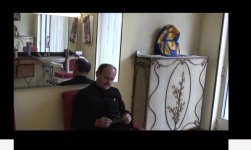
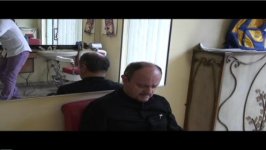
The computer is not mine, I understood that I could not save previously because I had to save the file in usb formatted for mac and not for pc or linux, endly I got the project but unbelievable again is with black bands at sidesScreenshot from 2012-05-22 20:33:38.png.jpg as you can see. I need to watch it on 16:9 but as u can seeScreenshot from 2012-05-22 20:34:03.jpg I got a 4:3 image, if I put 16:9 the image is squared, what else should I do to crop them? thanks
 
Last edited:
The computer is not mine, I understood that I could not save previously because I had to save the file in usb formatted for mac and not for pc or linux, endly I got the project but unbelievable again is with black bands at sidesView attachment 53899 as you can see. I need to watch it on 16:9 but as u can seeView attachment 53898 I got a 4:3 image, if I put 16:9 the image is squared, what else should I do to crop them? thanks

at the end I find a way but converting quicktime into avi and then using avidemux on linux to crop the bands... thanks anyway
 
What I see is gross confusion of NLE. Suggest that you return to the person who's computer and NLE you used and let them finish up your project for you. The whole process is complicated and you need hands-on help in completing your project. I'm not being critical of you but feel that you need more experience to finish up successfully.
Good luck,
Ken
 
yes but actually I have a dvd now without lateral bands and a quicktime of 10 gb to create a blu ray with (I don't know which program) but without lateral bands
 
Back
Top