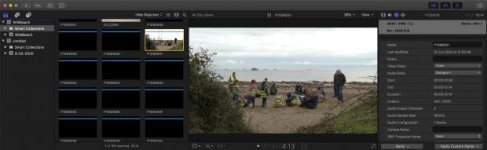
GH5 FCPX, GH5 HLG/HVEC can't see video?

sgreszcz

Member
Hey there,

I'm trying to edit GH5 HLG/HVEV video in FCPX 10.4.8 on OSX Catalina 10.15.5. This is a new computer and I could have sworn that I was able to see and edit that codec in my old Mac. Also, when I export prores 422 with other footage, for some reason I can't playback that output in Quicktime. I tried seeing if I had the proapps codecs installed and googled a bit last night, but couldn't find what I had done wrong... Any ideas?
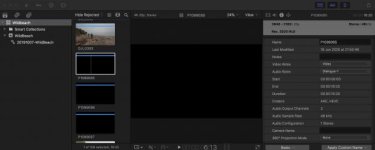
Screenshot 2020-06-19 at 20.45.15.jpg
 
Are you positive everything is updated?

Would you be able to share a short sample clip for public inspection? (Even a new one of a wall or something if you still have the camera.)
 
Here is a short clip: https://drive.google.com/file/d/1piRL-KfiAPYi6tRtqEm8IS-OuYlGA7Za/view?usp=sharing

I think I am updated I'm on FCPX 10.4.8 and MacOS Catalina 10.15.5. I tried downloading proapps codec, but it said I already had a newer one installed, which I guess got re-installed when I got my new MacbookPro16 2019 and installed FCPX, etc.

Thanks for your replay. I'm a bit embarassed I haven't figured this out as my main job is in IT, so I'm probably doing something stupid. I was on the phone with apple proapps support, but was on hold for too long a time last night.
 
It works...update everything you can. Including any plugins you may need from Panasonic.

I'm not exactly sure what you need. I have been using the same MacBook Air for 7 years so I have no idea what's on here...but at some point I downloaded every single camera support feature known to man and woman.

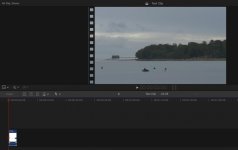
Test Clip.jpg
 
Before you do that, close the software and then hold down command and option and then open the app and 'delete preferences'. Then close it down and try working with it again, including through a fresh library and import. (Wide Gamut HDR library.)
 
Try disabling any transcoding or analyzing and fixing of footage when importing the clips (if you haven't already).

Also, change the top where it says 'Hide Rejected' to 'All Clips'.

You're in though!
 
Thanks for the responses. I deleted the library and cleaned up all render files using Final Cut Pro Library Manager, re-imported everything in a new Library with "Optomize Media". It works now, but I'm not sure which of those things fixed it!
 
Thanks for the responses. I deleted the library and cleaned up all render files using Final Cut Pro Library Manager, re-imported everything in a new Library with "Optomize Media". It works now, but I'm not sure which of those things fixed it!

The skimmable thumbnails are implemented as a set of pre-rendered frames in /EventName/Render Files/Thumbnail Media. The FCPX command to delete render files will not delete these, so if a problem exists with them you can't clear it out.

You can delete them by hand inside the library or use Final Cut Library Manager: https://www.arcticwhiteness.com/finalcutlibrarymanager/

I generally suggest disable background rendering, then delete all render files, then restart FCPX. Then manually render timeline ranges by selecting those with CMD+A and doing CTRL+R.

There is an HEVC bug which began with 10.4.7 on either Mojave or Catalina with certain codecs. The usual behavior is an FCPX hang or crash during playback or skimming, but it can also happen when transcoding to optimized or proxies. I haven't seen it from the GH5 but there was a report from the EVA-1 which might be similar. As a test try to transcode about 20 clips to proxies or optimized media.
 
Back
Top