
Navigation
Install the app
How to install the app on iOS
Follow along with the video below to see how to install our site as a web app on your home screen.
Note: This feature may not be available in some browsers.
More options
You are using an out of date browser. It may not display this or other websites correctly.
You should upgrade or use an alternative browser.
You should upgrade or use an alternative browser.
F5: F55 or F5 RAW vs XAVC comparison, Where?
- Thread starter andycla
- Start date

starcentral
Veteran
Try Sony forums, pretty sure I saw some comparisons there.
Thanks Tried there but can't find anything
Try Sony forums, pretty sure I saw some comparisons there.
starcentral
Veteran
You are probably looking for the same clip shot in both. I have some XAVC in 4k online, but for RAW you'd have to try some other sources. Alister's blog might have some RAW files from the F5 when the FS700 got RAW as I know he was doing some comparisons.
As far as I know, Geoff Boyle's test grabs are the most clear comparison to show the difference between F55's XAVC and raw.
http://www.cinematography.net/RAW-Comp.html
This was a my final reason when I decided to order the raw recorder.
The other thing I can say is that a certain kind of temporal noise may become visible as you make heavier grading on XAVC footage.
But it cannot see with still grabs and test movie files seems to be too large to upload.
So it will be good for you not to just shoot (torture) test shots but also apply your target (torture) grading on both of test footage to compare as motion pictures.
Hope this helps.
http://www.cinematography.net/RAW-Comp.html
This was a my final reason when I decided to order the raw recorder.
The other thing I can say is that a certain kind of temporal noise may become visible as you make heavier grading on XAVC footage.
But it cannot see with still grabs and test movie files seems to be too large to upload.
So it will be good for you not to just shoot (torture) test shots but also apply your target (torture) grading on both of test footage to compare as motion pictures.
Hope this helps.
starcentral
Veteran
In Davinci why did he use 709 LUTs? They can be destructive using them that way on footage and it would have been better to grade images from scratch to match grey scale step chart and then colors if you wanted to get things really close.
Which images are the actual XAVC ones then?
Which images are the actual XAVC ones then?
Last edited:
Yes, the LUTs are destructive.
But I also think they are good torture test to see the limits how far you can push.
I think the necessity for raw is depend very much on the style: controllability of lighting, the subjects, grading preference, etc..
Limited lighting and heavy grading is my case...
But I also think they are good torture test to see the limits how far you can push.
My understanding is based on the filenames of the first 4 grabs though two of them seems to be identical.Which images are the actual XAVC ones then?
I think the necessity for raw is depend very much on the style: controllability of lighting, the subjects, grading preference, etc..
Limited lighting and heavy grading is my case...
Last edited:

Grug
Veteran
I think the real, practical value of raw recording over good-quality compressed options, lies almost entirely in things like pulling secondary keys, and saving highlights on wide dynamic range shots. It's ideal when you need to 'fix' things, when you don't the differences between the two options are generally hard to tell.
morgan_moore
Major Contributor
I think the real, practical value of raw recording over good-quality compressed options, lies almost entirely in things like pulling secondary keys, and saving highlights on wide dynamic range shots. It's ideal when you need to 'fix' things, when you don't the differences between the two options are generally hard to tell.
Of course. That is the case where Raw is amazing.
But 'fixing' things is a dodgy phrase. The correct term is 'moving some of the process to post' - for example shooting INT with windows (and showing the EXT) you might need 5kHMI to shoot the footage 'correctly' or you can use 1.5HMI and 'fix' it in post (recover the ext bit of the image).
Here the clever people will be making calculations of the money saved on set versus the extra money spent in post.
In different situations the curve will cross over.
With enough resources on set 8bit 709 is good enough cos you just shoot it 'right'.
Any 'test' of raw that does not show what is there to be recovered is a test by a moron.
S
Hi, andycla and guys.
Below are 4K frame grabs of F55 comparing Raw vs. XAVC using a new function of the sony's RawViewer which enables to output XAVC from Raw files.
Fig.A is directly graded out from a raw file in S-gamute3.cine linear space with DaVinci10.1.4.
Fig.B is graded out from a XAVC file which is converted by the RawViewer from the original raw file. The XAVC file is graded same way in the S-gamute3.cine linear space after applying a delog LUT and subtle CC. The Quality/Speed setting of the RawVier was set to Quality, though I can't find any real difference between the them.
*The grabs lost its quality for compare because of the site's resizing process, so I will try uploading cropped images.
Fig.A Graded Raw Image
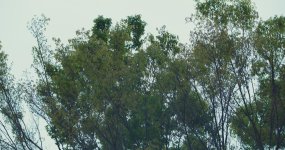
Fig.B Graded XAVC Image
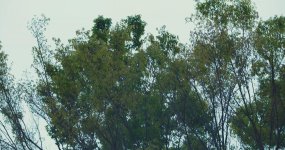
Seeing the grabs, XAVC shows loss of fine details and block-wise noises. But note that this is a one of the most obvious case for my experience. Such degrading is not happen for most of normal or less detailed shots.
BTW, I haven't encounter the grid-artifacts things but this type of block compression noises are familiar for me after grade.
Below are 4K frame grabs of F55 comparing Raw vs. XAVC using a new function of the sony's RawViewer which enables to output XAVC from Raw files.
Fig.A is directly graded out from a raw file in S-gamute3.cine linear space with DaVinci10.1.4.
Fig.B is graded out from a XAVC file which is converted by the RawViewer from the original raw file. The XAVC file is graded same way in the S-gamute3.cine linear space after applying a delog LUT and subtle CC. The Quality/Speed setting of the RawVier was set to Quality, though I can't find any real difference between the them.
*The grabs lost its quality for compare because of the site's resizing process, so I will try uploading cropped images.
Fig.A Graded Raw Image
Fig.B Graded XAVC Image
Seeing the grabs, XAVC shows loss of fine details and block-wise noises. But note that this is a one of the most obvious case for my experience. Such degrading is not happen for most of normal or less detailed shots.
BTW, I haven't encounter the grid-artifacts things but this type of block compression noises are familiar for me after grade.
Last edited:


starcentral
Veteran
Hey acky thanks for the tests. Just some questions and feedback on them;
In your crop images I can definitely see a small amount of increase in detail and/or contrast in fine detail elements in the RAW originating image file over the XAVC one. But that is harsh pixel peeping and on screen at 24 frames per second things like this can be very hard to spot.
Can you advise which delog LUT you used in Resolve? Some are destructive, and also can do nasty things depending where in the chain they are placed?
DVX attachments can add some horrible compression I've found making it difficult to see subtle differences so you might want to use a webserver to host the image or upload the image to a 3rd party imaging service like Flickr, well there are others as well.
Have you tried using ACES color space in Resolve with slog2/3 IDT and ODT, and if so, how do you find the output quality compares to your RAWviewer workflow?
Conversely I'd like to see light gradations on skin using soft light source on both RAW and XAVC. If I can see a huge difference in skintone/highlight renditions with RAW (and there really ought to be) then I will need to pull the trigger on one. slog1/2/3 just seems too thin overall.
In your crop images I can definitely see a small amount of increase in detail and/or contrast in fine detail elements in the RAW originating image file over the XAVC one. But that is harsh pixel peeping and on screen at 24 frames per second things like this can be very hard to spot.
Can you advise which delog LUT you used in Resolve? Some are destructive, and also can do nasty things depending where in the chain they are placed?
DVX attachments can add some horrible compression I've found making it difficult to see subtle differences so you might want to use a webserver to host the image or upload the image to a 3rd party imaging service like Flickr, well there are others as well.
Have you tried using ACES color space in Resolve with slog2/3 IDT and ODT, and if so, how do you find the output quality compares to your RAWviewer workflow?
Would be great if somebody upload a few frames outdoor shoot with the RAW recorder and same shoot with th internal XAVC. 2K 4K doesn't matter. want to make sure before commit to buy it
Conversely I'd like to see light gradations on skin using soft light source on both RAW and XAVC. If I can see a huge difference in skintone/highlight renditions with RAW (and there really ought to be) then I will need to pull the trigger on one. slog1/2/3 just seems too thin overall.
If high fidelity and definition is your preference and criteria, I think many of serious viewers will judge the raw version of this shot is better unless they are pixel peeping.
The cropped grab is x1 magnification and 1000pixel in width, so you can see how much you feel the difference by watching them at supposed viewing distance. Further more there are different types of temporal noise. The temporal noise of raw file is something like random grain nature but XAVX's has block-wise component.
Though I'm not expert of grading but in learning with try and error, I agree with what experts say like "the more bit rate, the better grading".
The cropped grab is x1 magnification and 1000pixel in width, so you can see how much you feel the difference by watching them at supposed viewing distance. Further more there are different types of temporal noise. The temporal noise of raw file is something like random grain nature but XAVX's has block-wise component.
Though I'm not expert of grading but in learning with try and error, I agree with what experts say like "the more bit rate, the better grading".
I used a Resolve10's built-in delog LUT for cineon at the first node. I confirmed them mathematically OK.Can you advise which delog LUT you used in Resolve?
Yes, for Resolve9. I like their color handling and IDT/ODT workflow though I'm waiting for tone curve function to be fixed which clips at lower level and also waiting LUTs for ACES to be released.Have you tried using ACES color space in Resolve with slog2/3 IDT and ODT, and if so, how do you find the output quality compares to your RAWviewer workflow?
I have no good sample as far but I guess in a situation like news studio, there may not be real difference. A strongly backlit long shot may be challenge for XAVC. I also want to hear other one's experience about that.Conversely I'd like to see light gradations on skin using soft light source on both RAW and XAVC.
Last edited:
starcentral
Veteran
In tests I have done it's usually the codec that is the culprit of blocky video and less to do with bit-rate or bit-depth.
Shooting uncompressed and then pixel peeping many edge artifacts including blocks are eliminated.
I shot a short film last year in 4k XAVC at 3200 ISO on the F55 and used strong undiffused light as the main source. Some shots entirely back-lit while others side or front. At the time I graded it with Sony's beta F65 LUT but playing with the footage now, almost a year later with ACES, IDT, ODT it's much easier to get a better looking starting point and tones do seem better so far but I am still testing.
There are some frame grabs posted here but this was beta LUT, hard lighting without diffusion, no optical filters and no other atmospheric effects so it tends to look sharp and clinical.
http://www.dvxuser.com/V6/showthrea...railer&p=1986419580&viewfull=1#post1986419580
Shooting uncompressed and then pixel peeping many edge artifacts including blocks are eliminated.
I shot a short film last year in 4k XAVC at 3200 ISO on the F55 and used strong undiffused light as the main source. Some shots entirely back-lit while others side or front. At the time I graded it with Sony's beta F65 LUT but playing with the footage now, almost a year later with ACES, IDT, ODT it's much easier to get a better looking starting point and tones do seem better so far but I am still testing.
There are some frame grabs posted here but this was beta LUT, hard lighting without diffusion, no optical filters and no other atmospheric effects so it tends to look sharp and clinical.
http://www.dvxuser.com/V6/showthrea...railer&p=1986419580&viewfull=1#post1986419580
Last edited:
After that, I made several tests comparing skin tones of raw and XAVC in the same workflow with the RawViewer and DaVinci.Conversely I'd like to see light gradations on skin using soft light source on both RAW and XAVC.
4K grabs below were lit by defused sunlight.
Fig.E Graded Raw Image

Fig.F Graded XAVC (S-gamut3.cine/S-Log3) Image

Fig.G Graded XAVC (S-gamut3/S-Log3) Image

It seems like the tones and colors are slightly degraded by JPEG resizing but the differences are marginal anyway.
The tones themselves are almost identical. Details like textures of skin, fabric, characters etc. are slightly lost in XAVC so it seems little bit soft. Very fine grain of random noise is maintained with raw and the difference is more obvious in intensified shadow area. The grain is so fine that you can easily remove them in post if you want.
As a whole, XAVC works well with such a situation I think. They are little bit soft but soft in a natural way.
And I think the advantages of raw are in the handling ability of fine detail and shadow.
Last edited:
starcentral
Veteran
Thanks for posting and very interesting results. How did you go for your exposure here?
I missed parts of your post from the 27th, I didn't know that Resolve 10 had delut to cineon! Probably because I installed 10 when it was released and as soon as I found out that exported grades from previous versions of Resolve were not 100% compatible in the newer version I quickly un-installed it. Perhaps I will get over it and just move forward.
Funny thing about delut to cineon, I am actually testing this workflow out with old F3 footage using slog to cineon LUT and very much liking how much easier/better it is to use Resolve for grading. (I will post more on this soon for other readers and users of the F3)
For your test when you shot in slog2 XAVC did you turn matrix off? Mark (Grug) just posted this morning how turning matrix off gives slightly better results and less wonky color. Curious if your settings were stock or adjusted.
I missed parts of your post from the 27th, I didn't know that Resolve 10 had delut to cineon! Probably because I installed 10 when it was released and as soon as I found out that exported grades from previous versions of Resolve were not 100% compatible in the newer version I quickly un-installed it. Perhaps I will get over it and just move forward.
Funny thing about delut to cineon, I am actually testing this workflow out with old F3 footage using slog to cineon LUT and very much liking how much easier/better it is to use Resolve for grading. (I will post more on this soon for other readers and users of the F3)
For your test when you shot in slog2 XAVC did you turn matrix off? Mark (Grug) just posted this morning how turning matrix off gives slightly better results and less wonky color. Curious if your settings were stock or adjusted.
I shot the original footage with raw at 5500K and then converted raw into XAVC with the RawViewer to emulate XAVC shooting.
So the camera is just set to cine-EI mode with S-Log3.cine and I think matrix is not working.
More detailed workflows are as below.
raw -> S-Gamut3[.cine]/linear -> grades -> out
raw -> XAVC/S-Gamut3[.cine]/S-Log3 -(cineon to linear LUT)-> grades -> out (XAVC emulation)
Cineon and S-Log3 is not perfectly identical, so I made a slight adjustment (gain and lift) at the next of the delog LUT node though it may not necessary if you don't make side-by-side comparison.
Matrix mode... I'm also interested in sgamut3.cine-like (long name:shocked setting which I'v not tested yet. It can adjust color temperature in fine steps!
So the camera is just set to cine-EI mode with S-Log3.cine and I think matrix is not working.
More detailed workflows are as below.
raw -> S-Gamut3[.cine]/linear -> grades -> out
raw -> XAVC/S-Gamut3[.cine]/S-Log3 -(cineon to linear LUT)-> grades -> out (XAVC emulation)
Cineon and S-Log3 is not perfectly identical, so I made a slight adjustment (gain and lift) at the next of the delog LUT node though it may not necessary if you don't make side-by-side comparison.
Matrix mode... I'm also interested in sgamut3.cine-like (long name:shocked
setting which I'v not tested yet. It can adjust color temperature in fine steps!
Last edited:
starcentral
Veteran
You didn't happen to shoot the same frame in native XAVC in-camera did you? I'd really love to see how that holds up to the RAW shot footage.
What's great about this test is it shows how good the XAVC codec can actually hold an image together. But my speculation is capturing straight from the camera in XAVC is the weak link.. perhaps.
What's great about this test is it shows how good the XAVC codec can actually hold an image together. But my speculation is capturing straight from the camera in XAVC is the weak link.. perhaps.
XAVC in-camera recording is not tested because I'm not fully understand V4 functions around XAVC yet and testing raw itself.
I'm also wondering between S-Log2 with NR and S-Log3.cine with color temp adjustment but no NR.
I'm also wondering between S-Log2 with NR and S-Log3.cine with color temp adjustment but no NR.
The rawviewer's noise handling for XAVC is better than I expected so there may be some kind of NR or special processing I don't know.But my speculation is capturing straight from the camera in XAVC is the weak link.. perhaps.