
Navigation
Install the app
How to install the app on iOS
Follow along with the video below to see how to install our site as a web app on your home screen.
Note: This feature may not be available in some browsers.
More options
You are using an out of date browser. It may not display this or other websites correctly.
You should upgrade or use an alternative browser.
You should upgrade or use an alternative browser.
External drive
- Thread starter Astro-Dog
- Start date
USB 2.0 is too slow.
Well, it is and it isn't. I know I keep seeing this written all over the place, but with the proxy workflow in FCPX USB2 actually became usable.
I have even edited a 4 camera multicam (1080p) from an external USB2 drive on my MacBook Pro and had no problems. It's a 'little' slower to start playing than my thunderbolt drive, but it's totally manageable with proxy media.
When it comes time to render the final movie, switch back to high quality mode and let it go. Even USB2 can support the data rates needed for ProRes 422 most of the time as long as you are not layering too many tracks.
Of course, Firewire is better. Thunderbolt is even better. SSD on thunderbolt better still. But, if you don't have the budget it 'is' possible to work well enough from an external USB2 drive as long as you're willing to use the built in proxy workflow for anything more than a simple playback.

bbalser
Veteran
Technically you "can" edit with any version of FCP and a USB 2.0 drive, but it will be slow. Do any serious professional level editing, and it will be too slow. For small projects using Proxies, yes, it will work alright, but not great. Yet, I'd never advise or support a system that uses USB 2.0 for serious video editing.
I can get from NYC to L.A. on a bicycle, it will in fact work, but I won't be very happy about it.
I can get from NYC to L.A. on a bicycle, it will in fact work, but I won't be very happy about it.
I can get from NYC to L.A. on a bicycle, it will in fact work, but I won't be very happy about it.
The west was conquered on horseback and wagon train

What you say about speed is true, up to a point. How serious does a serious edit need to be? 4 camera multicam for 90 minute presentations with another 3 stereo audio recorders sync'd is starting to get pretty serious I'd say.
If you intend to do lots of graphics, lots of overlays, lots of transitions then yes, USB2 is simply too slow. But, if you are willing to work in proxy AND render a little to get you through the tough spots then USB2 'can' be used while you acquire more budget for your thunderbolt raid. Will you see a massive difference when you get your thunderbolt? Absolutely.
Would I try this with Premiere Pro? No. Even with Proxy files Premiere Pro doesn't seem to run as well off USB2 (which, together with FCP7 is where the notion USB2 is no good comes from).
I guess there is something about FCPX on my MacBook Pro that just sings

So, short term, yes, USB2 can work fine (using Proxy). Long term, plan on getting faster storage.
No need for personal insults Ben, and besides, that's not what I said anyway.
Now, let's try to keep this on top shall we?
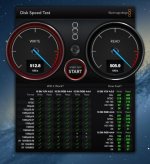
Check out the bandwidth on your USB2 drives (download the free black magic disk speed test from the app store) and then playback some prores proxy files in FCPX and use your Activity Monitor to see how fast your transfer actually needs to be. I think you'll find you have plenty of spare capacity.
As long as you know the limitations it's easy to work with.
Then, once you have more funds, feel free to follow everyone's recommendations (including mine) and go thunderbolt.
Now, let's try to keep this on top shall we?
Check out the bandwidth on your USB2 drives (download the free black magic disk speed test from the app store) and then playback some prores proxy files in FCPX and use your Activity Monitor to see how fast your transfer actually needs to be. I think you'll find you have plenty of spare capacity.
As long as you know the limitations it's easy to work with.
Then, once you have more funds, feel free to follow everyone's recommendations (including mine) and go thunderbolt.

David W. Jones
Veteran

A reminder.
Stay on topic, and keep personal comments to yourself.
dvxuser is a collaborative place for exchanging information, and assisting others with the OS, editing system, and camera of their choice.
Thank you
Stay on topic, and keep personal comments to yourself.
dvxuser is a collaborative place for exchanging information, and assisting others with the OS, editing system, and camera of their choice.
Thank you
LaCie d2 3TB Thunderbolt for 299.95. Doesn`t break the bank for me http://www.bhphotovideo.com/c/product/905780-REG/LaCie_9000353_3TB_D2_USB3_Thunderbolt_Hard.html