Exposure problem in video with GH3

jgmrussell

New member
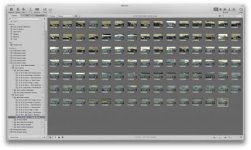
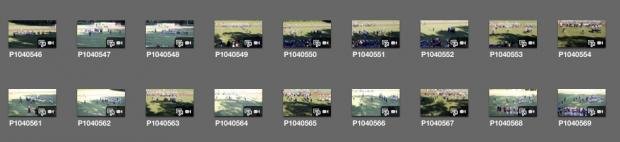
Hi, I'm baffled by an exposure problem using video with my Gh3. I'm using Aperture priority and setting Flickr to 120 with iISO. I do this as it seems to allow manual control of aperture & shutter and then let iso be on auto. What I'm getting and you can see it below, is inconsistent initial exp. when I start the video. This is happening between 2 clips, same lighting etc. so it's not a case of different time, lighting etc. Clips below are sequential. Now if it happened all the time, I would assume my settings are bad, but that is not the case. The over exposed clips are only so for a few seconds and then it compensates to normal exposure. But alot of clips are properly exposed from the start and i can't figure out the problem. If anybody else has the problem and figured out a solution, please let me know.
Thank you.
John
jpg.gif
jpg.gif
 

Attachments

  • Screen Shot 2013-09-11 at 10.05.23 AM.jpg
    Screen Shot 2013-09-11 at 10.05.23 AM.jpg
    19.8 KB · Views: 0
  • Screen Shot 2013-09-11 at 10.05.46 AM.jpg
    Screen Shot 2013-09-11 at 10.05.46 AM.jpg
    14.1 KB · Views: 0
I would imagine the primary problem may be ISO on auto. When you have ANYTHING on auto you have the potential for a bit of erratic exposure as something does some auto adjusting. The secondary problem could be i(ntelligent)ISO. With the GH2 (and I assume it could be the same with the GH3) the general consensus was that i(ntelligent) "anything" was anything but...

...It's kind of a "crutch" I flat would not trust.

If you absolutely have to use ISO on auto, which I do not recommend unless you don't mind distracting lightening and darkening as your scene varies with pans or clouds moving over the sun, you can set EXPOSURE MODE to A or S with the dial on top set to the movie camera icon.

I suggest leaving it at M (for manual) and selecting desired ISO directly. But that's me, I don't want my exposure changing unless I change it.
 
I don't trust automatic anything, so I always shoot manual and adjust things myself.

Also, mild under-exposure can be fixed in post. ( over-expose and you're screwed )
 
Just a quick question on the manual setting issue. If I'm videoing a football game on a sunny day with clouds. Do I just take a reading from say the turf and not worry about whether it's sunny or cloudy during the video or do I monitor the lighting/exposure during video and adapt it as the light changes?
Thanks,
John
 
If I'm videoing a football game on a sunny day with clouds. Do I just take a reading from say the turf and not worry about whether it's sunny or cloudy during the video or do I monitor the lighting/exposure during video and adapt it as the light changes?

I would determine the proper exposure for both full sun and sun blocked by clouds, and then manually adjust the aperture while I shoot for both of these conditions. Exposure won't be perfect, but it should keep you within a usable exposure ballpark.

When I shoot with an ENG camera, my finger sits on the IRIS wheel to adjust exposure when shooting under a partially cloudy sky.

You could also achieve correct exposure with a good variable ND filter ( Tiffen or GenusTech Eclipse ) that you've marked with a white grease pencil and then adjust the ND between the full sun and cloud blocked sun positions.
 
When you use any of mode dial P A S M modes shooting video with video button, camera is always using automatic P exposure for video. So camera selects SS and A whatever it wants and you never know what it is doing. If you want to control values you must use movie mode and select P A S M from menu. Best way in my opinion to shoot sports in changing light is to use S in movie mode. You choose SS for wanted motion handling and camera chooses Aperure or iso or both. I think that in daylight 200iso is best - I see some noise with even in 400iso. Aperture is not changing very smoothly but it is better still than severe under or over exposure. In dim light when camera chooses biggest aperture anyway I use auto iso. Then exposure is changing smoothly.

It is too hard to use fully manual exposure when you must concentrate heavily whats happening in scene and compositing and following subjects and focusing. When you choose to take some photos between video clips things get even worse because exposure values wont stay in mode memory. So one must plan very carefully beforehand what to do in hectic event shooting.
 
Back
Top