Export "Track Not Found" error - Media Composer

David W. Richardson

Chapelgrove Films
First, I have never used Avid at all. I'm a Vegas Pro user. But I got a bunch of .MXF files dumped on me for a project, and I'm having to convert them to .MOV files for Vegas. So I downloaded the trial of Media Composer for this purpose. It's taken awhile to figure things out, but I've managed to get most of the files exported. Except for a few.

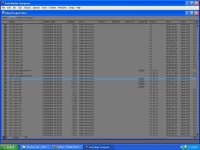
There are some files that appear to have missing info, and won't export. Take a look at this screen cap...
MediaComp01.jpg

If you look at the highlighted line, you will see that the 'Video' column is blank. Now look at this cap...
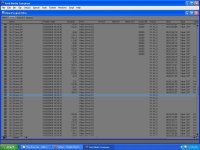
MediaComp02.jpg

Again, the highlighted line. Not only is 'Video' blank, but also 'Start' and 'Tape'.

When I try to export these, I get the "Track Not Found" error.

Is there a way I can export these files? Or is there a way I can populate the empty fields so they will export?

Any help is greatly appreciated!
 
The reason you cant export them is Avid is telling you they're not IN THE AVID. The VIDEO column gives you information when the footage is loaded. For instance, in the bottom photo, the clip right above your cursor (SC29.new.13) has info in it because the Avid is managing that clips media. If its blank its essentially showing you there is no media- no video clip (audio too).

If the footage came to you on a hard drive try RELINKING. Other than that get a deck & the original tape and recapture - which couldnt be easier with Avid provided the tapes were labeled correctly.
 
Sadly, I have no access to the original tapes, or anything else.

I'm not sure what you mean that the clips aren't "in the Avid". Remember, I'm an Avid newbie. All I know is that Avid Media Composer "found" those clips on its own, so I assume they're in the Avid MediaFiles/MXF/1 folder. If they're not really clips, that's fine -- although the "Tracks" column does show "V1" and "A1,A2", which would seem to imply that both video and audio of some kind was detected, wouldn't it?

Thanks for your help. I really appreciate it.
 
No, it found a link to the media "handles" (start, end, tc, audio trax). The actual media is not there, that is what the blank column is telling you. If you click on the berger menu you can add columns to your bins, choose "OFFLINE" and it will show up in this column telling you that it's not there, just the metadata is.

Think of it like an empty milk container in the fridge....its where the milk should be, but its really just the container for the stuff thats supposed to be there.
 
Last edited:
Avid is seeing the INSTRUCTIONS to the files that were there (what to digitize). These would allow you to recapture easily, if not for your problems listed above. The clips might not have been deleted, just digitized to a different drive. Then whoever gave you the files neglected to include.

I have 2 MC's, but freelance/do overflow projects at a client who has another MC. She digitizes all over the place- no consistency. She can digitize to internal boot drive, raid, USB drives....I never know where the footage is, always a mess (unless you use the Russian Database tool- MDV). If she copied from only 1 location (out of 3) that would explain your missing files. Although they could have deleted them too.
 
Last edited:
Back
Top