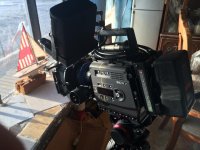
F35: El Lobo Mexicano - Short film shot on Sony F35

When looking for a film's "look", I always encourage directors to find material pre-2000 - then I have a chance of getting that "look" on set. Everything from the last decade seems to be very heavily manipulated in post - especially now that DI has become almost mandatory thanks to 35mm release prints going out.
 
Hi Jo,

Could you elaborate how you work with ACES in Scratch. I just can't seem to get it working correctly, I'm getting a strong yellow cast to all my material (although it works fine when working in linear RGB colorspace) and my output is always quite different than what I am previewing in the monitor. I tried following steps delineated in the Scratch & ACES colorspaces white paper (https://www.assimilateinc.com/scratch-sony) but I think this work only for the F65 when working with RAW footage. I can't seem to find a stet-by-step tutorial for working with F35 SLOG material.

If you could write the steps involved and link to any input transform lut or ctl you may be using one, I would truly appreciate it. Thank you.

Cheers,
Igor

Hi Igor,

Which version of scratch are you using? The .ctl that I use is from here ( https://github.com/ampas/aces-dev/tree/master/transforms/ctl/idt/vendorSupplied/sony ) the Slog1 version, either 10bit, or in your case 12bit.
This video might help you out a bit (http://www.studiodaily.com/2014/07/...et-up-an-aces-workflow-in-assimilate-scratch/ )

The process is pretty simple, In the INPUT section, select ACES from the drop down menu, and then load your .ctl right under that section.
The image will come out pretty contrasty and saturated. From there you have to play with the PRE GAIN in and usual LIFT, GAMMA, GAIN under the NUMERIC section. I like to see the numbers.

What lenses are you using? That might explain the yellow cast. I remember seeing the yellow cast in your .dng's when you shared them. It might be the lenses. Feel free to send me some sample dng's and I will play with them.

ACES is a new world, so much hidden data, definitely check out the video in the link above!
 
You are saying that you can't achieve what you wanted with Resolve? Can you elaborate on that more?


I intially tried with resolve, using the cineon 10-12bit lut and the alexa luts, but didn't like the results I was getting. From my research I read that the F35 and the 9000PL were the very first few camera's to fully utilize the ACES workflow and found that Scratch makes that workflow easier and just switched over. Very Happy now :)
 
Hi Jo,

Thank you for your reply. I had seen that video you sent the link of a while back. The problem is that I have Scratch 7 and the video and all the information I can find online about using ACES in Scratch all refer to Scratch 8 and talk about RAW footage.

In the past I tried using ACES by plugging in the .ctl I had found, but it would always give me wonky results. In fact after numerous attempts I just decided to forget about it and continue with the workflow using MacGregor's LUT.

After reading your post and deciding to give it another go, I downloaded a trial copy of Scratch 8 and followed the instructions. I was still getting wonky results until I discovered that the .ctl I had downloaded in the past was corrupted. When I downloaded a new copy from the link you provided everything was working great. I then proceeded to do the same in Scratch 7 and it works great there too! It was all do to a corrupted .ctl file.

Thank you for providing the links and getting me back into trying ACES again. Now that everything is working fine this is my preferred method of grading.

Cheers,
Igor
 
Back
Top