Does the bitrate on the AF100 drop in lowlight?

artyswiss

Active member
I read a thread talking about the gh1's hack and the avchd codec and came across this:

"While AVCHD bitrates may drop to very low levels in extremely dark situations, this patch should continue to record even in total darkness."

My question is. On the af100 does the mbps drop out in low light conditions? I was under the assumption that the bitrate remains relatively constant.
 
I've found the codec really breaks in parts of the picture which are very underexposed at times. Macroblocky noise type thing :(

I actually thought perhaps the bitrate had dropped but it seems that doesn't happen reading Barry's reply.

Will have to be careful when underexposing.
 
What do you mean by ...

Will have to be careful when underexposing.

parts of the picture which are very underexposed at times

Under exposing to me means an error in setting an exposure and lighting (ie...not allowing enough light to get to the sensor and that all or part of the image does not display tones and levels as per the cameramans wish). When you try and retrieve the information from an under exposure...you will force noise and bad stuff into the image.

Under exposure is not a codec or camera issue. It's an operator error that causes the issue.
 
I've found the codec really breaks in parts of the picture which are very underexposed at times. Macroblocky noise type thing :(

Will have to be careful when underexposing.

I noticed the macro blocking too, reminds me of hdv compression(of course this is not an unexpected occurrence, no one freak out!). I wonder if the Nano will improve on this.
 
Last edited:
Under exposure

Under exposure

Not an error when it is a creative choice. Low key
lighting is essential for noir and many other creatively lit scenes.
How can you shoot detectives searching a dark warehouse with flashlights when your camera uses a codec that creates muddy artifacts?

What do you mean by ...


Under exposing to me means an error in setting an exposure and lighting (ie...not allowing enough light to get to the sensor and that all or part of the image does not display tones and levels as per the cameramans wish). When you try and retrieve the information from an under exposure...you will force noise and bad stuff into the image.

Under exposure is not a codec or camera issue. It's an operator error that causes the issue.
 
Show a sample frame, and I'll see ifI can make time to reproduce it with/without the Nano so you can see if there'd be a difference.
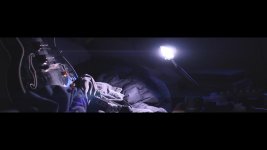
ok will do, but right now I'm using anamorphics so it will be squished. Also, I should say, it's not really true macro blocking. I think I misused the term. More like blocky compression artifacts like those you see in hdv.
 
Not an error when it is a creative choice. Low key
lighting is essential for noir and many other creatively lit scenes.
How can you shoot detectives searching a dark warehouse with flashlights when your camera uses a codec that creates muddy artifacts?

very good point, I think he's meaning underexpose whenthere's enough light to expose properly. But then again, like you state, in can be an artistic choice. There's always two sides to the coin.
 
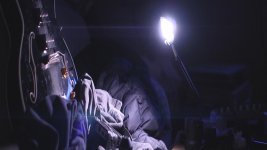
af100_lowlightblacks.jpgaf100_lowlightblacks_ana.jpg

Jpegs.. not sure how to attach tiffs.
I shot blacks of different material types, smooth, shiny, matte, etc. This would usually wreak havoc on hdv.. This is much better, but you can see blockiness kick in as things go into shadow as well as in the shadows. Pretty clean as is, but could the Nano make things better?

Bpress, Norm1, knee low
-2 detail
-2 v detail
-5 coring
-3 color temp bch
iso 800
-2 master ped

edit: okay the compression of the file makes things crud.. how do you attach an uncompressed image file?
 
Not an error when it is a creative choice. Low key
lighting is essential for noir and many other creatively lit scenes.
How can you shoot detectives searching a dark warehouse with flashlights when your camera uses a codec that creates muddy artifacts?


Absolutely correct ...thats why I asked what he meant.

If you intend to present a subject so that its tonal level is positioned below its normal level of illumination ( eg a face in an underlit room) you have correctly exposed it for your intention. Its not "under exposed" ...its correctly exposed.

IMHO. this camera has a great range of tonal levels. If you get it right ...my experience with this camera is that it does not produce blocky artifacts or any issues (noise) at all.

Today I have been grading... in a Da Vinci Resolve suite..a lot of footage that I would describe as "full level /full tonal range" images. The setting is the interior of a small stone walled cheese factory. We lit to reveal minimal detail in the walls and set props ( allowing a little head room for the grade) and the highlights went to say 98% IRE with some tiny peaking highlights in the clip zone. The image is kind of a 65/35 ( Dark : light).

The subject (product) is hero so perfect exposure there and control of all other tones and levels gave us the image we wanted. I do not call the dark walls and BGs and the shadows - "under exposed". If I had of stopped down say one stop ( by mistake)...then I would have called it "under exposed ( and a screw up to boot!)

The Colorist , the post supervisor, the client were amazed at the result. BTW- This AF102 footage is intercutting with 35mm scenes. (perfectly)

The AF102 absolutely shone for us.... and in fact we will be adding noise to "degrade" it to the 35mm footage
 
Absolutely correct ...thats why I asked what he meant.

If you intend to present a subject so that its tonal level is positioned below its normal level of illumination ( eg a face in an underlit room) you have correctly exposed it for your intention. Its not "under exposed" ...its correctly exposed.

IMHO. this camera has a great range of tonal levels. If you get it right ...my experience with this camera is that it does not produce blocky artifacts or any issues (noise) at all.

Today I have been grading... in a Da Vinci Resolve suite..a lot of footage that I would describe as "full level /full tonal range" images. The setting is the interior of a small stone walled cheese factory. We lit to reveal minimal detail in the walls and set props ( allowing a little head room for the grade) and the highlights went to say 98% IRE with some tiny peaking highlights in the clip zone. The image is kind of a 65/35 ( Dark : light).

The subject (product) is hero so perfect exposure there and control of all other tones and levels gave us the image we wanted. I do not call the dark walls and BGs and the shadows - "under exposed". If I had of stopped down say one stop ( by mistake)...then I would have called it "under exposed ( and a screw up to boot!)

The Colorist , the post supervisor, the client were amazed at the result. BTW- This AF102 footage is intercutting with 35mm scenes. (perfectly)

The AF102 absolutely shone for us.... and in fact we will be adding noise to "degrade" it to the 35mm footage

I would love to see the side by side 35mm to af100 graded and matched
 
The AF100 remains constant. Its codec is very different from the GH1's, and is far advanced over what the GH1 does.

Any truth to rumors of the AF100's "AVCCAM" implementation also being more advanced/efficient than the GH2's "AVCHD?"

If you intend to present a subject so that its tonal level is positioned below its normal level of illumination ( eg a face in an underlit room) you have correctly exposed it for your intention. Its not "under exposed" ...its correctly exposed.

"low key" rather than "underexposed" .... unfortunately the GH1 hates both equally lol
 
By underexposed I mean if I have a bright highlight in frame and want to retain some detail from it, I generally stop down below what I would normally if that highlight was not there. I've always been told by our grader where possible to protect the highlights.

The issue is if creatively we wanted dark areas of the picture, and we are getting this same issue.

Testing the camera in a variety of situations i shot some footage to be full of macro blocks in shadowy areas. I'm flat out busy at the moment but I will try to get some examples up. I have shot underexposed footage before on the ex1 and hvx200 and found no such issue. It looks like over compression or perhaps 8 bit limitations. It's more than probably operator error, or I could have a defective cam. Either way would be good to know.
 
Your grader is absolutely correct. Protect the highlights. He should also advise..protect some detail in the shadows

But he is not telling you to abitrarily "under expose" them by cranking down on the aperture ( or ISO as some may propose)

He is telling you to expose them on the waveform correctly. They need to sit at a value that they should be or that you wish them to be. (that can be ..anywhere except in the clip zone or the ped)

Understand this: Any color or tone (incl. black) will become white if you over expose it enough. The converse is true also and any color / tone will become black if you under expose it enough.

May seem strange concept..but ..you need to light for black ( and expose for shadows as well as highlights and mids). It does not happen by itself. All cameras have a limited range of tone/levels.

BTW: Film Noir is not achieved by simply cranking down the exposure and it certainly is not shot with limited lighting. Exactly the opposite in fact.
 
Back
Top