rbirnbaum
Well-known member
Hello,
I haven't really seen any tests like the one I have done, and I have gotten so much from this community that I thought I'd like to give back and perhaps start a discussion around these.
On vimeo you can see the whole 4 mins of me changing settings and the difference it makes. I left the on-screen menus on so that we could see what I was selecting. A bit annoying but it helps me to remember and get a very quick view.
Some initial thoughts:
I find in camera Detail at 5 looks better than Sharpening in Resolve.
I find Crisp Setting makes no difference. - Need to Understand how it works.
I couldn't really make the Skin Detail Gate work in a way that gave me any visible results. - Need to check with you guys if the workflow was right?
It's a pity the instruction manual is so skimpy in these sections. Hard to understand how to use these features.
https://vimeo.com/239170740
Shot with Natural Light
Daylight WB
Custom Mode
10 Bit 24Pfs
S-Log
S-Gamut
Lens is Tair 11A with PL Mount - 135mm - No ND - Shot Wide Open
NR - Set at 30
This test is inspired by the forum pushing the camera, and trying to find out what the different menus may hide. I find CineEI mode as my default, but lately, shooting in Custom has opened up new possibilities.
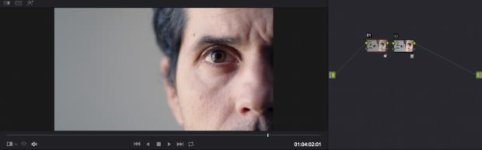
Color Corrected in Resolve 14 -
Node 1 WB
Node 2 - F35_LC709 LUT
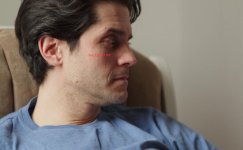
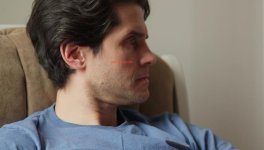
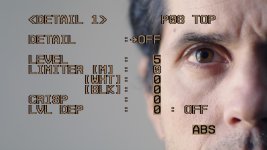
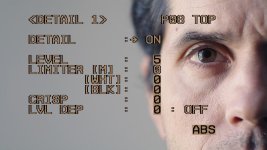
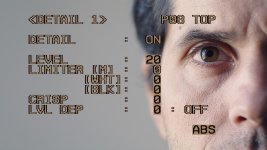
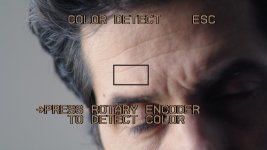
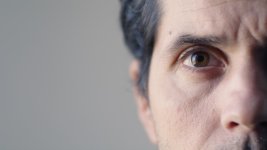
Here are some screen grabs:
I haven't really seen any tests like the one I have done, and I have gotten so much from this community that I thought I'd like to give back and perhaps start a discussion around these.
On vimeo you can see the whole 4 mins of me changing settings and the difference it makes. I left the on-screen menus on so that we could see what I was selecting. A bit annoying but it helps me to remember and get a very quick view.
Some initial thoughts:
I find in camera Detail at 5 looks better than Sharpening in Resolve.
I find Crisp Setting makes no difference. - Need to Understand how it works.
I couldn't really make the Skin Detail Gate work in a way that gave me any visible results. - Need to check with you guys if the workflow was right?
It's a pity the instruction manual is so skimpy in these sections. Hard to understand how to use these features.
https://vimeo.com/239170740
Shot with Natural Light
Daylight WB
Custom Mode
10 Bit 24Pfs
S-Log
S-Gamut
Lens is Tair 11A with PL Mount - 135mm - No ND - Shot Wide Open
NR - Set at 30
This test is inspired by the forum pushing the camera, and trying to find out what the different menus may hide. I find CineEI mode as my default, but lately, shooting in Custom has opened up new possibilities.
Color Corrected in Resolve 14 -
Node 1 WB
Node 2 - F35_LC709 LUT
Here are some screen grabs:
Last edited: