
Navigation
Install the app
How to install the app on iOS
Follow along with the video below to see how to install our site as a web app on your home screen.
Note: This feature may not be available in some browsers.
More options
You are using an out of date browser. It may not display this or other websites correctly.
You should upgrade or use an alternative browser.
You should upgrade or use an alternative browser.
Dead and hot pixel AG Af-100
- Thread starter paparak_ivi
- Start date

paparak_ivi
Member
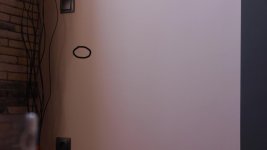
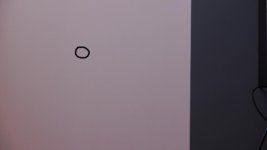
Friends, I am very sad about this, I love my AF 100. Strong When I overexposed areas this point is not visible you think this is a dead pixel?
paparak_ivi
Member
I did multiple black balance but your point stands, is it possible to dust on the sensor? When I connect the camera via HDMI to my 55'' LG TV nanego is a black mark 
Look through the glass and spin the ND-Filters you'll see dust if it's there on the filters or the sensor glass. The pixel you highlighted looks more like a hot pixel though and not dirt or a dead pixel. In your 3rd pic the dot to the bottom left looks like dust. Another thing which will really scare you is if you point the camera in the sky and expose using your aperture to the max you'll see a lot of dust possibly from the lens or from the camera if it's there. Sorry I can't help much more. I sent my cam in when I had it and Panny clean the sensor free of charge as it was still under 3yr warranty.
paparak_ivi
Member
Fear is that a large iso does not appear anywhere else piyel and that of Manat lens when strong light is or where overly g regional point it is not visible. Babu, you have you had similar points when you pprashtal camera cleaning?
Last edited:
paparak_ivi
Member
Not that bottom left, it will generally I tested visco rn iso difference is not only the point
paparak_ivi
Member
Well, not just when a little overly evizhda even disappear but it is normal exposure
paparak_ivi
Member
I wonder why this does not fix the menu for hot and dead pixels as there are in each camera.

Al MacLeod
Well-known member
Boris Pixel Fixer can save your sanity.
