Anyone know how to adjust the shutter on the CX-350. It seems that it defaults to what I would hope would be a 180 degree shutter angle. Then, when you press the shutter button my camera displays 1/100 th. How can I change this to something different? What if I want to dial in a slower shutter speed than what the default is, such as 1/32 if I'm shooting at 23.98 and want to let in more light?

Navigation
Install the app
How to install the app on iOS
Follow along with the video below to see how to install our site as a web app on your home screen.
Note: This feature may not be available in some browsers.
More options
You are using an out of date browser. It may not display this or other websites correctly.
You should upgrade or use an alternative browser.
You should upgrade or use an alternative browser.
CX-350 - Shutter adjustments
- Thread starter mmaller
- Start date

nutmegger
Well-known member
See page 139 of the CX350 owner's manual: https://pro-av.panasonic.net/manual..._E/AG-CX350P.PJ.EN.ED.AN.PX(DVQP1830ZA)_E.pdf
Scroll the multifunction dial, located between the MENU and EXIT buttons, until you see "SHUTTER" displayed in the lower left hand corner of the LCD screen. Then press the multifunction dial and your shutter speed setting should be highlighted. Scroll the dial until you get the shutter speed you want and press the EXIT button.
Enjoy.
Scroll the multifunction dial, located between the MENU and EXIT buttons, until you see "SHUTTER" displayed in the lower left hand corner of the LCD screen. Then press the multifunction dial and your shutter speed setting should be highlighted. Scroll the dial until you get the shutter speed you want and press the EXIT button.
Enjoy.
morgan_moore
Major Contributor
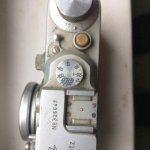
Hint to manufacturers.
Mitch Gross
Veteran
A knob like that is great when you only have four or five things that can be adjusted on a camera, and when that adjustment only has nine possible settings. On a camera with as many possible controls it can become real ugly real fast.
morgan_moore
Major Contributor
Yep - the top of the Gh4 is not bad.. shutter iso wb - three buttons and a knob to spin the thee functions.
morgan_moore
Major Contributor
Honestly I do iris on the lens, focus on the lens, keep my shutter on 180 and shoot at Native log ISO.
Meaning I want one control on the camera at all.. FPS
The only thing I change on my FS7 is framerate and it is horrible.
(this one button mode should choose the highest qulity codec for that FPS and flash an alert that the quality is being reduced)
Obvioulsy some sort of menu might (or might not) be required too
Meaning I want one control on the camera at all.. FPS
The only thing I change on my FS7 is framerate and it is horrible.
(this one button mode should choose the highest qulity codec for that FPS and flash an alert that the quality is being reduced)
Obvioulsy some sort of menu might (or might not) be required too
Anyone know how to adjust the shutter on the CX-350. It seems that it defaults to what I would hope would be a 180 degree shutter angle. Then, when you press the shutter button my camera displays 1/100 th. How can I change this to something different? What if I want to dial in a slower shutter speed than what the default is, such as 1/32 if I'm shooting at 23.98 and want to let in more light?
Note that the default shutter speed (which is what is used before you press the Shutter button to enable manual shutter control) varies depending on which video recording mode you are in. Here are the list of default shutter speeds by mode (this information is buried in the back of the manual):
- 59.94i/59.94p mode: 1/60 sec.
- 29.97p mode: 1/50 sec.
- 23.98p mode: 1/50 sec.
- 50i/50p mode: 1/50 sec.
- 25p mode: 1/50 sec.
The other thing that is strange is that the default shutter speed will not be displayed as an option when you scroll through with the dial to manually set the shutter speed. So if you are shooting 25p and want to shoot with 180 degree shutter (1/50), the only way to achieve this is to press the Shutter button to switch out of manual shutter control. And of course when you do this, the shutter speed being used is not displayed on screen. Which makes it hard to know what the current speed is, especially since the default shutter speeds vary and do not always correspond to 180 degree shutter angles (in particular note that 29.97p uses 1/50 rather than 1/60 as the default).
Now I am not a camera designer, but to me this system seems far more convoluted than is necessary.
Last edited:
Barry_Green
Moderator
If you want an exact angle, you can get that. Change the shutter speed to the one that has a decimal point (like 1/60.0 or 180.0d). Go in the scene file menu and change the synchro scan type to "deg". Then set the synchro scan speed to whatever speed you want (180.0 degrees, or 145.0, or 68.4, whatever you want).
Barry_Green
Moderator
It just seems overly complicated to do simple things. The GH5 has a ton of adjustments but is much more intuitive
Intuitive is relative. I can fly through the CX350, but I wouldn't know where to start with a GH5... if you're used to Panasonic broadcast handheld cameras, the CX350 will make a lot more sense. If you're used to something like the GH5, then no, it's not the same at all.
Barry_Green
Moderator
I have to defer to Mitch for any info on when it will be released...