Could anybody guide me towards getting good results with the AF100?

Sttratos

Veteran
I have tried but I can’t get consistent good results with the AF100. I think it may have something to do with exposures. But it’s harder to expose with this camera than any other camera I have ever used. You don’t seem to have a lot of wiggle room. I have the impression that if you don’t get it spot on you get bad footage. I try using the waveform but I still can’t get the results I want. It may also be because the waveform graphics are pretty different from other waveforms. There are some waveforms that you can almost see the person’s face in it. The AF100 is hard to separate what is what somehow. But I try not to have anything clipping and have faces in the middle, when I can identify what’s the face. I shot a person against an overcast sky and everything was blooming. Not clipping but had this washed out white cast. It wasn’t a flare as I had a matte box with siders etc. It just looked very low contrast. I was using Barry’s settings to match GH2. But I could only see that once I watched it on a bigger screen later. In the AF100 LCD it didn't look like that at all.
I know it’s not the camera, but me. This is the reason I’m asking for some tips here. I have tried all the tips I could find, such as exposing the highlights of skin to 70%, watching the waveform, manual white balance, black balance etc, but I always get washed out, low contrast, blooming and yellowish footage when shooting in overcast days. When shooting in sunny days I get harsh clipping footage and when shooting low light I get washed out and noise footage. The making off footage from the overcast day recorded by a canon HV20 didn’t look like this and the camera was in full manual mode. It looks really good actually for an old HDV camera. So I know I’m doing something wrong with the AF100. I’m not really a beginner shooter and have shot a lot of footage that I was very happy with. HV20, EX1, A1, XL-H1, 7D, 5D etc. But not with the AF100. I have been happy with the AF100, but I want to be happy all the time and not have any more bad footage when I look at it on a bigger monitor. Thank you for the help.
 
You are right. There's not much wiggle room with the AF100 in post. I would suggest to shoot with Cinelike D gamma and Norm2 matrix. Lower chroma to -4 and detail to -6. Keep everything under 100% and try to get faces in the 40-60% range. With Cinelike D you have the most wiggle room there is on this camera.
 
Hi, I only shoot with cinelike D actually. My settings are also almost exact the same as you posted including norm2 matrix, as I use Barry's settings. But what I meant by wiggle room was not really in post, but when exposing.
 
This camera does not respond well to blown highlights unless you through them out of focus. I've shot in most conditions and the underexpose rule works when shooting and you can always lift and adjust the midrange in post to make it look good.
 
So this is the secret? Underexpose no matter what and lift mids in post? If I had exposed for the overcast sky totally, the face would have been really dark. I fear noise will be a problem if you lift the faces in post. That's not the case? Even more so when using the -7 coring I guess.
 
Coring does next to nothing to suppress noise. I presume you use a reflector to counteract shadows in bright sunlight? Then it looks fine.
 
I sure use. But a reflector can only do so much. In this case the brightness difference was so much that I would have needed a HMI. But this is naturally out of budget and doesn't fit run and gun. The shot was also too wide for a normal reflector.
 
This is what I'm trying to do here.


Everybody here agrees and uses the underxpose and bring mids back up in post method, or somebody has a method to get good results directly from camera?
 
You do get good result straight out if you set the light right. It's not that tricky to work with this camera, you just have to learn what looks good and what doesn't work.
 
How do you set the sun right? I hope you are not telling me that the only way to get good results outside is with a full light and grip truck.
 
No, you can get about the same result as you do with a Canon 5Dmk2/3 set to neutral profile so there's no magic to get the good stuff out of the AF100. This is an example I shot last year.
 

Attachments

  • AF101_sun.jpg
    AF101_sun.jpg
    67.1 KB · Views: 0
I this from the 5D or AF100?

See, in a shot like that with my AF100, the blown out parts would be full of yellow casting, even after manually white balancing and black balacing, using cinelike D, norm2 and Barry's settings. Any ideas why?
Is this without color correction by the way?
 
There are different colors in shadows and highlights, if you white balance in the shade the camera ads yellow.

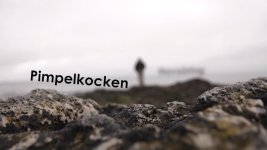
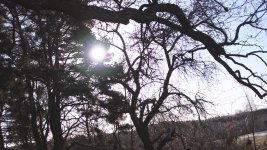
Koboll.mp4.Still001.jpgPimpelkocken Havsöring_Ledig annonsplats.Still001.jpgWoods DNxHD.jpg
Taken with af100
 
Sure. But this was in a overcast day. So there were not really shadows and sun. Also, white balancing in the sun to shoot in the shade will also cause problems I think? So how do you do when you have both shade and sunny parts?
 
Well, I think if you white balance for a really golden sun, then I think its a more beautiful picture.
I say, mooore yellow in the sky :)
 
Sorry but you lost me there. I'm talking chroma clipping yellow. If I want a yellow sunset I can just use a filter. :)
 
I this from the 5D or AF100?

See, in a shot like that with my AF100, the blown out parts would be full of yellow casting, even after manually white balancing and black balacing, using cinelike D, norm2 and Barry's settings. Any ideas why?
Is this without color correction by the way?

From the AF100 and as you can see she has a hard time to see due to the strong sun.

When one of the colour channels clip it will skew towards mostly yellow on the AF100. You can tame this by reduce chroma in camera. A trick I used sometimes is to manually adjust white balance and look at highlights closely. When they turned yellow I know one channels had clipped and I needed to to do something about it. In daylight you often don't have any other light sources than the sun and the skew towards yellow seldom happens as long as you have a correct white balance set. It does occur with man made light sources though so shooting in these mixed light situations can be tricky.

Another trick can be to go way overexposed so that all channels clips and things go pure white. Then it helps to have the background out of focus.

Highlight handling can be difficult to deal with since this camera is so prone to colour skew so it's a trial and error process to get it right.
 
Ive recently been shooting a bunch of pieces to camera out side on very bright days (thats like every day here in Sydney)I have previously been shooting with cine D and grading but as my client wants it broadcast in minuets so I started baking in the look as there was no chance to grade any of it. To cut to the chase, I have been really happy with the result.
So give this a try...

Cine V
Norm 2
detail -4
Vdetail -4
Corring -2
Chroma -3
Chroma phase +2
Pedistal -2
drs 1 (some times)

Expose faces so 65ire is only just visible in the highlights on the zebras.
I now white balance with the variable setting and just eyeball it. Black balance regularly.
And im using a reflector and/or a single 1x1 light panel.
 
From the AF100 and as you can see she has a hard time to see due to the strong sun.

When one of the colour channels clip it will skew towards mostly yellow on the AF100. You can tame this by reduce chroma in camera. A trick I used sometimes is to manually adjust white balance and look at highlights closely. When they turned yellow I know one channels had clipped and I needed to to do something about it. In daylight you often don't have any other light sources than the sun and the skew towards yellow seldom happens as long as you have a correct white balance set. It does occur with man made light sources though so shooting in these mixed light situations can be tricky.

Another trick can be to go way overexposed so that all channels clips and things go pure white. Then it helps to have the background out of focus.

Highlight handling can be difficult to deal with since this camera is so prone to colour skew so it's a trial and error process to get it right.


This trial and error is exactly what I'm tired of and why I came here. I don't think it should be that way. The problem is that you only know if it's an error when you can watch it in a studio monitor. You can never tell with the AF100 LCD or even be sure with an on board LCD. The trick with manually adjusting the white balance temperature sounds interesting but time consuming. In run and gun situations you can't do that with every shot. I disagree that skew towards yellow seldom happens in sun light. It happens all the time and specifically under sun light.
Talking about your shot with the girl, if that was bright sun light then it was quite underexposed. It looks like an overcast day. It totally changed the mood of your scene then. Also this makes me think that she is actually quite fairy skinned even though she looks to have a nice tan in the picture, probably because of the underexposure. This brings the topic to the fact that the underexposing method only works well with very fairy skinned people.
 
Back
Top