GH5 Continuous File Numbering on GH5?

Chadfish

Veteran
I recently picked up a GH5, and I'm finding that after every card format, the numbering starts at 01 again. I'd like the numbering to be continuous. I have a friend with a GH5, and his named the files continuously right out of the box. I've found the way to change the file name prefix, but still the numbers reset to 01. Can someone help me out here?

Thanks!
 
Can anyone tell me if their GH5 resets the numbers of the recorded files after a format, or if it continues the numeric naming where the last recorded file left off?
 
I just tested a recently low level formatted (not the quick format) and the file numbering did not reset but started with the next number after the last recording.
 
Continuous numbering unless you reset the camera. Same as my GH4's. I can't even think of a way you can change this behavior.
 
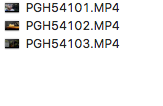
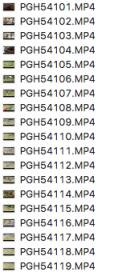
Yeah, it's weird. It records continuous on my GH4. I've just tested again, and my numbers reset to "4101.MP4"Screen Shot 2017-06-26 at 1.51.55 PM.pngScreen Shot 2017-06-26 at 12.55.19 PM.jpg

There has to be some reason MY camera came out of the box doing this.
 
What cards are you using? Lots of people have had problems with Lexar cards on the GH5, maybe this is related.

Also, try the reset option in the menu? Maybe do it a couple times, from video mode and one of the photo modes?
 
What cards are you using? Lots of people have had problems with Lexar cards on the GH5, maybe this is related.

Also, try the reset option in the menu? Maybe do it a couple times, from video mode and one of the photo modes?

Hmmm, I am using the Lexar 1000x cards.

I haven't tried a reset yet. Need to figure out how to save my current settings first.
 
So in case anyone is wondering, the file naming issue was resolved when I installed FW 2.0. At least it seems to be the case so far. I am finally getting continuous file naming/numbering even after a card format. It used to reset the numbering back to "101" after every format, and now it does not.

So happy about that!
 
Thanks, that's fantastic to hear! I was hopeful since some of the FW 2.0 fixes sounded as if they were related, but I couldn't be sure from the language in the descriptions.
 
chadfish-

thanks for the update.

it was kind of you to take the time and share the info so anyone else running into that issue now has a solution.

good man.

thanks for the effort and thanks for the share.

be well.

rob
smalltalk.productions
 
Back
Top