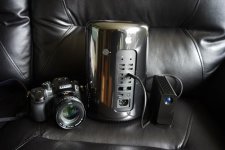
Currently my current setup is:
2008 Mac Pro 2 x 2.8 Ghz Quad Core Intel Xeon
4 x 2GB and 2 x 1GB (10 GB Total) 667 MHz DDR2 FB-DIMM
NVIDIA GeForce GT 120 512 MB
NVIDIA GeForce GTX 285 for Processing
...do you think it would be financially better to upgrade my current setup (increase my total ram to 16gb or swap my graphics card) or should I just make a new PC with about $1500?
I would recommend getting a newer mac as I have had difficulties with the UHD footage from the GH4 with my current system. Here's my system config:
2010 Mac Pro 3.46GHz 12-core 48GB RAM
Nvidia GeForce GTX 680 2GB
512GB SSD PCI-E for OSX
512GB SSD PCI-E for Cache Files
2x 4TB HD in RAID 0 for Media Files
2x 4TB HD in RAID 0 for Project Files
Dell UP3214Q UHD Monitor
NEC EA231WMi 1080 Monitor
Presently I have three areas of difficulty: playback within Premiere Pro CC, compression with Encoder CC, and displaying UHD @ 60Hz on my monitor.
1. Playback within PP CC with the GH4 UHD footage is fine without any filters. I usually put the UHD footage into a 1080 timeline and it plays back full speed. One color correction filter is usually fine as well, but increase it to two filters and suddenly the playback is stuttering. Also, when playback is set to 50% quality (not 50% scale, that seems to make no difference) the image suddenly shrinks by 50% when playing begins so that the image is playing in the central area of the canvas with a thick black border around it. It reverts back to full scale upon stopping. It also does this when I adjust the color correction filters in the Effects Pane. It makes it hard to color correct when the image becomes so small. I have adjusted scale to 100% to compensate but it's a poor work-around.
2. Encoding UHD footage in a 1080 timeline to a 720p H.264 output is slow. It took 65 minutes to export a 5:15 clip this way. I tried it again after moving all the media files onto an SSD and it took only 34 minutes, so that helped. But the bottleneck seems to be my graphics card, which leads me to my final problem.
3. Displaying UHD @ 60Hz is currently not supported by OSX 10.9.4 with my graphics card. Apple may never allow it with nVidia cards. However it has allowed it with Radeon cards, specifically the 7970 and r9 280x. And I've heard that with Adobe CC programs the OpenCL performance is similar to the CUDA performance. This is why I'm considering upgrading to one of these cards, possibly two of r9 280x in crossfire configuration (effectively the same as the D500s in the 2013 Mac Pro). Because I believe that part of my performance problems is due to my new UHD monitor. My GPU is having to run both a UHD and a 1080 monitor, which are effectively five 1080 monitors together, and it's struggling to compress UHD footage on top of all that.
So I'm currently exploring upgrading my GPU, and I'm leaning towards dual GTX Titans (for CUDA) or dual Radeon r9 280xs (for OpenCL). I'll post back with any developments. In the mean time, it'd be nice to hear from other GH4 users about their editing experiences with their system configurations. Maybe I've missed something and my GPU is not my bottleneck.