

IEBA
New member
I connected my GH2 AV cable to an external 16:9 LCD I've used with my HDV and even widescreen SD camcorders for years with no problems. Usually adjusting the in-monitor Zoom or Stretch takes the feed from the camera and fills the screen with proper aspect ratio footage. The GH2 is my first vDSLR and I am, of course, trying to use it as I am used to using camcorders. So I connected it to my little widescreen monitor via the composite cable, expecting a squeezed image that I can stretch, or a letterboxed image I could zoom. But I got something altogether different.
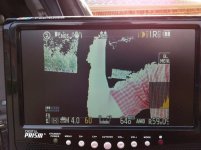
I got a slightly squished image, that was also cropped left and right. This makes no sense.
When I tell the monitor to stretch the image, it properly fills the 16:9 monitor, but now the video that is visible is stretched too far, and the sides are still cropped.
When I try to adjust the GH2's "TV Aspect" settings between 16:9 and 4:3 (which should only apply to composite video out because there's no 4:3 monitors with HDMI, and HDMI communicates the video data to the TV) changing the camera settings does not affect the output at all.
These images are of a live feed, but playback output is also cropped.
I tried to feed the video to another monitor, and then the results got even weirder:
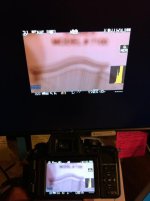
This time, I went through all the different settings on my 24" monitor, including a 1:1 mode which left the output of the GH2 in the middle of a big empty screen, but it was supposedly pixel-for-pixel what the GH2 was delivering. And NOW the image was not only cropped on the sides, but ALSO cropped on the top and bottom too.
Just to make sure I wasn't going nuts, I connected my little LCD back to my HDV camcorder and after I set the LCD to "full" mode, it once again showed me perfect 16:9 video- even a tiny bit more viewable area than the camcorder's own LCD screen.
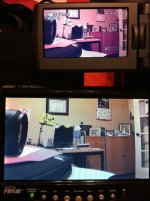
So my question is, HOW do I get the GH2 video output to show me everything that is on the LCD screen. I'm fine with the on-screen data. I'm okay with the video being letterboxed in that screen because I can zoom in if needed, but having the sides cropped makes no sense. I's squeezed a little bit- enough to look wrong- and all the icons are taller and thinner than they are on the camera. But it's not squeezed enough to get the whole image area into a 4:3 aspect ratio. Then when I stretch it to fill a 16:9 screen, it's stretched too far, because it wasn't squeezed enough to start with. So it's distorted either way.
The GH2 should properly squeeze the output so I can stretch it in the monitor. Moreover, changing the GH2's "TV Aspect" settings does nothing to the composite video out as far as I can tell.
Does it work for you?
What does it look like?
Do you have it set to 16:9, 4:3 or is there some other setting that I am missing?
This is with the 14-140mm lens, GH2 firmware v 1.1.
I got a slightly squished image, that was also cropped left and right. This makes no sense.
When I tell the monitor to stretch the image, it properly fills the 16:9 monitor, but now the video that is visible is stretched too far, and the sides are still cropped.
When I try to adjust the GH2's "TV Aspect" settings between 16:9 and 4:3 (which should only apply to composite video out because there's no 4:3 monitors with HDMI, and HDMI communicates the video data to the TV) changing the camera settings does not affect the output at all.
These images are of a live feed, but playback output is also cropped.
I tried to feed the video to another monitor, and then the results got even weirder:
This time, I went through all the different settings on my 24" monitor, including a 1:1 mode which left the output of the GH2 in the middle of a big empty screen, but it was supposedly pixel-for-pixel what the GH2 was delivering. And NOW the image was not only cropped on the sides, but ALSO cropped on the top and bottom too.
Just to make sure I wasn't going nuts, I connected my little LCD back to my HDV camcorder and after I set the LCD to "full" mode, it once again showed me perfect 16:9 video- even a tiny bit more viewable area than the camcorder's own LCD screen.
So my question is, HOW do I get the GH2 video output to show me everything that is on the LCD screen. I'm fine with the on-screen data. I'm okay with the video being letterboxed in that screen because I can zoom in if needed, but having the sides cropped makes no sense. I's squeezed a little bit- enough to look wrong- and all the icons are taller and thinner than they are on the camera. But it's not squeezed enough to get the whole image area into a 4:3 aspect ratio. Then when I stretch it to fill a 16:9 screen, it's stretched too far, because it wasn't squeezed enough to start with. So it's distorted either way.
The GH2 should properly squeeze the output so I can stretch it in the monitor. Moreover, changing the GH2's "TV Aspect" settings does nothing to the composite video out as far as I can tell.
Does it work for you?
What does it look like?
Do you have it set to 16:9, 4:3 or is there some other setting that I am missing?
This is with the 14-140mm lens, GH2 firmware v 1.1.