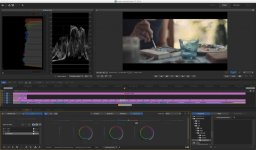
COLORS - a VisionColor Impulz LUT Test

Hi folks!
A clip i made to test out the Odyssey 7Q's 4K2HD and 2KRAW capabilities. Graded in Adobe Speedgrade with VisionColor Impulz LUT's on top of basic primary corrections.
Workflow:
RAW-->Resolve-->ProRes-Files--> Premiere
First, I added an Output Correction by using a Fast Color Corrector in Premiere (setting output Levels from 16 to 235 to gain Full Data Range from the ProRes Files) = full DR from footage. Then I added an Adjustment Layer on top of the Footage (above each clip, set to clip length), sent the project to Speedgrade and added the Primary, the _CIN LUT and the Cineon to FPE or Cineon to Film Contrast LUT. All the Corrections and LUTs were added to the adjustment layers.
As an Input Cineon LUT I either used Fuji Superior 200, Fuji Pro 400 or one of the Various Kodak's, each combined with one of the Output Conversion LUTs, mostly the Cineon to Vision 2383 (D50) FPE, Cineon to Vision Premier 2393 (D55) FPE or to one of the Cineon to Film Contrast ones.
Enjoy!
https://vimeo.com/100976936
 
Hi folks!
A clip i made to test out the Odyssey 7Q's 4K2HD and 2KRAW capabilities. Graded in Adobe Speedgrade with VisionColor Impulz LUT's on top of basic primary corrections.
Workflow:
RAW-->Resolve-->ProRes-Files--> Premiere
First, I added an Output Correction by using a Fast Color Corrector in Premiere (setting output Levels from 16 to 235 to gain Full Data Range from the ProRes Files) = full DR from footage. Then I added an Adjustment Layer on top of the Footage (above each clip, set to clip length), sent the project to Speedgrade and added the Primary, the _CIN LUT and the Cineon to FPE or Cineon to Film Contrast LUT. All the Corrections and LUTs were added to the adjustment layers.
As an Input Cineon LUT I either used Fuji Superior 200, Fuji Pro 400 or one of the Various Kodak's, each combined with one of the Output Conversion LUTs, mostly the Cineon to Vision 2383 (D50) FPE, Cineon to Vision Premier 2393 (D55) FPE or to one of the Cineon to Film Contrast ones.
Enjoy!
https://vimeo.com/100976936

Looks cool Stefan,

Can you expand a bit

In Resolve what kind of ProRes file did you create, a log file?

Then with these LUTS what do each of them do, can you show me an example SG stack? And what comes from VisionColor?

I do have those LUTS but not had a chance to even look at them yet...

cheers
Paul
 
Looks cool Stefan,

Can you expand a bit

In Resolve what kind of ProRes file did you create, a log file?

Then with these LUTS what do each of them do, can you show me an example SG stack? And what comes from VisionColor?

I do have those LUTS but not had a chance to even look at them yet...

cheers
Paul

Thanks Paul!
I created a normal slog2 file in Resolve, as we are all used to, camera raw: bmd film, exp +2,5, gamma correction of 0.8, as described in my thread about the LUT and rig here. Exported to ProRes and along with the files I shot in 4K2HD imported it to Premiere.
I have only watched the tutorial on the VisionColor website, but as far as i understood it:

you have 4 types of LUTs per film stock type coming with the Ultimate Package, they are named as follows:
..._FC - Film Contrast: Seems like an S-Curve plus colour changes according to the chosen film stock type. can be thrown on the footage, further corrections not nescessary, suitable for dailies for example. You won't know how much highlight and shadow detail got thrown away when using this LUT though.
..._FPE - Film Print Emulation: Flat LUT that emulates the colors of a Film stock, but doesn't alter the contrast much. (haven't tested these enough yet.)
..._VS - Vision Space: similar to FPE, gives you a starting point for later grading without changing the gamma curve, but with altered colours, according to the chosen film stock.
...CIN - Cineon Log - converts the footage to cineon gamma space, retaining as much detail as possible, making the footage extremely flat in the first place, alters the colours according to the chosen film stock.

also there come Output Corrections: (List from VisionColor Hompage)
+Cineon to Vision 2383 (D50) FPE (Rec709) [medium contrast/saturation]
+Cineon to Vision Premier 2393 (D55) FPE (Rec709) [more silver in emulsion - rich blacks/high sat]
+Cineon to custom 35mm Fuji FPE (Rec709) [color positive still film with custom print gamma]
+Cineon to Film Contrast 01 [Non-linear saturation / print gamma - preserves negative colors]
+Cineon to Film Contrast 02 [Bleach characteristics similar to profiles from another developer]
+Cineon to VisionSpace™
these output corrections work regardless of the used camera, once the footage got converted to cineon.

So i chose to use the cineon conversion way:
The lowest layer in SG is my Primary correction, which i just generate in the first place, i don't alter its values until i've added the LUT's though.
The next layer follows: LUT: Fuji 400 Superior_CIN File for example.
Then the last layer, the output correction layer follows: Cineon to Vision 2383 (D50) FPE for example. (this could also be one of the other provided output correction LUTs, don't confuse the OUTPUT CINEON TO FPE LUT with the NON CINEON INPUT FPE LUT above)
ok, so you now have three layers:
Top: Output LUT
Middle: Cineon conversion LUT
Bottom: Primary
If you feel that the LUTs somehow swallowed some highlight or shadow detail, you can now make changes to the bottom primary layer, lifting the blacks or lowering the highlights (or whatnot) to get back the detail.
A big plus here is that you can throw in another primary in between the two LUTs, giving you greater flexibility (didn't feel the need for that yet, but doable).
i can upload a screenshot later.
 
Thanks Paul!
I created a normal slog2 file in Resolve, as we are all used to, camera raw: bmd film, exp +2,5, gamma correction of 0.8, as described in my thread about the LUT and rig here. Exported to ProRes and along with the files I shot in 4K2HD imported it to Premiere.
I have only watched the tutorial on the VisionColor website, but as far as i understood it:

you have 4 types of LUTs per film stock type coming with the Ultimate Package, they are named as follows:
..._FC - Film Contrast: Seems like an S-Curve plus colour changes according to the chosen film stock type. can be thrown on the footage, further corrections not nescessary, suitable for dailies for example. You won't know how much highlight and shadow detail got thrown away when using this LUT though.
..._FPE - Film Print Emulation: Flat LUT that emulates the colors of a Film stock, but doesn't alter the contrast much. (haven't tested these enough yet.)
..._VS - Vision Space: similar to FPE, gives you a starting point for later grading without changing the gamma curve, but with altered colours, according to the chosen film stock.
...CIN - Cineon Log - converts the footage to cineon gamma space, retaining as much detail as possible, making the footage extremely flat in the first place, alters the colours according to the chosen film stock.

also there come Output Corrections: (List from VisionColor Hompage)
+Cineon to Vision 2383 (D50) FPE (Rec709) [medium contrast/saturation]
+Cineon to Vision Premier 2393 (D55) FPE (Rec709) [more silver in emulsion - rich blacks/high sat]
+Cineon to custom 35mm Fuji FPE (Rec709) [color positive still film with custom print gamma]
+Cineon to Film Contrast 01 [Non-linear saturation / print gamma - preserves negative colors]
+Cineon to Film Contrast 02 [Bleach characteristics similar to profiles from another developer]
+Cineon to VisionSpace™
these output corrections work regardless of the used camera, once the footage got converted to cineon.

So i chose to use the cineon conversion way:
The lowest layer in SG is my Primary correction, which i just generate in the first place, i don't alter its values until i've added the LUT's though.
The next layer follows: LUT: Fuji 400 Superior_CIN File for example.
Then the last layer, the output correction layer follows: Cineon to Vision 2383 (D50) FPE for example. (this could also be one of the other provided output correction LUTs, don't confuse the OUTPUT CINEON TO FPE LUT with the NON CINEON INPUT FPE LUT above)
ok, so you now have three layers:
Top: Output LUT
Middle: Cineon conversion LUT
Bottom: Primary
If you feel that the LUTs somehow swallowed some highlight or shadow detail, you can now make changes to the bottom primary layer, lifting the blacks or lowering the highlights (or whatnot) to get back the detail.
A big plus here is that you can throw in another primary in between the two LUTs, giving you greater flexibility (didn't feel the need for that yet, but doable).
i can upload a screenshot later.

The LUTs i presume will clip 0..1 range?

Your base is Slog2, but in order for SG to see that properly it needs some form of conversion into scene linear, are you telling SG anything about your source file?
Isn't that Fuji_CIN LUT expecting a linear source (so it is converting from Linear to Cineon)?
Then once in linear, you can grade and finally pop the CIN_Vision 2383?

Just understanding those very first few steps, the naming convention Fuji 400 Superior_CIN implies involving some kind of film stock in the cineon conversion?

thanks!
Paul
 
no need to tell sg anything... the First CIN conversion LUT is tailored to the FS700's slog2. I suppose the conversion goes directly from slog2 to cineon if I understood it correctly.
Just understanding those very first few steps, the naming convention Fuji 400 Superior_CIN implies involving some kind of film stock in the cineon conversion?
yes.
 
no need to tell sg anything... the First CIN conversion LUT is tailored to the FS700's slog2. I suppose the conversion goes directly from slog2 to cineon if I understood it correctly. yes.

Got it, i had a look at the LUTs i have here.

The LUTs are all in one, source -> destination

Unless you do the _CIN in which case you need a LUT on top to do the print emulation...

makes sense now!

What do you think of this collection?

thanks
Paul
 
yeah you got it :) i like it so far, will have to do a real project with it to be able to say more though. There are definitely a lot of ways you can go with that collection!
 
Thanks for your kind words alex! I have never shot on film unfortunately, which makes it hard for me to say if things look close to film or not. I believe that the feel for it grows with learning, watching and shooting, though not a thing one can understand and learn by reading one book.
 
If i had to choose i'd take 4k2hd, so sharp! I dont see an advantage in shooting raw, unless it is a really high budget shoot, to have some bits left if exp or wb goes terribly wrong, which of course shouldn't on a high end shoot :)

Do you want to know anything more specific?
 
Thanks for the quick reply, that's the answer I was looking for! haha I shoot action sports and the sharpness I think is going to help a lot with all the motion and detail going on. Fingers crossed for the 4k2HD 60p announcement hehe
 
I'm also shooting a fair bit of action sports and i think 2k raw will be fine to intercut with 4k2hd, the high frame rates help a lot. I think 2k raw is sharp enough for most applications.
 
If i had to choose i'd take 4k2hd, so sharp! I dont see an advantage in shooting raw, unless it is a really high budget shoot, to have some bits left if exp or wb goes terribly wrong, which of course shouldn't on a high end shoot :)

Do you want to know anything more specific?
In this case, RAW has no advantage when it comes to WB. Correct me if I'm wrong.

WB is baked into the RAW signal coming from the FS700.
 
Most capable systems have WB baked in as the analogue gain is applied on a per-channel basis, maximizing DR and minimizing noise.
 
very ccol my friend - which lens did u use?
Thanks! Samyang 35, pentax 50 1.4 (buttery bokeh shots), nikon 50 plus macro diopters, nikon 80-200 2.8, switched between the normal adapter and speedbooster depending on dof and fov...

@austinmartin & policar: i knew that the wb is baked into the raw stream to some degree, but does it really have no advantage vs prores in terms of wb?

@christopher: thanks! Yeah the view is breathtaking, we love our terrace. Actually, i wanted to grade that shot again, i wasn't that satisfied with the colours on this particular clip.
 
Back
Top