Color issues when outputting to monitor.

jgastelb

Well-known member
I have been using an Ikan monitor and noticed that with the AF100 the image looks inaccurate. At first I thought it was the monitor itself. Now I'm starting to think the problem is with the camera itself. When I view the footage through either composite or HDMI cables on other monitors, the same issue is there. Basically, there's a strong blue cast over the image as if the white balance was off (though in the LCD and EVF everything looks right).

Has anyone had this issue? Should I be resetting the camera? I have not upgraded the firmware yet. Any ideas or tips would be greatly appreciated. Thanks.

Jgastelb
 
I have not upgraded the firmware yet. Any ideas or tips would be greatly appreciated.

Upgrade your firmware!

It reduces the LCD's yellowish cast, plus adds a warning if your in VFR, & not capturing sound.

But still don't trust the LCD, or EVF, for color. They can't be calibrated & are not accurate.

-B
 
Sorry, taking my suspicions back - it MUST be the Ikan monitor. I upgraded the firmware and all temp settings are set to zero.

After checking on a 720P monitor throught HDMI, I realize that because the AF100 LCD leans to yellow, any other monitor seems a bit more bluish. However, in the VL7, the tint was exaggerated. I guess I'll be in the market for a new monitor (after I get my money back). Pity, since I really liked the peaking function but I can't work with a monitor that looks like it's not properly white balanced. :-(

Thanks for the replies.
 
I have a manhattan monitor and it definitely looks bluer than the camera lcd and viewfinder. Looking at the footage on location after transcoding to final cut on a laptop I can tell you it looks pretty normal, meaning that the monitor is too blue and the lcd on the camera is too warm. I don't know what's going on.
 
I have a manhattan monitor and it definitely looks bluer than the camera lcd and viewfinder. Looking at the footage on location after transcoding to final cut on a laptop I can tell you it looks pretty normal, meaning that the monitor is too blue and the lcd on the camera is too warm. I don't know what's going on.

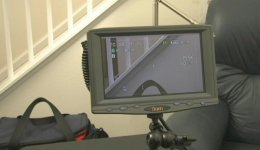
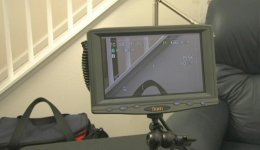
Interesting. Like this?

Tint.jpg
 
Pretty much, but I can tell you that my hmc 150 does not look blue on the manhattan monitor like the af 100.
 
Pretty much, but I can tell you that my hmc 150 does not look blue on the manhattan monitor like the af 100.

I had the people at Ikan check the monitor with the AF100 at their facility and they told me that the monitor looks fine to them. So, who the hell knows, man. You're the first person I know to say that they have this issue.
 
I have a manhattan monitor and it definitely looks bluer than the camera lcd and viewfinder. Looking at the footage on location after transcoding to final cut on a laptop I can tell you it looks pretty normal, meaning that the monitor is too blue and the lcd on the camera is too warm. I don't know what's going on.

Have you checked your monitor settings? Could be the wrong color temp setting
 
Have you checked your monitor settings? Could be the wrong color temp setting

That monitor doesn't have color temp settings. No hue either. It's a basic LCD. I also went ahead and reset it to their default to no avail.
 
Probably you need a better field monitor. My af100 is also off on it's color rendition. My next move is to buy a field monitor that will allow manual calibration to the camera's color bars. I can't recommend any as I'm still looking around but it seems
to me this would solve your problem as well. I can say from experience that a good, reliable on probably won't be cheap. If anyone out there has any recommendations please post them......
 
I also have an Ikan V8000HDMI monitor and have changed the monitor's setup to reduce the blue channel to 105, while leaving the red and green channels to the standard 128. It would definitely help if the Ikan had a blue-gun only setup to properly align the monitor to standard color bars.
 
Definitely need a monitor with color settings. At the very least, you could get it to look somewhat decent.
 
A photo of a monitor tells me nothing. I need to hear your experince. Which matches? The footage to the monitor? Or the footage to the camera?

Monitors are naturally 5600k.
 
A photo of a monitor tells me nothing. I need to hear your experince. Which matches? The footage to the monitor? Or the footage to the camera?

Monitors are naturally 5600k.

TimurCivan
The monitor image leans to a purple blue. The footage in post and on the camera's lcd is accurate. The monitor is definitely off, as I've stated. Since there are no color controls or blue gun in this type of monitor, there's not much one can do. You can lower the saturation to lower the tint but then you start getting a B&W look. Sorry if the pic above wasn't clear enough. I had hoped for a clarification from anyone having this experience but the truth is that I'm puzzled because when outputting to other HDMI monitors, the problem has either gone away or substantially been reduced. Thanks for trying to help.
 
Some of those cheap monitors require you to be in TV mode in order to adjust color. Color changes then apply to other input sources. Not sure if that applies to this make/model but you might want to give that a try.
 
Back
Top